GoHighLevel Private Channel Access Revoked Trigger: Setup Guide (2026)
 By Dr Priya Jaganathan, GoHighLevel Certified Admin · HL Growth Partner, Australia · Updated 16 November 2026 · 9 min read
How to set up the Private Channel Access Revoked trigger so downgrades, cancellations and failed payments end with clean tags, a respectful message and a clear record, instead of a member quietly disappearing from your VIP room.
Some links below are affiliate links — if you sign up through them, HL Growth Partner may earn a commission at no extra cost to you. It never changes what we recommend.
The GoHighLevel Private Channel Access Revoked trigger starts a workflow whenever a member is removed from a private channel inside a Community group. It is the exit door for your VIP, coaching and mastermind tiers, and it decides whether a downgrade feels considered or careless.
Below you will find where the trigger lives, how to filter it, how to stop it firing on routine admin tidy-ups, five exit recipes, how to pair it with the Revoke Private Channel Access action, and a test plan you can run in about fifteen minutes.
| Trigger name | Private Channel Access Revoked |
| Where to find it | Workflow builder, Communities category, next to Private Channel Access Granted |
| When it fires | Whenever a user is removed from a private channel in a Community group |
| Default member experience | Removal is silent: the member gets no notification unless you send one |
| Setup filters | The group and private channel (exact filter fields may vary, so check your account) |
| Matching actions | Grant Private Channel Access, Revoke Private Channel Access |
Why the HighLevel private channel revoked trigger matters more than the welcome
Out of the box, HighLevel removes someone from a private channel without telling them. The channel simply vanishes from their view. That silence is the reason the HighLevel private channel revoked trigger exists: it gives you a hook to explain, tidy up and keep the relationship.
If you have already built the entry side using our Private Channel Access Granted trigger setup, this workflow is its mirror image. Everything you added on the way in should have a matching step on the way out.
The four moments that usually cause a removal
- Downgrade: the member moves from a premium tier to a cheaper one but stays in the community.
- Cancellation: the member ends their subscription entirely.
- Failed payment: a renewal does not go through and access is pulled until it is fixed.
- Admin action: a moderator removes someone, or a team member cleans up test contacts and duplicates.
Communities exit triggers compared: channel level versus group level
HighLevel has four Communities triggers: Group Access Granted, Group Access Revoked, Private Channel Access Granted and Private Channel Access Revoked. Two of them deal with exits, and mixing them up is a common source of double messages.
| Exit event | Scope | What the member still has | Typical workflow response |
|---|---|---|---|
| Private Channel Access Revoked | One private channel inside a group | Usually the rest of the group | Downgrade note, remove tier tag, close tier tasks, offer a path back |
| Group Access Revoked | The whole Community group | Nothing in that group | Exit survey, win-back sequence, full membership clean-up |
| Revoke Private Channel Access (action) | A workflow step removing the contact from a channel | Depends on what else you revoke | Run after a cancellation, refund or failed payment so the trigger then fires |
When someone leaves the whole community, the group-level logic in our Group Access Revoked trigger walkthrough takes over. Keep the channel-level workflow focused on the tier, not the whole membership.
How to set up the Private Channel Access Revoked trigger, step by step
Step 1: List what each tier gives on entry
Before you build anything, open your entry workflow for each private channel and write down every tag, custom field, pipeline stage, task and sequence it touches. That list becomes your exit checklist.
If you cannot name what the entry workflow changed, you cannot reliably reverse it.
Step 2: Create the workflow and pick the trigger
- Go to Automation and start a new workflow from scratch.
- Click Add New Trigger and open the Communities category.
- Choose Private Channel Access Revoked, which sits right beside Private Channel Access Granted.
- Select the group and the private channel this workflow should watch. Filter options can differ between accounts, so check what yours shows.
- Rename the trigger to something obvious, such as "VIP channel removed".
Step 3: Add a tag check so admin clean-ups do not fire messages
The trigger cannot tell a cancellation from a moderator tidying up test contacts. Both are simply removals. So the first action after the trigger should be an If/Else that checks for a reason.
The cleanest pattern is to have your billing workflows add a reason tag, such as "exit: cancelled", "exit: downgraded" or "exit: payment failed", just before they revoke access. Your exit workflow then branches on those tags. If none is present, treat it as an admin removal: log it, skip the member message and stop.
If you are new to branching, our If/Else conditions guide for HighLevel workflows covers tag conditions and branch ordering in detail.
Step 4: Build the exit actions on each branch
- Remove the tier tag so smart lists and reports stay honest.
- Send a short, polite message that confirms the change and explains what they still have.
- Mark any open onboarding tasks as complete or remove them, so the coach is not chasing someone who left.
- Move or close the related opportunity in your pipeline.
- Notify the coach or community manager with an internal notification.
- Write an audit note on the contact recording the date, channel and reason.
A downgrade is not a goodbye. Handle it like a change of seat, not a door slammed shut, and a fair share of people will move back up.
Not on HighLevel yet? Start with a free 30-day trial here — long enough to build everything in this guide before you pay a cent.
Five exit workflow recipes for private channel removals
These are the patterns we build most often for agencies running tiered communities. Each one runs from the same trigger but a different If/Else branch.
| Recipe | Branch condition | Core actions | Tone of message |
|---|---|---|---|
| Polite downgrade | Tag "exit: downgraded" | Remove tier tag, confirm the new tier, list what they keep, link to upgrade | Warm and matter-of-fact |
| Cancellation win-back | Tag "exit: cancelled" | Remove tier tag, short exit survey, delayed win-back email a few weeks later | Grateful, no pressure |
| Failed payment pause | Tag "exit: payment failed" | Keep a "paused" tag, send update-card link, notify the account owner | Helpful and practical |
| Coach hand-off | Any member-facing branch | Internal notification to coach, close open onboarding tasks, update opportunity | Internal only |
| Admin clean-up | No exit reason tag | Add audit note only, end workflow | No member message |
Writing the downgrade and win-back messages
Keep the first message to a few lines. Confirm what changed, tell them what they still have access to, and give one clear way back. Avoid guilt, countdown timers or anything that reads like a penalty.
For a cancellation, add a wait step of a few weeks before the win-back so it reads as a check-in, not a reflex.
Handling failed payments without punishing the member
A failed card is usually an accident, not a decision, so write the message like a friendly heads-up. Send the update-payment link, keep their history intact and let your entry workflow restore access automatically once the payment clears.
Pair the trigger with the Revoke Private Channel Access action
The trigger reacts to a removal. Something still has to cause that removal, and for paid tiers that should be your billing events rather than a person remembering to click.
The robust setup uses two workflows. The first listens for a commercial event, adds the exit reason tag and runs the Revoke Private Channel Access action. The second is the Private Channel Access Revoked workflow described above, which handles messaging and clean-up.
- Recurring tiers: drive removals from cancellation or failed-renewal events using the Subscription trigger in HighLevel.
- Refunds: when a member asks for their money back, the Refund trigger can tag the reason and revoke the channel in one pass.
- Manual downgrades: have your team apply the "exit: downgraded" tag first, then let a tag-based workflow revoke access.
For the official trigger list, see HighLevel's A List of Workflow Triggers, and the Communities private channel triggers and actions changelog for the original release notes.
Testing your Private Channel Access Revoked workflow before go-live
A short test plan
- Create a test contact with an email address and phone number you control.
- Add the contact to the group and the private channel, and let the entry workflow run.
- Apply "exit: downgraded", then remove the contact from the channel and check the execution history.
- Repeat with "exit: cancelled" and "exit: payment failed" to confirm each branch.
- Remove the contact once with no reason tag and confirm no member message is sent.
- Check that tags, tasks, opportunity stage and the audit note all look right afterwards.
Keep an audit trail you can actually read
Contact notes are the simplest record. A line such as "Removed from VIP channel, reason: cancelled, 16 Nov 2026" gives support staff the full story without opening workflow logs.
If you also store the exit date in a custom field, you can build smart lists of recent downgrades and time your win-back campaigns properly.
Common mistakes to avoid
- Sending a member-facing message on every removal, including admin clean-ups and test contacts.
- Removing the private channel but leaving the tier tag, so smart lists still count the member as VIP.
- Leaving onboarding tasks open, so coaches keep chasing someone who has already downgraded.
- Treating a failed payment like a cancellation and sending a farewell to someone who simply needs a new card.
- Copying clean-up steps into every billing workflow instead of centralising them on the revoked trigger.
- Skipping a live test of each If/Else branch and finding out from a confused member.
Or if you just need the software first: grab the 30-day HighLevel trial and book us when you're ready to scale it.
Frequently asked questions
What is the GoHighLevel Private Channel Access Revoked trigger?
It is a Communities workflow trigger in HighLevel that fires whenever a user is removed from a private channel in a Community group. Agencies use it to remove tier tags, send downgrade or win-back messages, close open tasks and notify the team.
Does HighLevel notify a member when they are removed from a private channel?
No. By default the removal happens silently and the member receives no notification. If you want them to know what changed and what they still have access to, you need to send that message from a Private Channel Access Revoked workflow.
Where do I find the HighLevel private channel revoked trigger?
Open the Workflow builder, add a new trigger and look in the Communities category. Private Channel Access Revoked sits next to Private Channel Access Granted, alongside Group Access Granted and Group Access Revoked.
How do I stop the trigger firing when an admin cleans up members?
Have your billing workflows add an exit reason tag before they revoke access, then start the revoked workflow with an If/Else that checks for that tag. If no reason tag is present, add an audit note and end the workflow without messaging the member.
What is the difference between Private Channel Access Revoked and Group Access Revoked?
Private Channel Access Revoked fires when someone loses one private channel but may still be in the wider group, which makes it right for downgrades. Group Access Revoked fires when they lose access to the whole Community group, which suits full cancellations and exit surveys.
Can a workflow remove someone from a private channel automatically?
Yes. The Revoke Private Channel Access action removes the contact from a chosen private channel. A common pattern is to run it from a subscription cancellation, failed payment or refund workflow, which then causes the Private Channel Access Revoked trigger to fire.
How do I test a Private Channel Access Revoked workflow?
Use a test contact you control, add it to the group and private channel, then remove it once for each exit reason tag and once with no tag. Check the execution history and confirm the tags, tasks, opportunity and audit note all changed as expected.
Related Articles on HL Growth Partner
More Communities and access triggers
 GoHighLevel Group Access Granted Trigger: Setup Guide (2026)
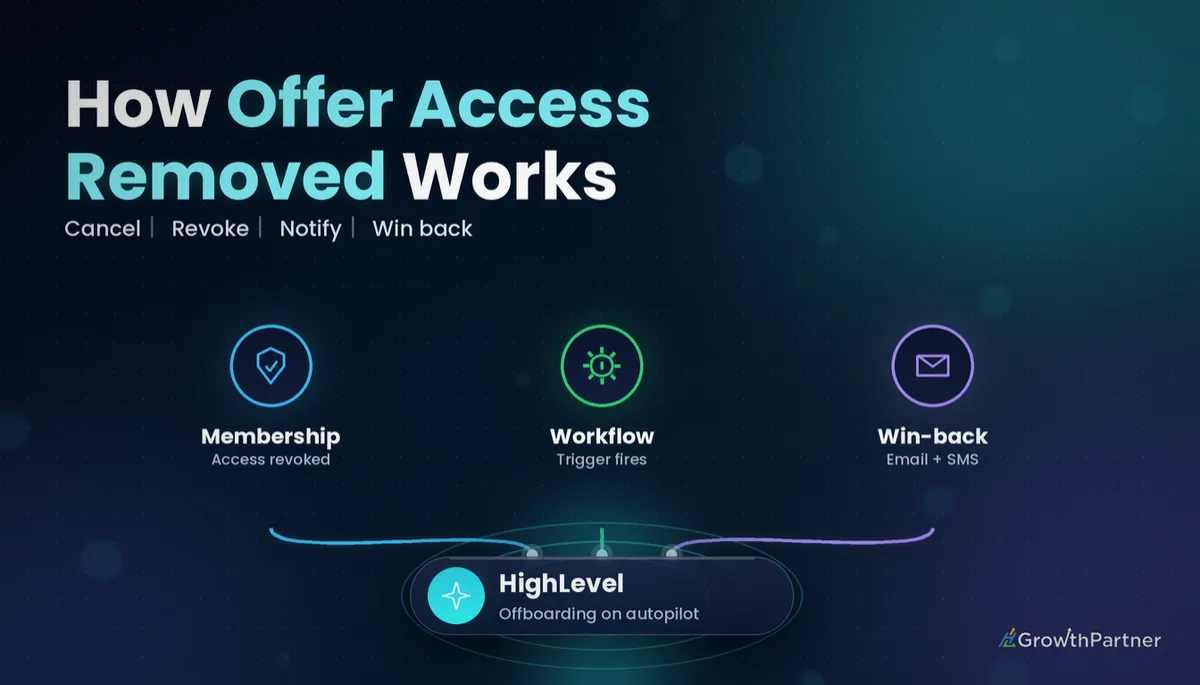 GoHighLevel Offer Access Removed Trigger: Setup Guide (2026)
 GoHighLevel Product Access Removed Trigger: Setup Guide (2026)
Payments that drive access changes
 GoHighLevel Payment Received Trigger: Setup Guide (2026)
 GoHighLevel Invoice Trigger: Setup Guide (2026)