GoHighLevel Private Channel Access Granted Trigger: Setup Guide (2026)
 By Dr Priya Jaganathan, GoHighLevel Certified Admin · HL Growth Partner, Australia · Updated 15 November 2026 · 9 min read
How to set up the Private Channel Access Granted trigger so every member who lands in a VIP or coaching channel gets the right welcome, tags and onboarding tasks without anyone lifting a finger.
Some links below are affiliate links — if you sign up through them, HL Growth Partner may earn a commission at no extra cost to you. It never changes what we recommend.
The GoHighLevel Private Channel Access Granted trigger starts a workflow the moment a member is added to a private channel inside a Community group. For agencies running paid communities with tiered channels, it is the cleanest way to turn "you now have VIP access" into a proper onboarding moment.
This guide walks through the setup, the filters that matter, four workflow recipes you can copy, how to pair it with the Grant and Revoke Private Channel Access actions, and how to test and report on it before your members ever see it.
| Trigger name | Private Channel Access Granted |
| Where it lives | Communities category of HighLevel workflow triggers |
| When it fires | Whenever a member is added to a private channel in a Community group |
| Setup filters | The group and the private channel |
| Sibling trigger | Private Channel Access Revoked |
| Matching actions | Grant Private Channel Access, Revoke Private Channel Access |
What the HighLevel private channel trigger actually does
HighLevel Communities lets you split one group into public and private channels. A private channel is only visible to the members you add to it, which is exactly how most agencies build a VIP tier, a coaching cohort or a mastermind room inside a broader community.
Before this trigger existed, adding someone to a private channel was a silent event. The member gained access, but nothing else happened unless an admin remembered to send a welcome note, tag the contact or brief the coach. The HighLevel private channel trigger turns that silent event into a workflow entry point.
It sits alongside the group-level triggers. If you have already built entry automations with the Group Access Granted trigger, think of this as the same idea one level deeper: group access covers the whole community, private channel access covers a specific room inside it.
Why tiered channels need their own automation
In a tiered community, joining the group and joining the VIP channel are two different moments with two different promises. The first is "welcome to the community". The second is "welcome to the thing you paid extra for".
- VIP members expect a personal touch and clear next steps.
- Coaching members usually need a kick-off call booked and an intake form completed.
- Your team needs to know who just upgraded so nobody falls through the cracks.
Communities triggers and actions compared: which one to use when
HighLevel gives you four Communities triggers and two matching private channel actions. Picking the right one is mostly about two questions: is the event about the whole group or one channel, and are you reacting to access or granting it?
| Trigger or action | Type | Fires or runs when | Use it for |
|---|---|---|---|
| Group Access Granted | Trigger | A member gains access to a Community group | General community welcome, house rules, first-week nurture |
| Group Access Revoked | Trigger | A member loses access to a Community group | Exit surveys, win-back sequences, cleaning up tags |
| Private Channel Access Granted | Trigger | A member is added to a private channel in a group | VIP or coaching onboarding, upgrade alerts, tier tagging |
| Private Channel Access Revoked | Trigger | A member is removed from a private channel | Downgrade messaging, removing tier tags, closing open tasks |
| Grant Private Channel Access | Action | A workflow step adds the contact to a private channel | Giving access automatically after a payment, form or tag |
| Revoke Private Channel Access | Action | A workflow step removes the contact from a private channel | Removing access after a cancellation or failed payment |
The group-level exit side is covered in detail in our guide to the Group Access Revoked trigger, and the same thinking applies to channel-level downgrades.
How to set up Private Channel Access Granted, step by step
Step 1: Map your channels first
List every private channel in each group and what it represents. A typical paid community might have a VIP channel, a coaching cohort channel and a founders or alumni channel. Each private channel that represents a distinct promise deserves its own workflow.
If you have not yet structured your group and channels, start with our walkthrough on building and monetising a HighLevel community, then come back here.
Step 2: Create the workflow and choose the trigger
- Go to Automation and create a new workflow from scratch.
- Add a trigger and, in the workflow builder, search for "Private Channel Access Granted" under Communities.
- Specify the group, then specify the private channel the workflow should listen to.
- Name the trigger clearly, for example "VIP channel joined".
Step 3: Use the group and channel filters properly
The group and private channel selections are what stop a coaching welcome going to a VIP member. Always set both. Leaving the channel broad is the fastest way to send the wrong onboarding to the wrong tier.
If one workflow must cover several channels, branch by channel rather than sending one generic message.
Step 4: Build the actions
Once the trigger is in place, add your actions. The usual core is a welcome message, a tier tag and an internal task. Keep the first message short and specific to the channel: what this room is for, what to do first and who to contact.
Joining the group is a welcome. Joining a private channel is a promise. Your automation should treat them differently.
Not on HighLevel yet? Start with a free 30-day trial here — long enough to build everything in this guide before you pay a cent.
Four workflow recipes for VIP and coaching channels
These are patterns we use with agency clients. Adjust wording and timing, but keep the structure.
| Recipe | Trigger | Core actions | Best for |
|---|---|---|---|
| VIP welcome | Private Channel Access Granted (VIP channel) | Welcome email and DM, add VIP tier tag, notify the community manager | Premium tiers inside a larger paid group |
| Coaching kick-off | Private Channel Access Granted (coaching channel) | Send booking link for kick-off call, send intake form, create a task for the coach | Group coaching and cohort programmes |
| Paid upgrade to channel | Payment or subscription event | Grant Private Channel Access, then the VIP welcome fires from the channel trigger | Upsells from the main group into a private tier |
| Downgrade clean-up | Private Channel Access Revoked | Remove tier tag, send a polite downgrade note, close open onboarding tasks | Keeping tags and reporting accurate |
Pairing the trigger with Grant and Revoke actions
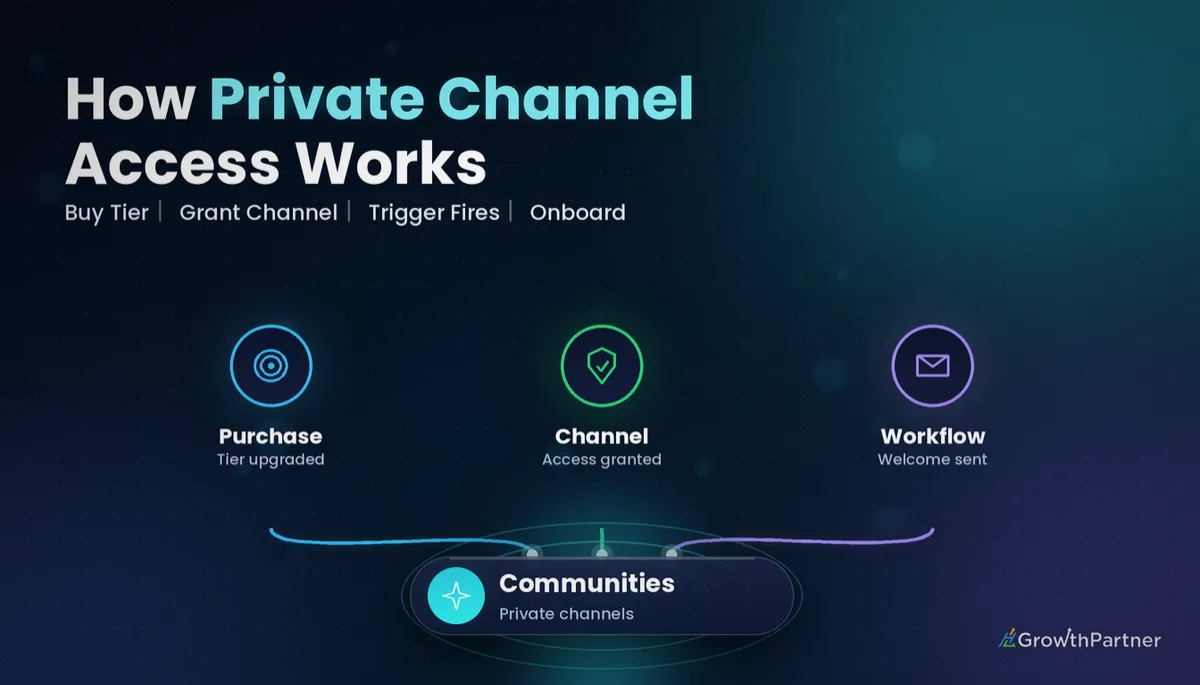
The most robust setup separates "granting access" from "onboarding". One workflow listens for the commercial event and uses the Grant Private Channel Access action. A second workflow listens for Private Channel Access Granted and does the onboarding.
That split means the onboarding runs the same way whether access came from a payment, a manual admin add or an automation. Your welcome logic lives in one place, no matter how the member arrived.
For the commercial side, the Payment Received trigger is the usual starting point for one-off upgrades, while recurring tiers are better driven by subscription events. The Revoke Private Channel Access action then mirrors the flow when someone cancels.
Closing the loop with the Revoke trigger
Every tier tag you add on entry should be removed on exit. Build a matching workflow on Private Channel Access Revoked for each channel, so your tags, smart lists and reports always reflect who actually has access today.
Testing and reporting on your private channel workflows
Test with a real contact before going live
- Create a test contact using an email address you control.
- Add that contact to the group, then add them to the private channel.
- Check the workflow's execution history to confirm it fired once, with the right branch.
- Confirm the email, DM, tag and task all landed where you expected.
- Remove the contact from the channel and confirm the Revoke workflow runs too.
Report on tiers using tags
Because the trigger fires on channel entry, the tier tag you add is a reliable marker of who joined which private channel. Use those tags in smart lists to see how many members are in each tier and who joined recently.
Consistent tag naming is what makes this reporting usable. Pick a pattern such as "tier: vip" and "tier: coaching" and stick to it across every workflow.
For the full list of trigger names and categories, see HighLevel's A List of Workflow Triggers help article, and the original Communities private channel triggers and actions changelog.
Common mistakes to avoid
- Leaving the private channel filter unset, so one welcome fires for every channel in the group.
- Putting onboarding inside the payment workflow, so manual adds by an admin never get a welcome.
- Adding tier tags on entry but never removing them with a Private Channel Access Revoked workflow.
- Reusing the general group welcome for a VIP channel, which makes the premium tier feel generic.
- Skipping a live test with a real contact and discovering the wrong branch fires after launch.
- Using inconsistent tag names across channels, which breaks smart lists and tier reporting.
Or if you just need the software first: grab the 30-day HighLevel trial and book us when you're ready to scale it.
Frequently asked questions
What is the GoHighLevel Private Channel Access Granted trigger?
It is a Communities workflow trigger in HighLevel that fires whenever a member is added to a private channel in a Community group. Agencies use it to start onboarding, tagging and internal alerts the moment someone joins a VIP or coaching channel.
How do I set up the HighLevel private channel trigger?
Create a new workflow, add a trigger and select Private Channel Access Granted from the Communities triggers. Then specify the group and the private channel the workflow should listen to, and add your actions such as a welcome message, a tag and a task.
What is the difference between Group Access Granted and Private Channel Access Granted?
Group Access Granted fires when a member gains access to a whole Community group. Private Channel Access Granted fires when a member is added to a specific private channel inside a group, which makes it the right trigger for tiered offers like VIP or coaching channels.
Can a workflow add someone to a private channel automatically?
Yes. HighLevel has a Grant Private Channel Access workflow action that adds the contact to a private channel, and a Revoke Private Channel Access action that removes them. A common pattern is to grant access after a payment, then let the Private Channel Access Granted trigger handle onboarding.
Is there a trigger for when someone loses private channel access?
Yes. Private Channel Access Revoked is the matching Communities trigger. Use it to remove tier tags, send a downgrade message and close any open onboarding tasks so your reporting stays accurate.
Should I build one workflow for all my private channels?
Usually not. One workflow per private channel is easier to read, test and hand over, and it avoids sending a coaching welcome to a VIP member. If you do combine channels, set the channel filter carefully and use separate branches.
How do I test a Private Channel Access Granted workflow?
Create a test contact with an email you control, add it to the group and then to the private channel. Check the workflow execution history, confirm every message, tag and task arrived, then remove the contact from the channel to test the revoke workflow.
Related Articles on HL Growth Partner
More Communities and membership triggers
 GoHighLevel Offer Access Granted Trigger: Setup Guide
 GoHighLevel New Signup Trigger: Setup Guide
 GoHighLevel Subscription Trigger: Setup Guide