GoHighLevel Subscription Trigger: Setup Guide (2026)
 By Dr Priya Jaganathan, GoHighLevel Certified Admin · HL Growth Partner, Australia · Updated 31 October 2026 · 9 min read
How to set up the GoHighLevel subscription trigger, choose the right filters, and build five recurring-revenue workflows that onboard, recover and win back subscribers.
Some links below are affiliate links — if you sign up through them, HL Growth Partner may earn a commission at no extra cost to you. It never changes what we recommend.
The GoHighLevel subscription trigger is the workflow trigger that watches your recurring revenue. Every time a client starts a retainer, enters a trial, misses a renewal or cancels, it can fire an automation that responds within minutes instead of days.
For agencies selling monthly retainers and SaaS operators selling memberships, that matters more than any one-off sale. In this guide I walk through what the HighLevel subscription workflow trigger actually does, how it differs from the other payment triggers, how to set it up, and the five workflows I build for almost every recurring-revenue client.
| What it does | Runs a workflow when a subscription is created or its status changes |
| Where to find it | Trigger menu, Payments group |
| Key filters | Product and subscription status (e.g. active, failed, trial) |
| Failed status | Applies to the 2nd or later payments only (HighLevel help docs, 2026) |
| HighLevel Starter plan | US$97/mo (HighLevel pricing, 2026) |
| HighLevel Unlimited plan | US$297/mo (HighLevel pricing, 2026) |
| LC Email cost | US$0.675 per 1,000 emails (HighLevel pricing guide, 2026) |
What the GoHighLevel subscription trigger actually watches
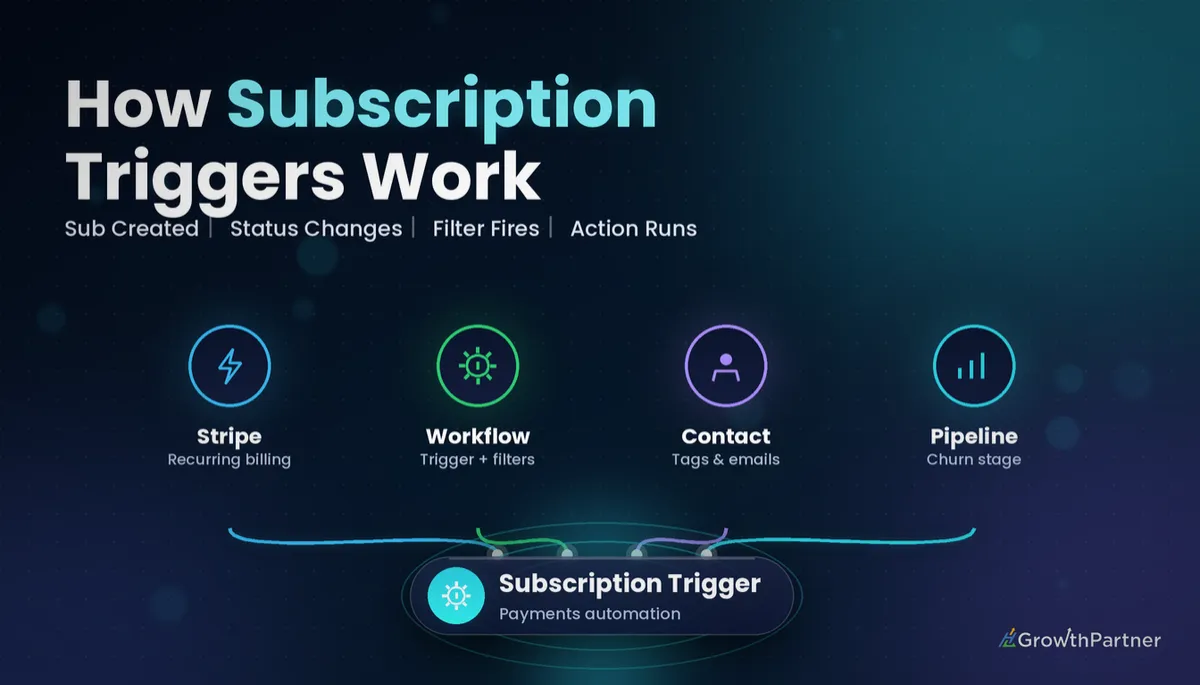
According to the official HighLevel help article on the Subscription trigger (updated March 2026), the trigger runs an automation when a contact's subscription status changes or when a new subscription is created through your payment integration.
In practice, that means the trigger is about the lifecycle of a recurring plan, not individual payments. It answers questions like "did this client just sign up?", "did their renewal fail?" and "did they just cancel?"
The statuses that matter most
- New / active – a subscription has been created and is live. This is your onboarding moment.
- Trial – the contact is on a free or discounted trial period before the first full charge.
- Failed – a renewal charge did not go through. This is where dunning starts.
- Cancelled – the subscription has ended. HighLevel's own documentation uses a feedback or re-engagement email as the example here.
The failed-payment catch most people miss
HighLevel applies the failed status only to the second or later payments of a subscription. If the very first charge fails, an active subscription is never created, so the failed status never fires.
That is not a bug. It simply means first-charge failures belong in your checkout follow-up, while the subscription trigger handles everything after the client is genuinely on the books.
HighLevel subscription workflow trigger vs the other payment triggers
The Payments group holds several triggers that look similar at a glance. Picking the wrong one is the most common reason a recurring-revenue automation either fires on every sale or never fires at all.
The Payment Received trigger covers successful payments from funnels, invoices, calendars, memberships, forms and manual entries. It is broad by design, which makes it great for receipts and revenue tagging but poor at spotting a cancellation.
| Trigger | Fires when | Best for | Not ideal for |
|---|---|---|---|
| Subscription | A subscription is created or its status changes | Onboarding, trials, dunning, cancellation win-back, access control | One-off product sales |
| Payment Received | A payment succeeds from funnels, invoices, calendars, memberships, forms or manual entries | Receipts, revenue tags, thank-you sequences | Detecting failed renewals or cancellations |
| Invoice | An invoice changes status | Chasing unpaid invoices on project or custom work | Card-on-file recurring plans |
| Refund | A payment is refunded | Removing access, internal alerts, refund reason surveys | Plans that simply stop renewing |
| Order Submitted | An order form is submitted in a funnel or website | Fulfilment and order confirmation | Tracking what happens after month one |
A cancellation and a refund are different events. If a client asks for their money back, the GoHighLevel Refund trigger is the one to catch it; if they simply stop renewing, the subscription trigger catches it. Many agencies need both.
How to set up the GoHighLevel subscription trigger step by step
Before you start, make sure your payment integration (usually Stripe) is connected to the sub-account and that your recurring products exist under Payments. The trigger can only see subscriptions that flow through that integration.
Step-by-step
- Go to Automation and create a new workflow from scratch. Name it by outcome, for example "SUB – Failed renewal recovery".
- Click Add New Trigger and choose Subscription from the Payments group.
- Add a filter for subscription status, such as failed.
- Add a second filter for product if the workflow should only run for one plan.
- Build your actions underneath: emails, SMS, Wait steps, If/Else branches, tags, tasks and opportunity updates.
- Save, test with a test contact, then switch the workflow to Published.
Filters that keep it precise
The two filters that do the heavy lifting are product and subscription status. Without them, a single workflow will fire for every plan and every status change, and you will end up welcoming a client who just cancelled.
If you are new to stacking conditions, our guide to GoHighLevel workflow trigger filters explains how multiple filters combine and when to use If/Else inside the workflow instead.
Your subscription trigger is not a payment alert. It is your early-warning system for churn, and it only works if every status has a job to do.
Not on HighLevel yet? Start with a free 30-day trial here — long enough to build everything in this guide before you pay a cent.
Five subscription trigger recipes for agencies and SaaS
These are the five workflows I set up for almost every client with recurring revenue.
1. Welcome and onboarding on a new subscription
Trigger on a new or active subscription, filtered to the product. Send a welcome email straight away, an SMS with the onboarding link, and create a task for the account manager to book the kick-off call.
- Add a tag such as "client-active-retainer".
- Move the opportunity to a "Won – onboarding" stage in your pipeline.
- Wait 3 days, then check with If/Else whether the kick-off appointment exists, and nudge if not.
2. Trial-ending nudge
Trigger on the trial status for the product. Use a Wait step timed a few days before the trial converts, then send a short email showing what the contact has already set up and what happens at the first charge.
Keep this honest and specific. A clear reminder before the first charge reduces surprise cancellations and chargebacks far more than a hard sell does.
3. Failed renewal dunning with SMS, task and pipeline stage
This is the workflow that pays for the whole setup. Trigger on the failed status, then run a short, firm sequence:
- Immediately: email with a secure link to update card details, plus a friendly SMS.
- Move the opportunity to a "Payment failed" pipeline stage so the team sees it on the board.
- Create a task for the account manager to call within 24 hours.
- Wait 2 days, then send a second SMS; after that, an internal notification if the status has not changed.
4. Cancellation win-back and feedback survey
Trigger on the cancelled status. HighLevel's documentation suggests a feedback or re-engagement email here, and I always split it into two parts: a one-question survey first, then a tailored win-back offer a week later.
Store the survey answer in a custom field such as "Cancellation reason". That single field becomes the backbone of your churn reporting later.
5. Tagging for membership access
If you sell a community or course on subscription, use the trigger to grant access on active and remove it on cancelled. Our guide to GoHighLevel memberships and courses covers the offer and access settings on the membership side.
Keep access tied to one tag, for example "member-active". Smart lists, Conversation AI rules and other workflows can then rely on a single source of truth.
Testing your HighLevel subscription workflow before it goes live
Never publish a subscription workflow without a real end-to-end test. A misfiring dunning sequence sent to a paying client is far more damaging than no sequence at all.
- Put your payment integration in test mode and create a low-priced test product.
- Subscribe a test contact using your own email and mobile number.
- Change the subscription status in the processor and watch the workflow's execution history.
- Confirm every filter matched, every Wait step resolved and every tag landed.
Email volume is rarely the cost concern here. At US$0.675 per 1,000 emails on LC Email (HighLevel pricing guide, 2026), the full sequence across a large client base costs very little; the real cost is getting the message wrong.
Using the subscription trigger for churn reporting
Once your cancellation and failed-renewal workflows tag contacts and move opportunities, you have the raw data for churn reporting without a spreadsheet.
- Count contacts entering the cancelled workflow each month for gross churn.
- Compare failed-renewal entries against recoveries to measure your dunning success rate.
- Group the "Cancellation reason" custom field to see which reasons repeat.
For agencies running SaaS mode, this is where the real gains sit. Our deep dive on reducing GoHighLevel SaaS mode churn shows how to turn those reasons into retention plays.
The trigger works the same way on the Starter plan (US$97/mo) and the Unlimited plan (US$297/mo) per HighLevel pricing, 2026. The plan choice matters more for SaaS mode and sub-account volume than for this automation.
Common mistakes to avoid
- Leaving the product filter empty, so a cheap add-on fires the same onboarding as a full retainer.
- Expecting the failed status to catch a failed first charge, which it never will.
- Using Payment Received to detect cancellations instead of the subscription trigger.
- Building one giant workflow for every status, which makes testing and reporting painful.
- Forgetting to remove access tags on cancellation, so former members keep their content.
- Publishing without a test subscription and checking the execution history.
Or if you just need the software first: grab the 30-day HighLevel trial and book us when you're ready to scale it.
Frequently asked questions
What does the GoHighLevel subscription trigger do?
The GoHighLevel subscription trigger starts a workflow when a contact's subscription status changes or when a new subscription is created through your connected payment integration. You use it to automate onboarding, renewal follow-up, failed-payment recovery and cancellation win-back for recurring products.
Where do I find the subscription trigger in HighLevel?
Open a workflow, click Add New Trigger and look in the Payments group of the trigger menu. Select Subscription, then add filters such as product and subscription status before you save and publish the workflow.
Why did my first failed payment not fire the failed status?
HighLevel applies the failed status only to the second or later payments of a subscription. If the very first charge fails, an active subscription is never created, so there is nothing to mark as failed. Handle first-charge failures in your checkout or order follow-up instead.
Should I use the subscription trigger or the Payment Received trigger?
Use the subscription trigger when you care about the lifecycle of a recurring plan, such as a new sign-up, a trial, a failed renewal or a cancellation. Use Payment Received when you want to act on any successful payment, including one-off sales from funnels, invoices, calendars, forms and manual entries.
Can one workflow handle every subscription status?
It can, using one trigger per status inside a single workflow, but it becomes hard to read and report on. Most agencies are better served by separate workflows for new subscriptions, trials, failed renewals and cancellations, each with its own clear goal.
How do I test a subscription workflow without charging a real client?
Connect your payment integration in test mode, create a low-priced test product and subscribe a test contact you own. Then check the workflow's execution history to confirm the trigger fired, the filters matched and each action ran in order.
Can the subscription trigger grant and remove membership access?
Yes. A common pattern is to add a tag or grant course access when a subscription becomes active, and remove the tag or revoke access when it is cancelled. Keep access tied to one clear tag so other workflows and smart lists can rely on it.
Related Articles on HL Growth Partner
More payment triggers
 GoHighLevel Invoice Trigger: Setup Guide (2026)
 GoHighLevel Order Submitted Trigger: Setup Guide (2026)
Stripe and subscriptions
 Connecting GoHighLevel to Stripe: Payments, Subscriptions and Failed-Payment Recovery (2026)
 GoHighLevel Payments: Stripe, Invoices & Subs (2026)
 GoHighLevel Coupons & Discount Codes Setup (2026)