GoHighLevel Offer Access Removed Trigger: Setup Guide (2026)
 By Dr Priya Jaganathan, GoHighLevel Certified Admin · HL Growth Partner, Australia · Updated 2 November 2026 · 9 min read
How the HighLevel Offer Access Removed trigger works, what actually causes it to fire, and six offboarding recipes you can build today without leaving members in limbo.
Some links below are affiliate links — if you sign up through them, HL Growth Partner may earn a commission at no extra cost to you. It never changes what we recommend.
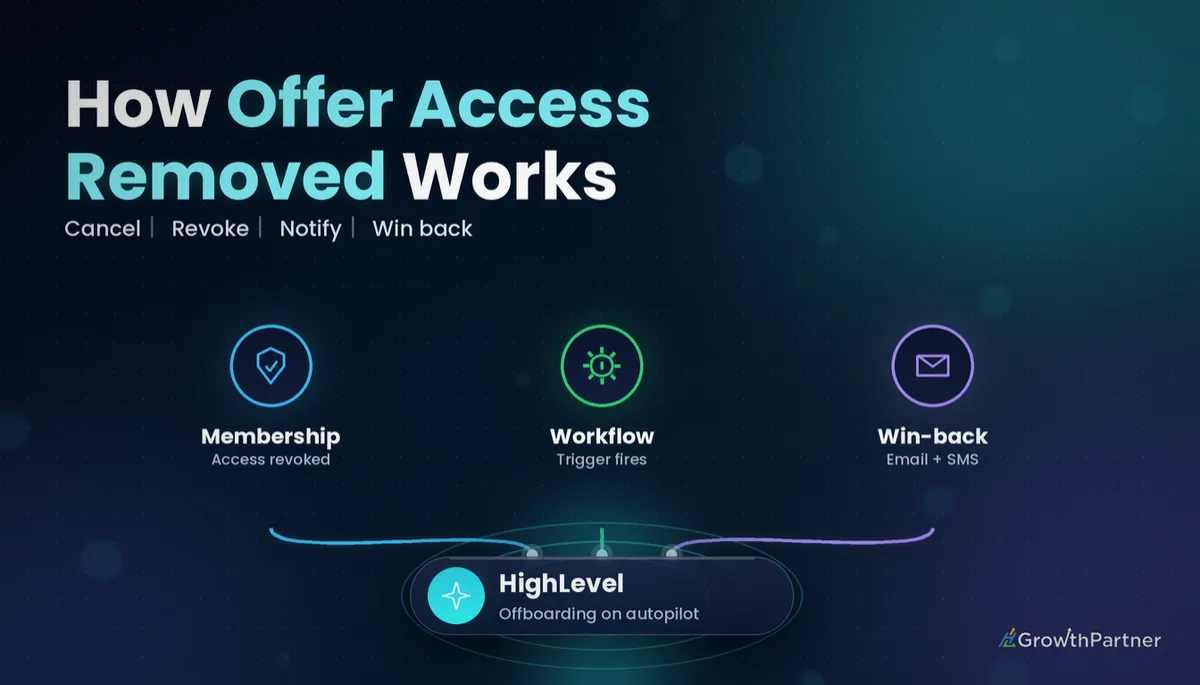
The GoHighLevel Offer Access Removed trigger starts a workflow the moment a contact loses access to a membership offer. It is the quiet partner of the welcome sequence: the automation that decides whether a departing member gets a thoughtful goodbye, a win-back offer and a tidy CRM record, or simply disappears.
Most accounts we audit have a polished onboarding flow and nothing on the way out. Here is what fires the trigger, the filter to always set, and the recipes we build for paid programmes.
| Trigger name | Offer Access Removed (Workflow Trigger - Offer Access Removed, HighLevel help centre) |
| Fires when | A contact's access to an offer is revoked |
| Filter | Choose a specific offer; with no filter it applies to any offer |
| Sibling trigger | Offer Access Granted |
| Matching action | Course Revoke Offer (removes access from inside a workflow) |
| Community equivalent | Group Access Revoked trigger and Revoke Group Access action |
What the Offer Access Removed trigger does in HighLevel
In HighLevel, courses and products are sold through offers. An offer is the package a contact buys or is given, and it can unlock one or more products. When that access is taken away, the Offer Access Removed trigger fires and enrols the contact into whatever workflow you have attached.
HighLevel's own help article describes it simply: the trigger activates when a contact's access to a specific offer is revoked, and you can optionally filter by offer (HighLevel help centre, article last updated December 2024). That is the whole contract. It reacts to the access change, not to the money.
If you have already built the arrival side, read our Offer Access Granted trigger setup guide first. The two are designed as a pair, and the cleanest accounts mirror every "granted" step with a matching "removed" step.
Offer level versus product level
There is a second pair of triggers one level down: Product Access Granted and Product Access Removed. HighLevel documents Product Access Removed as firing when a customer's access to a product is revoked, with a Select Product filter (HighLevel help centre, January 2025).
Use the offer trigger when you care about the commercial relationship, such as a member leaving your programme. Use the product trigger when you care about one specific course, such as removing a bonus module when a bundle changes.
When the offer access removed trigger fires (and when it does not)
This is where most builds go wrong. People assume a cancelled subscription or a refund will automatically fire Offer Access Removed. The trigger fires on the access change, so the real question is what removes the access in your account.
Access can be removed in a few ways:
- By an admin, revoking the offer from the contact by hand.
- By a workflow, using the Course Revoke Offer action. HighLevel lists expired subscriptions and failed payments as typical reasons to use it (HighLevel help centre, April 2025).
- By your payment setup, depending on how the offer and its billing are configured.
HighLevel does not publish a single rule that says "every cancellation or refund revokes offer access". Their idea board still carries member requests asking for exactly that behaviour, which tells you not to rely on it without testing.
The dependable pattern
We build it in two layers so nothing depends on an assumption:
- Layer 1, the money event: a Subscription trigger filtered to a cancelled status, or a Refund trigger, runs the Course Revoke Offer action for the right offer.
- Layer 2, the access event: a separate workflow on Offer Access Removed handles all the human and CRM follow-up.
Layer 2 then fires no matter how access was removed: by billing, by a workflow or by your support team. Our Subscription trigger guide covers the status filters for Layer 1, and HighLevel's Subscription trigger article lists a Canceled status for subscriptions cancelled manually or automatically.
How to set up the Offer Access Removed trigger step by step
- Open Automation, create a new workflow and start from scratch.
- Click Add New Trigger and choose Offer Access Removed from the membership triggers.
- Under Filters, select the offer this workflow is for. Leave it blank only if the workflow genuinely applies to every offer.
- Give the trigger a clear name, such as "Offer removed: Inner Circle monthly".
- Add your actions, save, and publish the workflow.
Always set the offer filter. A blank filter means a member losing a free lead magnet course gets the same cancellation survey as someone leaving your premium mastermind.
Six offer access removed workflow recipes that work
1. Offboarding and win-back sequence
Send a short, warm email straight away confirming access has ended and what they keep, such as downloads or recordings. Wait 7 days, then send a story-led email about what current members are working on. Around day 21, make a specific comeback offer with a deadline.
Before each step, add a condition that checks the contact has not been granted the offer again. Nothing sinks goodwill faster than a win-back email to someone who rejoined last week.
2. Cancellation survey
Send a one-question survey or form: "What was the main reason you left?" Offer four or five fixed answers plus an "other" box. Save the answer to a custom field so you can report on it later.
3. Tags and pipeline stage updates
Remove the active-member tag, add a former-member tag with the offer name, and move the contact's opportunity to a "Churned" or "Former member" stage. This keeps your smart lists, reporting and future campaigns accurate.
4. Internal alert to the team
Send an internal notification to the account owner or community manager, with the contact's name, offer and survey answer once it arrives. If your team lives in Slack, a webhook action posting to a Slack incoming webhook works well; just keep personal details to the minimum the team needs.
5. Removing community group access
If the offer included a community, revoke it in the same workflow with the Revoke Group Access action, which HighLevel documents as removing the contact's access to the selected Community group. Our Communities guide covers how to structure paid groups so this stays tidy.
6. Pausing the drip and stopping other workflows
Use the Remove from Workflow action to take the contact out of your member nurture, weekly digest and lesson drip workflows. Otherwise they keep receiving "your next lesson is ready" emails for content they can no longer open.
The exit is part of the member experience. People remember how you treated them on the way out, and that memory decides whether they ever come back.
Offer Access Removed versus related payment and membership triggers
Here is how the triggers in this cluster compare. Every trigger below has its own article in HighLevel's help centre; the descriptions summarise those articles.
| Trigger | Fires when | Main filter | Best used for |
|---|---|---|---|
| Offer Access Granted | A contact is given access to an offer | Offer | Welcome and onboarding |
| Offer Access Removed | A contact's access to an offer is revoked | Offer | Offboarding, surveys, win-back |
| Product Access Granted | A contact is given access to a product | Product | Course-specific onboarding |
| Product Access Removed | A contact's access to a product is revoked | Product | Course-specific clean-up |
| Subscription | A subscription changes status, including cancelled | Status and product | Revoking access when billing stops |
| Group Access Revoked | Access to a community group is revoked | Community group | Community-only offboarding |
Pairing with Refund and Payment Received
The Refund trigger is the right place to revoke access when you refund a buyer, because it reacts to the money event directly. Our Refund trigger guide walks through the filters, including full versus partial refunds, which matters if you only revoke on a full refund.
Payment Received sits on the other side. If a member whose access you removed later pays again, a Payment Received workflow can grant the offer back, which in turn fires Offer Access Granted and restarts their welcome flow. For the full map of what fires what, see the complete workflow triggers guide.
Not on HighLevel yet? Start with a free 30-day trial here — long enough to build everything in this guide before you pay a cent.
See the official HighLevel help article on the Offer Access Removed trigger and the Course Revoke Offer action article for the current options in your account.
Testing your offer access removed workflow safely
Never test offboarding on a real member. Create a test contact with your own email address plus a suffix, grant it the offer, and then revoke it.
- Grant the offer to the test contact and confirm your welcome workflow fires.
- Revoke the offer by hand and check the Offer Access Removed workflow enrols the contact.
- Run a test cancellation through your Layer 1 workflow and confirm it revokes access and fires Layer 2.
- Check the enrolment history and execution logs for each step, including tags, pipeline stage and group access.
Test both ways access can disappear, by hand and by workflow. If only one path enrols the contact, you have found a gap before a paying member falls into it.
Common mistakes to avoid
- Assuming a cancelled subscription or refund removes offer access on its own, without testing it in your account.
- Leaving the offer filter blank, so free and paid offers share one exit sequence.
- Forgetting to remove the contact from drip and nurture workflows after access ends.
- Sending win-back emails without first checking whether the contact has rejoined.
- Revoking the course but leaving community group access in place, or the reverse.
- Asking open-ended survey questions you can never report on.
Or if you just need the software first: grab the 30-day HighLevel trial and book us when you're ready to scale it.
Frequently asked questions
What does the Offer Access Removed trigger do in GoHighLevel?
It starts a workflow when a contact's access to a membership offer is revoked. You can filter it to one specific offer so only members leaving that offer are enrolled. It is the opposite of the Offer Access Granted trigger.
Does a cancelled subscription automatically fire Offer Access Removed?
Only if the cancellation actually removes the contact's offer access. HighLevel does not document a blanket rule that every cancellation revokes access, so the safest build is a Subscription trigger filtered to cancelled that runs the Course Revoke Offer action. That revocation then fires Offer Access Removed.
Does a refund remove membership access in HighLevel?
Do not assume it does. Use a Refund trigger to run the Course Revoke Offer action for the right offer, and filter by full or partial refund if you only want to revoke on a full refund. Test it with a test contact before going live.
What is the difference between Offer Access Removed and Product Access Removed?
Offer Access Removed fires when access to an offer, the package a contact bought or was given, is revoked. Product Access Removed fires when access to a single product or course is revoked. Use the offer trigger for the commercial relationship and the product trigger for course-specific clean-up.
Should I leave the offer filter blank?
Usually not. With no filter the trigger applies to any offer, so free and paid members would get the same exit messages. Set the filter to a specific offer and build one workflow per offer or branch by offer.
How do I remove someone from my community when their offer access ends?
Add the Revoke Group Access action to your Offer Access Removed workflow and select the community group. HighLevel documents it as removing the contact's access to the selected group. The separate Group Access Revoked trigger only reacts after removal.
How do I test an Offer Access Removed workflow?
Create a test contact, grant it the offer, then revoke it by hand and through your cancellation workflow. Check the enrolment history and each action, including tags, pipeline stage and group access. Never test on a real member.
Related Articles on HL Growth Partner
Memberships and courses
 GoHighLevel Memberships & Courses: Setup Guide (2026)
 GoHighLevel vs Memberful: Memberships & True Cost (2026)
Payment triggers
 GoHighLevel Payment Received Trigger: Setup Guide (2026)
 GoHighLevel Invoice Trigger: Setup Guide (2026)
 GoHighLevel Order Submitted Trigger: Setup Guide (2026)