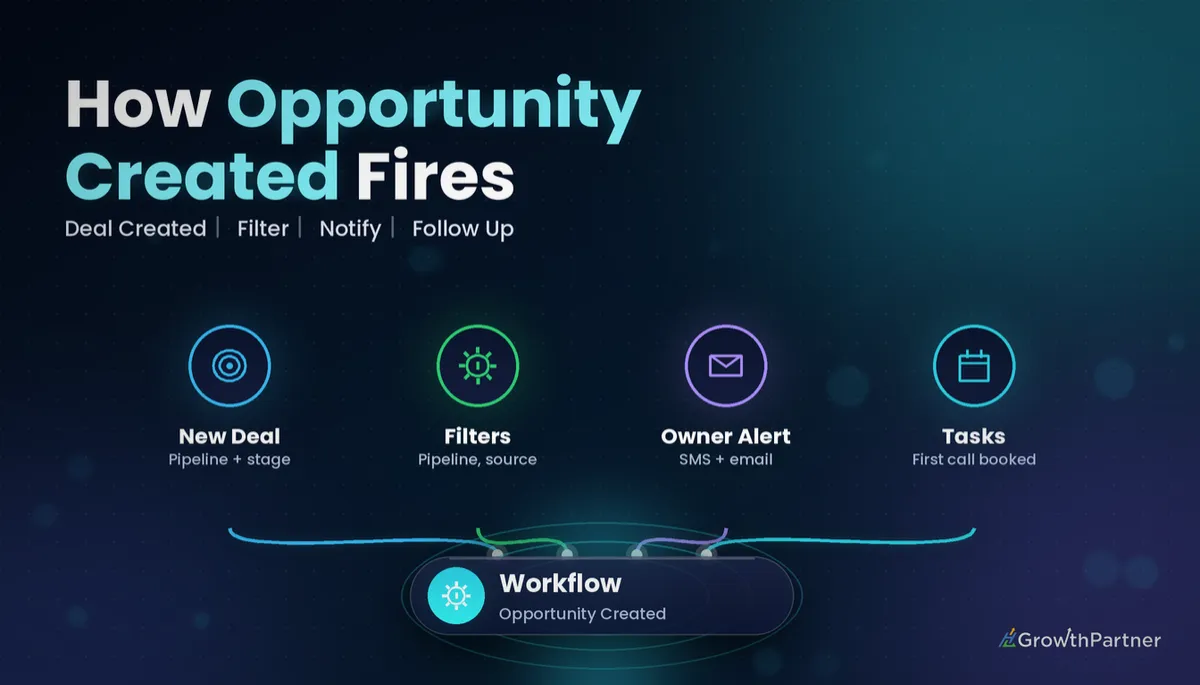
GoHighLevel Opportunity Created Trigger: Setup Guide (2026)
By Dr Priya Jaganathan, GoHighLevel Certified Admin · HL Growth Partner, Australia · Updated 27 October 2026 · 10 min read
Some links below are affiliate links — if you sign up through them, HL Growth Partner may earn a commission at no extra cost to you. It never changes what we recommend.
The GoHighLevel Opportunity Created trigger starts a workflow the moment a new deal lands in one of your pipelines. That is the exact moment speed matters most: someone has just been qualified enough to become an opportunity, and nobody has called them yet.
In this guide from our workflow-trigger series, we cover what the HighLevel new opportunity workflow trigger actually listens for, which filters it really has (fewer than most people assume), four recipes we build for clients, how it differs from the other opportunity triggers, and the re-entry and duplicate traps that quietly break it.
Quick Facts
| Item | Detail |
|---|---|
| Trigger name | Opportunity Created (in the Workflow builder trigger list) |
| Fires when | A brand-new opportunity record is created, not when an existing one is edited or moved |
| Filters (HighLevel help docs) | Assigned To, Has Tag, In Pipeline, Lead Value, Lost Reason, Status, all optional |
| Lead Value operators | Equals to, Greater than, Less than, Contains, Is Empty, Is Not Empty |
| Stage or source filter | Not listed in the trigger's field table; branch with If/Else inside the workflow instead |
| Official doc last updated | February 2026 (HighLevel Help Centre) |
What the Opportunity Created trigger actually does
The trigger watches the opportunities object in a sub-account. When a new opportunity record is saved, the contact attached to it is enrolled in your workflow, and every action that follows has access to both the contact and the opportunity fields.
HighLevel's own Opportunity Created help article (updated February 2026) positions it for notifications, follow-ups and task assignment. That is precisely where it shines: the first five minutes of a new deal.
What it does not do is react to anything after creation. Moving the card to "Quoted", changing the value or marking it Won will not fire this trigger again. Those events belong to other triggers, which we compare further down.
When the new opportunity trigger fires
The trigger cares that an opportunity was created, not who or what created it. In practice, that covers several entry points:
- Manual creation — a team member adds an opportunity from the Opportunities board or a contact record.
- Workflow actions — another workflow uses the Create/Update Opportunity action, typically after a Form Submitted or Customer Booked Appointment trigger.
- Imports — opportunities brought in through a CSV import into a pipeline.
- API and integrations — records created through the HighLevel API, Zapier, Make or a marketplace app.
Because behaviour on bulk imports and third-party integrations can vary, always test those paths with two or three rows before you trust them. More on testing below.
Opportunity Created trigger filters, explained
Every filter is optional. With none set, the workflow fires for every new opportunity in every pipeline of the sub-account, which is rarely what you want once you have more than one pipeline.
| Filter | What it checks | Typical use |
|---|---|---|
| In Pipeline | Which pipeline the new opportunity belongs to | Keep sales alerts out of your onboarding or recruitment pipelines |
| Assigned To | The user the opportunity is assigned to at creation | Route alerts to one rep, or catch "unassigned" deals |
| Has Tag | Tags on the related contact | Only fire for contacts tagged by a specific campaign or form |
| Lead Value | The monetary value on the opportunity | Escalate high-value deals to a manager |
| Status | Open, Won, Lost or Abandoned at creation | Ignore historical won/lost records when importing |
| Lost Reason | The lost reason recorded on the opportunity | Rarely needed at creation; useful for clean imports |
Two filters people expect are missing from HighLevel's documented list: pipeline stage and opportunity source. If you need "only deals created in the Discovery stage" or "only deals from Facebook Lead Ads", put the logic inside the workflow with If/Else branches in GoHighLevel workflows, or tag the contact at capture and filter on Has Tag.
Filters added in the same trigger work together, so "In Pipeline = Sales" plus "Lead Value Greater than 5000" means both must be true. To create OR logic, add a second trigger to the same workflow with the alternative filters.
Four Opportunity Created workflow recipes we actually use
These are the builds we set up most often for Australian service businesses and agencies, each as its own workflow.
Recipe 1: Speed-to-lead owner alert
- Trigger: Opportunity Created, In Pipeline = your main sales pipeline, Status = Open.
- Action 1: Internal Notification (SMS and email) to the assigned user, including the contact name, phone, opportunity name and lead value via custom values.
- Action 2: Wait a short period, then an If/Else that checks whether a call or reply has been logged; if not, notify the sales manager.
If opportunities sometimes arrive unassigned, the notification has nobody to go to. Fix that upstream with the Assign to User action and contact owner rules, or add an Assigned To branch that falls back to a default rep.
Recipe 2: Auto-assign by lead source
Because the trigger has no source filter, this recipe uses one Opportunity Created workflow with an If/Else split. Each branch checks the contact source (or a tag your form adds) and runs Assign to User for the right team.
For example, referral deals go to the principal and paid-ads deals go to a round-robin of closers. One workflow, one place to update when staff change.
Recipe 3: First-call task with a due date
- Trigger: Opportunity Created, In Pipeline = Sales.
- Action: Add Task assigned to the contact owner, titled "First call: {{contact.name}}", due within the same business day.
- Optional: add a note to the contact with the form answers so the rep has context before dialling.
Tasks give you an audit trail that notifications do not. Managers can see overdue first calls per rep, which is the backbone of managing team workload with GoHighLevel tasks.
Recipe 4: High-value deal escalation
- Trigger: Opportunity Created, In Pipeline = Sales, Lead Value Greater than your high-value threshold.
- Action 1: Add a "high-value" tag to the contact so it is visible in Smart Lists.
- Action 2: Internal Notification to the director, plus an optional webhook to your team chat.
- Action 3: Assign to User for your senior closer, overriding the default round-robin.
This only works if lead value is populated at creation. If your form or Create/Update Opportunity workflow action leaves value blank, the Greater than filter never matches, so map a value field in at the point of capture.
Opportunity Created vs the other opportunity triggers
HighLevel has several opportunity triggers, and picking the wrong one is the most common reason an "opportunity workflow" never fires. Here is how they split the job.
| Trigger | Fires when | Best for | Will not catch |
|---|---|---|---|
| Opportunity Created | A new opportunity record is created | Speed-to-lead alerts, assignment, first-call tasks | Any later edit, stage move or status change |
| Pipeline Stage Changed | An opportunity moves to a different stage | Stage-specific sequences such as proposal follow-up | The initial creation in a stage |
| Opportunity Status Changed | Status changes between Open, Won, Lost and Abandoned | Win onboarding, lost-deal nurture, review requests | Stage moves while the status stays Open |
| Stale Opportunities | An open opportunity passes a set number of days without progressing | Rescuing deals that have gone quiet | Brand-new deals; it is not retroactive |
A practical rule: Opportunity Created handles the handshake, Pipeline Stage Changed handles the journey, Status Changed handles the outcome and Stale Opportunities handles the silence. Our guide to the Pipeline Stage Changed trigger covers the stage-based side in depth.
If you need "fire when a deal is created in stage X", you can combine both: Opportunity Created plus an If/Else on stage for brand-new deals, and Pipeline Stage Changed for deals that move into that stage later.
How to test the Opportunity Created trigger
- Publish the workflow. Draft workflows do not enrol anyone, which catches out more people than any filter does.
- Use a test contact with your own mobile and email so you receive the internal notifications.
- Create one opportunity manually in the filtered pipeline, then check the workflow's enrolment history and execution logs for that contact.
- Test every entry path you rely on: a real form submission, a two-row CSV import and, if relevant, a Zapier or API test record.
- Test a non-matching case, such as a deal in another pipeline or below your lead value threshold, and confirm it does not enrol.
Delete or mark the test opportunities as Abandoned afterwards so they do not distort your pipeline reporting.
Re-entry and duplicate pitfalls with new opportunity workflows
The trigger enrols the contact, not the opportunity. That distinction causes most of the strange behaviour we see in client accounts.
Allow Re-entry is off by default. If a returning customer gets a second opportunity months later, a workflow without re-entry enabled may not enrol them again, so the rep never hears about the new deal. Turn on Allow Re-entry in the workflow settings for any Opportunity Created workflow that should fire per deal.
The opposite problem appears when one action creates several records. A form that runs Create/Update Opportunity in two different workflows, or an account that allows duplicate opportunities per contact, can fire two alerts and assign two reps to the same person.
Watch for loops as well. If an Opportunity Created workflow itself contains a Create/Update Opportunity action that creates a new record in a filtered pipeline, it can re-trigger itself. Keep creation and reaction in separate workflows, and filter the reacting workflow tightly.
Common mistakes to avoid
- Leaving the trigger unfiltered, so onboarding, recruitment and sales pipelines all send "new deal" alerts.
- Expecting a pipeline stage or source filter on the trigger instead of branching with If/Else or tags.
- Using Opportunity Created when you really meant "deal moved to Proposal Sent", which is Pipeline Stage Changed.
- Forgetting to publish, or forgetting Allow Re-entry for repeat customers.
- Filtering on Lead Value when your forms never populate the value field.
- Importing historical won and lost deals without a Status = Open filter, flooding reps with alerts for old customers.
If you want your pipelines, opportunity triggers and speed-to-lead alerts built and tested properly, book a strategy call with the HL Growth Partner team.
Or if you just need the software first: grab the 30-day HighLevel trial and book us when you're ready to scale it.
Frequently asked questions
What does the GoHighLevel Opportunity Created trigger do?
It starts a workflow whenever a new opportunity record is created in a sub-account. The contact attached to the opportunity is enrolled, and actions can use both contact and opportunity fields. It is mainly used for new-deal alerts, assignment and first-call tasks.
Does Opportunity Created fire when a deal changes stage?
No. It only fires when the opportunity is first created. For stage moves use the Pipeline Stage Changed trigger, and for Won, Lost or Abandoned changes use Opportunity Status Changed.
Can I filter the Opportunity Created trigger by pipeline stage?
HighLevel's help documentation lists Assigned To, Has Tag, In Pipeline, Lead Value, Lost Reason and Status as the filters, with no stage filter. To act on a specific starting stage, add an If/Else branch inside the workflow that checks the stage.
Can I filter new opportunities by lead source?
There is no documented source filter on the trigger itself. The usual approach is to tag the contact at capture, for example from the form or ad integration, and filter on Has Tag, or to branch on source with If/Else inside the workflow.
Does the trigger fire for imported or API-created opportunities?
The trigger listens for new opportunity records, so imports, API calls and integrations such as Zapier can enrol contacts. Always test each path with a small batch first and add a Status = Open filter so historical won or lost records do not set off alerts.
Why did my Opportunity Created workflow not fire for a returning customer?
Most often the workflow has Allow Re-entry turned off, so a contact who already went through it is not enrolled again. Enable Allow Re-entry in the workflow settings if every new deal for the same contact should trigger it.
How do I stop duplicate alerts for one new deal?
Check whether more than one workflow creates an opportunity from the same form, and whether duplicate opportunities are allowed per contact. Keep opportunity creation in one workflow and filter the alert workflow by pipeline so each deal produces one notification.
Related Articles on HL Growth Partner
More opportunity triggers
- GoHighLevel Opportunity Status Changed trigger guide
- How the Stale Opportunities trigger rescues quiet deals
Triggers that create new deals
- Form Submitted trigger setup
- Contact Created trigger explained
- Customer Booked Appointment trigger recipes
