GoHighLevel Contact Created Trigger: Setup Guide (2026)
By Dr Priya Jaganathan, GoHighLevel Certified Admin · HL Growth Partner, Australia · Updated 16 October 2026 · 9 min read
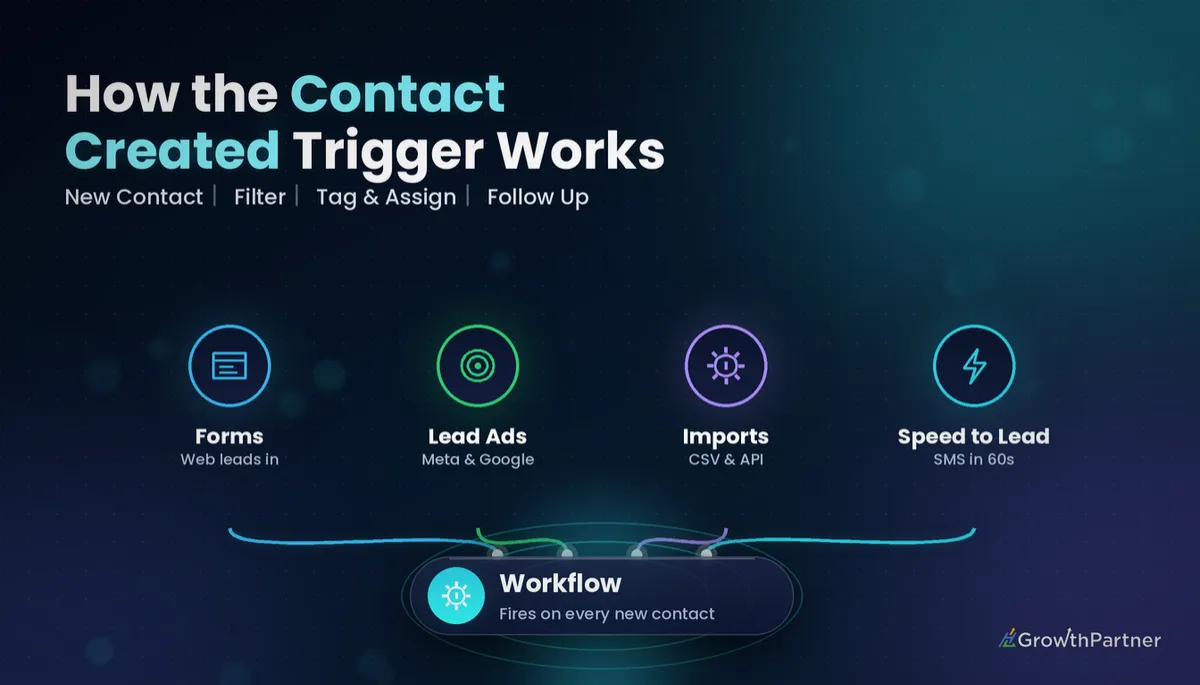
The GoHighLevel Contact Created trigger is the broadest entry point in Workflows: it fires the moment a new contact record exists in a sub-account, whatever created it. That breadth is exactly why it is so useful for speed-to-lead, and exactly why it causes so many messy builds.
In this guide I walk through when the trigger fires (and when it deliberately does not), how to filter it, the timing gotcha that catches most builders, how it compares with Form Submitted and Contact Tag, and a speed-to-lead recipe we deploy in client sub-accounts across Australia.
Quick Facts
| Item | Detail |
|---|---|
| Trigger name | Contact Created (Workflows → Add New Trigger) |
| Fires on | Contacts added manually, via forms, via the API or through integrations |
| Bulk CSV imports | Do not fire it, per HighLevel's help article FAQ |
| No filters set | Every new contact in the sub-account enrols |
| Duplicate matches | With duplicates disallowed, a matching email or phone updates the existing contact instead of creating a new one |
What the HighLevel new contact trigger actually listens for
The Contact Created trigger listens for one event only: a brand-new contact record being written to the CRM. It does not care about what the contact did, which page they were on or which tag they carry, unless you tell it to through filters.
According to HighLevel's help article on the Contact Created trigger (checked October 2026), it activates whenever a new contact is added, regardless of whether that happens manually, through a form submission or via an integration. The same article's FAQ adds API creation to the list.
That makes it the right choice when you want one consistent "new lead" process no matter where the lead came from. It is the wrong choice when you need the details of a specific form, booking or payment.
Sources that create a contact
In a typical agency sub-account, new contacts arrive from far more places than people expect:
- Funnel and website forms, surveys and quizzes
- Facebook and Instagram Lead Ads synced through the native integration
- Inbound calls and SMS on LC Phone or Twilio from an unknown number
- Chat widget, Messenger and Instagram DM conversations
- Calendar bookings from people not yet in the CRM
- API calls, Zapier, Make and marketplace apps
- A team member clicking "Add Contact" in the Contacts tab
When the Contact Created trigger stays quiet
Two situations stop the trigger firing, and both are features rather than bugs.
The first is bulk CSV imports. HighLevel's help article states that bulk imports do not fire this trigger, to prevent accidental automation overload, and suggests a separate workflow with manual enrolment for imported contacts.
The second is deduplication. HighLevel's Allow Duplicate Contact preferences article explains that, with duplicates disallowed, a submission whose email or phone matches an existing record updates that record rather than creating a new one. No new record means no Contact Created event.
Filtering the GoHighLevel Contact Created trigger so it only catches real leads
An unfiltered Contact Created trigger is a blunt instrument. Filters turn it into a precise one, and the logic works the same way described in our guide to GoHighLevel workflow trigger filters.
| Filter | Typical use | Watch out for |
|---|---|---|
| Tag (has / does not have) | Exclude "staff", "test" or "partner" contacts | Tags applied by a form may not exist yet when the trigger evaluates |
| Source / created via | Separate manual entries, forms and API contacts | Source labels from integrations are not always consistent |
| Standard or custom field | Only enrol contacts with a phone number, or a specific service selected | Fields mapped late by an integration may be empty at creation |
| Multiple filter rows | Combine conditions (e.g. has phone AND not tagged "test") | Rows combine with AND logic, so one bad row blocks everyone |
My rule of thumb: filter on facts that exist at the instant of creation, such as phone or email presence, and handle everything else with If/Else branches inside the workflow.
The timing gotcha: the contact exists before its data does
This is the issue I see most often in inherited builds. The contact record is created, the trigger evaluates, and only then do the tags, custom fields or opportunity from the form or integration finish landing on the record.
In practice, a filter like "has tag: roof-quote" can quietly exclude the very leads it was built for, and an early If/Else can send someone down the "no service selected" path. HighLevel's exact processing order is not something I would rely on, so verify current behaviour in the HighLevel help docs and in your own enrolment history before trusting a tag filter on this trigger.
Three reliable ways to protect yourself:
- Add a short Wait step (one to two minutes) before any If/Else that reads tags or custom fields
- Move form-specific logic to a Form Submitted workflow, which carries the submission itself
- Use a Contact Tag trigger when the tag is the real signal you care about
Contact Created vs Form Submitted vs Contact Tag: which HighLevel trigger fits
| Question | Contact Created | Form Submitted | Contact Tag |
|---|---|---|---|
| Fires for returning contacts? | No, new records only | Yes, every submission | Yes, whenever the tag is added |
| Fires on bulk CSV import? | No | No | Yes, if the import applies the tag |
| Knows which form was used? | No | Yes, filter by form | Only if your tag encodes it |
| Catches calls, chats and API leads? | Yes | No | Only if something tags them |
| Best for | Universal new-lead handling | Form-specific follow-up | Deliberate, controlled hand-offs |
If your workflow depends on what someone typed into a form, the GoHighLevel Form Submitted trigger is almost always the better tool. Contact Created earns its place as the safety net underneath every channel.
A speed-to-lead build recipe on the Contact Created trigger
Here is the skeleton we use as a universal "new lead" workflow. It pairs well with the channel-specific approach in our speed-to-lead 5-minute response workflow.
Step-by-step
- Trigger: Contact Created, filtered to contacts that have a phone or email and do not have a "test" or "staff" tag
- Wait: one to two minutes, so form tags, custom fields and opportunities finish writing
- If/Else: branch on source or service field, with a sensible "everything else" path
- Assign to User: round-robin or by territory, only if the contact has no owner yet
- Internal notification: SMS or app notification to the assigned user with a link to the contact
- First touch: SMS during business hours, email outside them, respecting A2P registration in the US and ACMA spam rules in Australia
- Create or update opportunity: drop them into the right pipeline stage if nothing upstream already did
- Goal / exit: stop the sequence once they reply or book
Assignment and contact owner
Assignment is where universal workflows clash with integrations. Lead Ads routing, calendar round-robins and Zapier zaps can all set an owner before your workflow runs.
Put an If/Else on "Assigned User is empty" before your Assign to User action, and never overwrite an owner a calendar has already set. Otherwise a lead who booked with one rep can end up assigned to another, which is a fast way to lose trust with a sales team.
Duplicate contacts and the Contact Created trigger
Your Allow Duplicate Contact preference directly changes how often this trigger fires. With duplicates disallowed, repeat enquiries update the original record and stay out of the workflow.
With duplicates allowed, the same person can create a second record, enrol twice and receive two sets of SMS. For most service businesses, keeping duplicates disallowed and matching on both email and phone is the safer default; our guide to merging and preventing duplicate contacts in GoHighLevel covers the clean-up side.
CSV import storms: protecting your workflows during migrations
Because bulk CSV imports do not fire Contact Created, you might assume imports are safe. They are not, because the storm usually comes through a side door.
The three side doors I see most often:
- A tag column or a list-wide tag in the import that matches a Contact Tag trigger elsewhere in the account
- The import's "add to workflow" option pointed at a live nurture sequence
- Migrations run through the API, Zapier or a marketplace app, which do count as contact creation and will fire Contact Created for every record
Before any migration, I pause or draft every workflow with a Contact Tag or Contact Created trigger, import with a dated tag such as "import-2026-10", and spot-check a handful of records. The mapping basics are covered in our guide to GoHighLevel contact import and CSV mapping.
Then add a permanent guard: a "does not have tag: import" filter on your speed-to-lead trigger. Five seconds of filtering prevents a thousand texts to people who never asked to hear from you.
Testing the Contact Created trigger without spamming yourself
Testing this trigger is awkward because you need a genuinely new contact every time. Re-using your own email will simply update the existing record when duplicates are disallowed.
- Use plus-addressing ([email protected]) and a fresh test phone number where possible
- Tag test contacts "test" and exclude that tag from client-facing workflows, or route it to an internal-only branch
- Create one contact per source: manual, form, API or Zapier, and a missed call
- Check the workflow's Enrollment History and Execution Logs to see which filters passed and what each step read
- Delete test contacts afterwards so they don't pollute reporting
Common mistakes to avoid
- Leaving the trigger unfiltered, so staff, partners and test records receive client follow-up
- Filtering on tags or custom fields that a form or integration applies a moment after the contact is created
- Using Contact Created for form-specific follow-up when Form Submitted carries the details you need
- Expecting returning contacts to re-enter, when deduplication updates the existing record instead
- Running API or Zapier migrations with live Contact Created and Contact Tag workflows still published
- Overwriting a contact owner already set by a calendar round-robin or Lead Ads routing
If you want a universal new-lead workflow audited or rebuilt so every channel gets a fast, sensible first response, book a strategy call with the HL Growth Partner team.
Frequently asked questions
What does the GoHighLevel Contact Created trigger do?
It starts a workflow whenever a brand-new contact record is created in a sub-account. HighLevel's help docs list manual entry, form submissions, API creation and integrations as sources. Without filters, every new contact enrols.
Does the Contact Created trigger fire on CSV imports?
No. HighLevel's help article states that bulk imports do not fire this trigger, to prevent accidental automation overload. Contacts created one by one through the API or Zapier during a migration can still fire it, so pause workflows before those migrations.
Why didn't a returning lead enter my Contact Created workflow?
When duplicate contacts are disallowed, a submission with a matching email or phone updates the existing record instead of creating a new one. No new record means the trigger never fires. Use the Form Submitted trigger if you need to catch repeat enquiries.
Why is my tag filter on the Contact Created trigger not working?
The tag is often applied by the form or integration a moment after the contact is created, so the filter checks before the tag exists. Filter on data present at creation, such as phone or email, then add a short Wait step before any If/Else that reads tags. Verify current behaviour in HighLevel's help docs and your enrolment history.
Should I use Contact Created or Form Submitted?
Use Form Submitted when the follow-up depends on which form someone completed or what they entered. Use Contact Created as a universal safety net that catches every new lead, including calls, chats and API contacts. Many accounts run both, with filters so nobody is messaged twice.
How do I stop staff and test contacts triggering the workflow?
Add a "does not have tag" filter for tags such as "staff" and "test" on the trigger itself. Apply those tags when you create internal or test records. It is a two-minute change that prevents embarrassing messages.
Can the Contact Created trigger assign a contact owner?
The trigger itself does not assign anyone, but the Assign to User action inside the workflow can. Check whether the contact already has an assigned user first, because calendars and Lead Ads routing may have set one. Overwriting that owner causes confusion for your sales team.
Related Articles on HL Growth Partner
More workflow triggers
- GoHighLevel Customer Replied Trigger
- GoHighLevel Pipeline Stage Changed Trigger
- GoHighLevel Facebook and Instagram Lead Ads Integration
Building the workflow
- Assign to User and Contact Owner in GoHighLevel
- GoHighLevel Workflow Wait Steps and Business Hours
- GoHighLevel Workflow Re-Entry Settings
