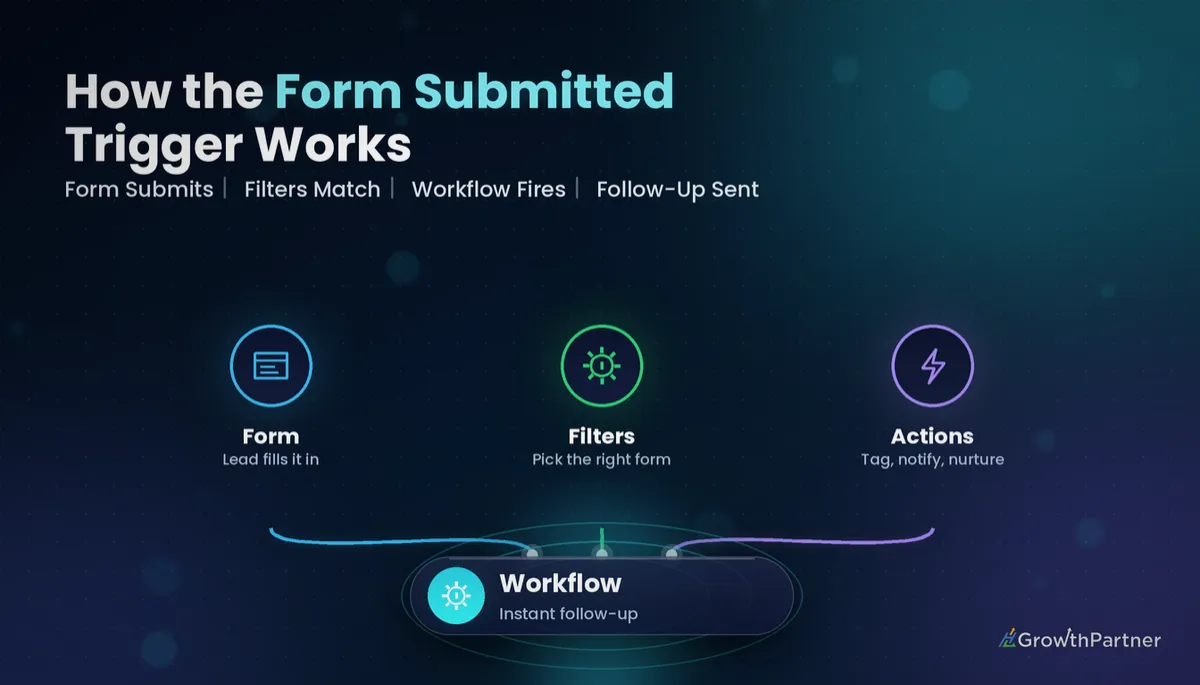
GoHighLevel Form Submitted Trigger: Setup Guide (2026)
By Dr Priya Jaganathan, GoHighLevel Certified Admin · HL Growth Partner, Australia · Updated 14 October 2026 · 10 min read
The GoHighLevel Form Submitted trigger is the workhorse behind most lead capture automations I build for clients. Someone fills in a form on your funnel or website, and within seconds the right message, owner, tag and opportunity are in place.
It looks simple, which is exactly why it gets set up badly. This guide walks through where the trigger lives, how to filter it properly, what data you can use once it fires, six proven recipes, and how to test and troubleshoot a HighLevel form submission workflow without guessing.
Quick Facts
| Item | Detail |
|---|---|
| Trigger name | Form Submitted (Automation → Workflows → Add New Trigger) |
| Main filter | Which form (or forms) should start the workflow |
| No form filter | Fires on every form submission in the sub-account |
| Surveys | Use the separate Survey Submitted trigger |
| Forms built outside HighLevel | External form tracking or the Inbound Webhook (a premium trigger) |
| Re-entry | Controlled by the workflow's Allow Re-entry setting |
Where the GoHighLevel Form Submitted trigger lives
Open the sub-account, go to Automation → Workflows, and either create a new workflow from scratch or open an existing one. Click Add New Trigger and search for "Form Submitted".
It sits alongside dozens of other events, so if you are still mapping which trigger suits which job, keep our complete reference to GoHighLevel workflow triggers open in another tab.
Give the trigger a clear name before you do anything else. "Form Submitted – Free Quote (Website)" tells future you exactly what it does when you are scanning a workflow with three triggers stacked on it.
One trigger, many forms
A single workflow can listen to several forms. You can add multiple forms inside one filter, or add more than one Form Submitted trigger to the same workflow.
My rule: if the follow-up is genuinely identical, share a workflow. If the message, owner or pipeline differs, give each form its own workflow so nobody has to unpick branching logic later.
Choosing the form filter (and why "no filter" bites)
The first filter you add should almost always be Form is, followed by the specific form name. This is the single most important setting on the trigger.
Leave it empty and the workflow fires on every form submitted anywhere in the sub-account. That includes newsletter sign-ups, contact pages, booking-page forms, even a test form someone built last year and forgot about.
I have audited accounts where a "new enquiry" SMS was going to job applicants, webinar registrants and existing clients updating their details. The cause was always the same: an unfiltered Form Submitted trigger.
Filtering on submitted field values
Sometimes you only want the workflow to run for certain answers, such as "Service required = Commercial" or "Budget = Large project". You have two ways to handle that.
- Trigger filters: where your builder offers extra filters on the trigger, stack them after the form filter. A submission must pass every filter to enrol.
- If/Else after the trigger: let every submission from that form enrol, then split on the field value as the first step.
I lean towards the second approach for anything with more than two outcomes, because the logic is visible on the canvas and easier to hand over. Our guide to If/Else branches in HighLevel workflows covers the branch setup, and the deeper filter options are in our trigger filters guide.
What data becomes available after a form submission
When the trigger fires, the form has already created or updated the contact. That means everything mapped on the form is ready to use in the actions that follow.
- Standard contact fields: first name, last name, email, phone, company, address.
- Custom fields: any form question mapped to a custom field, such as service type, suburb or preferred contact time.
- Attribution data: source and UTM details captured from the page, which appear on the contact's attribution record.
- Hidden fields: values passed in through the URL or set on the form, handy for campaign names and referral partners.
Use these as custom values in SMS, email and internal notifications, for example a greeting that uses the contact's first name and a summary of their service type. If a value is blank in your messages, check the form's field mapping first. More often than not, the question was never mapped to a field.
HighLevel form submission workflow recipes that actually work
These are the patterns I reuse across service businesses, coaches and agencies. Most production workflows combine two or three of them.
| Recipe | Key actions after the trigger | Best for |
|---|---|---|
| Instant acknowledgement | Send SMS + Send Email confirming receipt and next steps | Quote and enquiry forms |
| Internal notification | Send Internal Notification (email, SMS or in-app) to the owner or team | Any high-intent form |
| Create opportunity | Create/Update Opportunity in the right pipeline and stage | Sales-led businesses |
| Assign owner | Assign to User (round robin or specific user) | Teams with several reps |
| Lead-magnet delivery | Send Email with the download link, add tag | Guides, checklists, webinars |
| Tag + nurture | Add Tag, then Add to Workflow or a nurture sequence | Longer sales cycles |
Instant acknowledgement
Send an SMS and an email straight away. Keep the SMS short, use the contact's first name, and tell them exactly what happens next and when.
Check your sending setup first: a verified sending domain for email and a properly registered number for SMS. Speed means nothing if the message lands in spam.
Internal notification
Alert whoever owns the lead with the key answers from the form in the body of the notification. Your team should be able to call back without opening the contact record.
Create an opportunity and assign an owner
For sales-led businesses, create the opportunity in the same workflow that receives the form. Set the pipeline, stage, opportunity name and source, then assign the contact owner so the opportunity and the follow-up tasks land with the same person.
Turn on duplicate checking in the opportunity action where available, so a second submission updates the existing opportunity rather than cluttering the pipeline.
Lead-magnet delivery
Email the download link, tag the contact with the magnet name, then start a short nurture. The full build, including link tracking and a fallback resend, is in our lead-magnet delivery workflow guide.
Tag and nurture
Tags are your audit trail. Add a tag such as form-free-quote on every submission so you can build smart lists, report on volume and use the tag as a filter elsewhere.
Duplicate submissions and re-entry
People submit forms twice. They double-click, come back a week later, or fill in a second form on a different page. Your workflow needs a deliberate answer for each case.
The control is the workflow's Allow Re-entry setting in the Settings tab. With it off, a contact who has already been through the workflow will not go through again. With it on, every new submission starts a fresh run, though a contact still active in the workflow is generally skipped rather than enrolled twice.
- Acknowledgement workflows: re-entry on is usually right, because a new enquiry deserves a reply.
- Lead-magnet or welcome sequences: re-entry off, so nobody gets the same five-email nurture twice.
- Opportunity creation: re-entry on, paired with duplicate checking on the opportunity action.
For the edge cases, including contacts removed mid-workflow, see our guide to workflow re-entry settings.
Form Submitted vs Survey Submitted vs third-party form triggers
Not every "form" in your stack should use this trigger. Picking the wrong one is the most common reason a workflow never fires.
| Trigger | Fires when | Use it for |
|---|---|---|
| Form Submitted | A HighLevel form (Sites → Forms) is submitted | Native forms on funnels, websites and embeds |
| Survey Submitted | A HighLevel survey is completed | Multi-slide surveys, quizzes, qualification flows |
| Facebook / LinkedIn / TikTok lead form triggers | A lead form on that ad platform is submitted | Paid social lead ads |
| External form tracking | A non-HighLevel form on a tracked website is submitted | WordPress or page-builder forms you cannot replace |
| Inbound Webhook | An external tool sends a request to the workflow's unique URL | Typeform-style tools, custom apps, Zapier or Make |
The key trap: a survey will not fire a Form Submitted workflow. If your "form" has multiple slides built in the survey builder, use Survey Submitted.
Inbound Webhook is a premium trigger, so executions are billed according to your plan's LC Premium Triggers & Actions settings. It is the most flexible option for third-party forms, but you must map each incoming field to a contact field yourself. HighLevel documents the setup in its Inbound Webhook trigger article.
Testing and troubleshooting your form submission workflow
Never publish a form workflow without a live test. HighLevel's own Form Submitted trigger documentation is worth a read alongside these steps.
Run a real test submission
- Publish the workflow, then submit the form from the live page, not the builder preview.
- Use a test email and phone you control, ideally tagged so you can exclude it from reporting.
- Confirm the contact, tags, opportunity and messages all appear as expected.
Read the Enrollment History
Open the workflow and check Enrollment History and the execution logs. If the contact is not listed, the trigger did not fire. If they are listed but an action failed, the log shows which step and why.
When the trigger does not fire
- The workflow is still in Draft.
- The form filter points to a different form, or a duplicate with a similar name.
- The "form" is actually a survey or an external form.
- Re-entry is off and you are testing with a contact who has already been through.
Spam and captcha
Bots love open forms. Add a captcha field to public forms and consider a honeypot-style hidden field you can filter on, so junk submissions never reach your SMS and notification steps.
Common mistakes to avoid
- Leaving the form filter empty, so the workflow fires on every form in the sub-account.
- Using Form Submitted for a survey, then wondering why nothing happens.
- Forgetting to map form questions to custom fields, which leaves custom values blank in messages.
- Turning re-entry on for a nurture sequence and sending the same emails twice.
- Creating a new opportunity on every submission without duplicate checking.
- Testing in preview mode instead of submitting the live, published form.
If you want your form submission workflows audited and rebuilt so every lead gets the right reply, owner and pipeline stage, book a strategy call with the HL Growth Partner team.
Frequently asked questions
What does the GoHighLevel Form Submitted trigger do?
It starts a workflow whenever a HighLevel form is submitted. You choose which form or forms it listens to, then add actions such as SMS, email, tags, opportunities and owner assignment. It is the standard starting point for lead capture automation.
What happens if I do not add a form filter?
The workflow fires on every form submission in the sub-account. That usually means the wrong messages go to the wrong people. Always add a filter that names the specific form.
Can I trigger a workflow based on a specific form answer?
Yes. Add extra filters on the trigger where your builder offers them, or let all submissions enrol and use an If/Else branch on the mapped field. The If/Else approach is easier to read and maintain when there are several outcomes.
Why is my Form Submitted workflow not firing?
The most common causes are a workflow left in Draft, a filter pointing at the wrong form, or the form actually being a survey. Re-entry being switched off can also block a test contact who has already been through. Check Enrollment History to see whether the contact enrolled at all.
Does the Form Submitted trigger work with surveys?
No. Surveys built in HighLevel's survey builder use the separate Survey Submitted trigger. Use Form Submitted only for forms built under Sites and Forms.
How do I trigger a workflow from a form built outside HighLevel?
Use external form tracking if the form sits on a website with the HighLevel tracking code, or use the Inbound Webhook trigger to receive data from another tool. Inbound Webhook is a premium trigger, so check your premium triggers and actions settings before relying on it.
How do I stop duplicate submissions creating duplicate opportunities?
Enable duplicate checking on the Create/Update Opportunity action so a repeat submission updates the existing opportunity. Pair that with a deliberate Allow Re-entry setting on the workflow. Tags on each submission also help you spot repeat enquiries quickly.
Related Articles on HL Growth Partner
Forms and surveys
- GoHighLevel Forms and Surveys Setup Guide (2026)
- Multi-Step Forms and Conditional Logic in GoHighLevel
