GoHighLevel Customer Replied Trigger: Setup Guide (2026)
By Dr Priya Jaganathan, GoHighLevel Certified Admin · HL Growth Partner, Australia · Updated 11 October 2026 · 9 min read
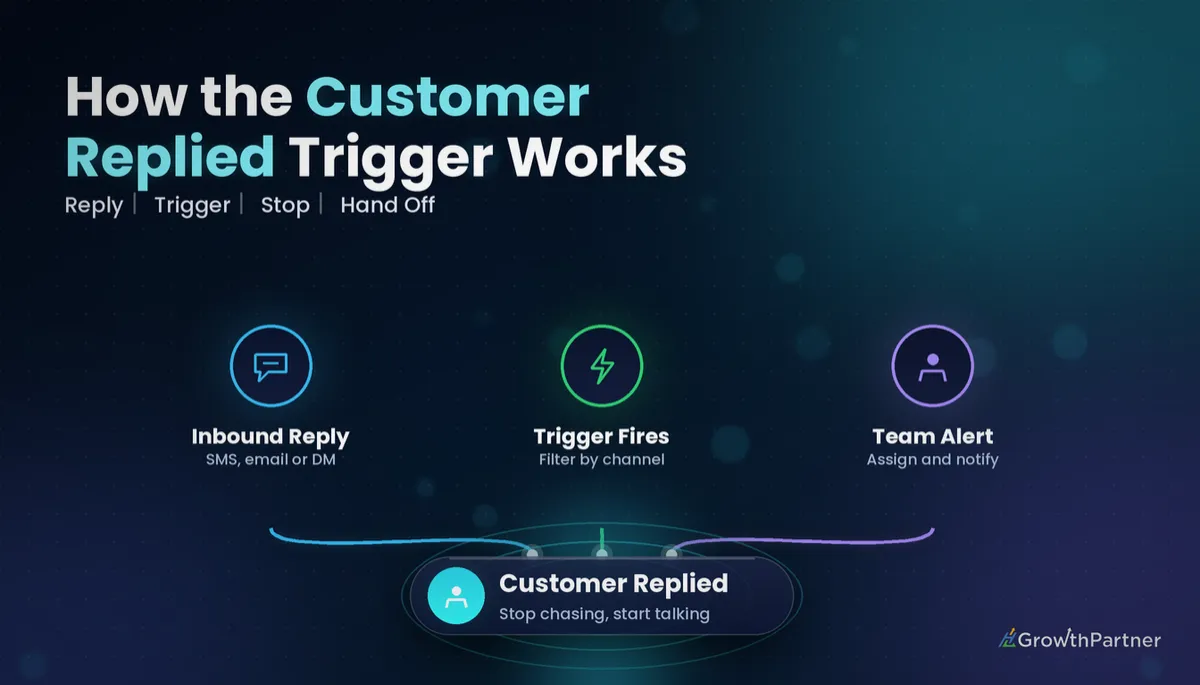
The GoHighLevel Customer Replied trigger is the workflow trigger that fires the moment a contact answers you, whether that's an SMS, an email or a DM. It's what turns a one-way nurture sequence into a conversation your team actually hears about.
Most accounts I audit either don't use it at all, or use it so loosely that every "thanks!" and out-of-office message pings the whole team. This guide covers how the HighLevel reply trigger works, which filters you can rely on, and the recipes I build into client sub-accounts to stop sequences, alert the right person and keep Conversation AI and DND rules from tripping over each other.
Quick Facts
| Where it lives | Automation → Workflows → Add New Trigger → Customer Replied |
| What fires it | An inbound reply from a contact on a connected conversation channel |
| Text filters | Contains Phrase, Exact Match Phrase |
| Context filters | Reply Channel, Replied To Workflow, Has Tag / Doesn't Have Tag |
| AI filter | Intent Type (AI-detected intent of the reply) |
| Related setting | Workflow Settings → Stop on Response |
How the GoHighLevel Customer Replied trigger actually works
Every inbound message that lands in a contact's conversation is an event. The Customer Replied trigger listens for those events and enrols the contact into your workflow when one arrives and passes your filters.
With no filters, it fires on every reply from every contact on every channel. An unfiltered Customer Replied trigger is almost never what you want, because it will run for support chats, booking confirmations, emoji reactions and auto-replies alike.
HighLevel's own help article, Workflow Trigger – Customer Replied, describes it as starting a workflow when a contact replies to a message, with optional filters for phrases, tags, intent type and reply channel. That's the frame for everything below.
Which channels count as a reply
The trigger covers the conversation channels you have connected in the sub-account. In practice that typically means:
- SMS (via LeadConnector phone numbers)
- Facebook Messenger and Instagram DMs
- Google Business Profile messages
- Live Chat from the website chat widget
Your Reply Channel dropdown shows what's actually available. If a channel isn't connected, it won't produce replies, so check integrations before you blame the trigger.
Customer Replied trigger filters you can rely on
Filters are where this trigger earns its keep. I've only listed the ones documented by HighLevel; if your builder shows something different, trust the builder and test. For how filters combine across triggers generally, see our guide to GoHighLevel workflow trigger filters.
| Filter | What it does | Best used for |
|---|---|---|
| Reply Channel | Limits the trigger to replies on one channel (e.g. SMS, Email, Instagram) | Channel-specific routing and auto-responses |
| Replied To Workflow | Fires only when the reply is to a message sent from a specific workflow | Stopping or branching one particular nurture sequence |
| Contains Phrase | Fires if the reply includes your word or phrase anywhere | Keyword routing such as "price" or "reschedule" |
| Exact Match Phrase | Fires only if the whole reply matches your phrase | Strict one-word replies like "YES" or "BOOK" |
| Has Tag / Doesn't Have Tag | Checks the contact's tags at the moment of the reply | Excluding customers, staff or already-qualified leads |
| Intent Type | Uses AI detection to classify the reply's intent | Rough positive/negative sorting, with a human safety net |
Contains Phrase vs Exact Match Phrase
Contains Phrase is forgiving: "yes please, Thursday works" still matches "yes". Exact Match is strict: any extra word and it won't fire.
Third-party documentation disagrees on whether matching is case-sensitive, so don't assume — send yourself "YES", "yes" and "Yes" and check the enrolment history. If in doubt, add each variant as a separate value.
Replied To Workflow is the precision tool
This is the filter I use most. It ties the reply back to the sequence that prompted it, so a lead replying to your reactivation campaign triggers the reactivation follow-up, not your generic "new reply" alert.
Treat Intent Type as a hint, not a verdict
Intent Type is AI classification, and the available values may differ by account and over time. Short, mixed replies such as "sure, but not this week" can be read either way, so I route Intent Type matches to a human check rather than to anything irreversible like a pipeline stage change to Won.
Using the reply trigger to stop nurture sequences
Nothing burns trust faster than a lead replying "yes, call me" and receiving "Just checking in!" two days later. There are three ways to prevent it, and they suit different builds.
| Method | How it works | When I use it |
|---|---|---|
| Stop on Response (workflow setting) | Ends the workflow for that contact when they reply to a message sent from it | Simple, single-purpose nurture sequences |
| Goal Event in the nurture workflow | Jumps the contact to the goal when a condition is met (e.g. a tag is added) | When you want post-reply steps in the same workflow |
| Separate Customer Replied workflow | Reply triggers a new workflow that removes the contact from the nurture and runs follow-up actions | Multi-sequence accounts and anything needing alerts, tags and assignment |
My default for client builds is the third option. A dedicated workflow, triggered by Customer Replied with Replied To Workflow set to the nurture, does three jobs: Remove From Workflow (the nurture), add a "replied" tag, and notify the owner.
The tag matters because it gives your goals something to listen for. Our walkthrough of workflow goals and exit conditions shows how to make other sequences exit cleanly when that tag appears.
Alerting and assigning your team when a customer replies
Once the sequence has stopped, someone needs to own the conversation. I build the alert and assignment into the same reply workflow so nothing falls through.
A reliable alert-and-assign pattern
- If/Else on Assigned User: if the contact already has an owner, keep them; if not, assign one.
- Assign To User: round-robin across the sales team, with "only apply to unassigned contacts" ticked.
- Internal Notification: SMS or email the assigned user with the reply text and a contact link.
- Create Task / Opportunity update: move the opportunity to a "Replied – needs response" stage with a due-today task.
Get the ownership rules right first, or your alerts go to the wrong person. Our guide to Assign To User and contact owner rules covers the round-robin and "unassigned only" settings in detail.
Notify the owner, not the whole team. Group alerts on every reply train people to ignore them within a week.
Auto-response pitfalls: OOO replies, STOP keywords and DND
Not every reply is a human. Out-of-office emails, autoresponders and carrier messages all count as inbound replies, and they'll happily fire your trigger.
Out-of-office emails
An OOO reply to a nurture email will stop the sequence and alert sales about a lead who's on leave. For email-heavy sequences, I add an If/Else after the trigger that checks the message for phrases like "out of office" or "automatic reply" and, if matched, simply ends without stopping the nurture.
STOP keywords are not your workflow's job
HighLevel's DND documentation states that SMS DND is enabled automatically when a contact replies with opt-out keywords such as STOP or UNSUBSCRIBE. You don't need a Customer Replied workflow to handle opt-outs, and you shouldn't build one that sends a reply to "STOP".
What you should do is exclude opt-out words from your positive-reply filters, so a "STOP" doesn't land in sales' "hot lead" queue. Our guide to DND settings, unsubscribes and opt-outs covers what DND blocks and how to handle re-subscribes properly.
Reply loops between two automations
If your workflow auto-responds and the other side is also an autoresponder, you can create a ping-pong. Never send an automated message on an unfiltered Customer Replied trigger, and keep re-entry switched off for any auto-response workflow.
How the Customer Replied trigger interacts with Conversation AI
Conversation AI also responds to inbound messages, so if a channel has an active AI bot and a reply workflow that sends a message, the contact can get two answers. Decide which system owns the first response on each channel.
My rule of thumb: Conversation AI owns the reply, the workflow owns the admin. Let the bot answer; let the Customer Replied workflow handle tags, removal from nurture, assignment and notifications silently.
When the bot needs to hand over to a person, that's a separate design decision. See our guide to Conversation AI human handoff for setting it up without the contact noticing the seam.
Practical customer reply workflow recipes
Recipe 1: Stop the lead nurture and alert the owner
- Trigger: Customer Replied → Replied To Workflow = "Lead Nurture 14-day"
- Remove From Workflow: Lead Nurture 14-day
- Add Tag: replied-nurture
- Assign To User (unassigned only) → Internal Notification to assigned user
Recipe 2: SMS "YES" booking fast-track
- Trigger: Customer Replied → Reply Channel = SMS, Exact Match Phrase = YES (plus case variants)
- Send SMS with your booking link
- Update opportunity stage to "Booking link sent"
Recipe 3: Instagram DM keyword routing
- Trigger: Customer Replied → Reply Channel = Instagram, Contains Phrase = price / pricing / cost
- Add Tag: pricing-interest
- Internal Notification to the social media manager (no auto-reply if Conversation AI is active)
Recipe 4: Existing customer replies to a marketing email
- Trigger: Customer Replied → Reply Channel = Email, Has Tag = customer
- Assign to account manager, create a task, and skip the sales pipeline entirely
Before you publish any of these, run a test contact through each branch and check the execution log. HighLevel's list of workflow triggers is worth a skim too, in case a more specific trigger suits your use case better.
Common mistakes to avoid
- Running the trigger with no filters, so every reply on every channel enrols the contact.
- Auto-replying to every inbound message, which creates loops with autoresponders and doubles up with Conversation AI.
- Assuming Exact Match handles capitalisation without testing "YES", "yes" and "Yes".
- Trusting Intent Type for irreversible actions like marking opportunities Won or sending contracts.
- Treating "STOP" as a sales reply instead of letting DND handle the opt-out.
- Stopping the nurture without tagging, so other workflows have no signal that the lead is now in conversation.
If you want your reply workflows, nurture exits and team alerts audited and rebuilt properly, book a strategy call with the HL Growth Partner team.
Frequently asked questions
What does the GoHighLevel Customer Replied trigger do?
It starts a workflow when a contact replies to you on a connected conversation channel such as SMS, email, social DMs or live chat. You can add filters so it only fires for specific channels, phrases, tags, intents or workflows.
Can I limit the Customer Replied trigger to one channel?
Yes. Use the Reply Channel filter and choose the channel you want, such as SMS, Email or Instagram. Only channels connected to the sub-account will produce replies.
How do I stop a nurture sequence when a lead replies?
Either switch on Stop on Response in the nurture workflow's settings, or build a separate workflow using the Customer Replied trigger with Replied To Workflow set to the nurture, then use Remove From Workflow. The separate workflow is better when you also want tags, assignment and alerts.
Is the Exact Match Phrase filter case-sensitive?
Documentation from different sources disagrees on this. The safe approach is to test with upper, lower and mixed case replies, or add each case variant as its own filter value.
Should my Customer Replied workflow handle STOP messages?
No. HighLevel automatically enables SMS DND when a contact replies with opt-out keywords such as STOP or UNSUBSCRIBE. Your reply workflows should exclude those words so opt-outs never reach the sales team as leads.
Will the Customer Replied trigger fire on out-of-office emails?
Yes, an automatic reply is still an inbound reply. Add an If/Else step that checks for phrases like "out of office" or "automatic reply" and ends the workflow before it stops your nurture or alerts sales.
Can I use the Customer Replied trigger alongside Conversation AI?
Yes, but decide which one sends the response on each channel. A clean setup lets Conversation AI reply while the workflow quietly handles tags, nurture removal, assignment and notifications.
How accurate is the Intent Type filter?
It uses AI detection, so it works well for clear replies but can misread short or mixed messages. Use it to route replies for a human to review rather than to trigger irreversible actions.
