GoHighLevel Pipeline Stage Changed Trigger (2026)
By Dr Priya Jaganathan, GoHighLevel Certified Admin · HL Growth Partner, Australia · Updated 12 October 2026 · 9 min read
Some links below are affiliate links — if you sign up through them, HL Growth Partner may earn a commission at no extra cost to you. It never changes what we recommend.
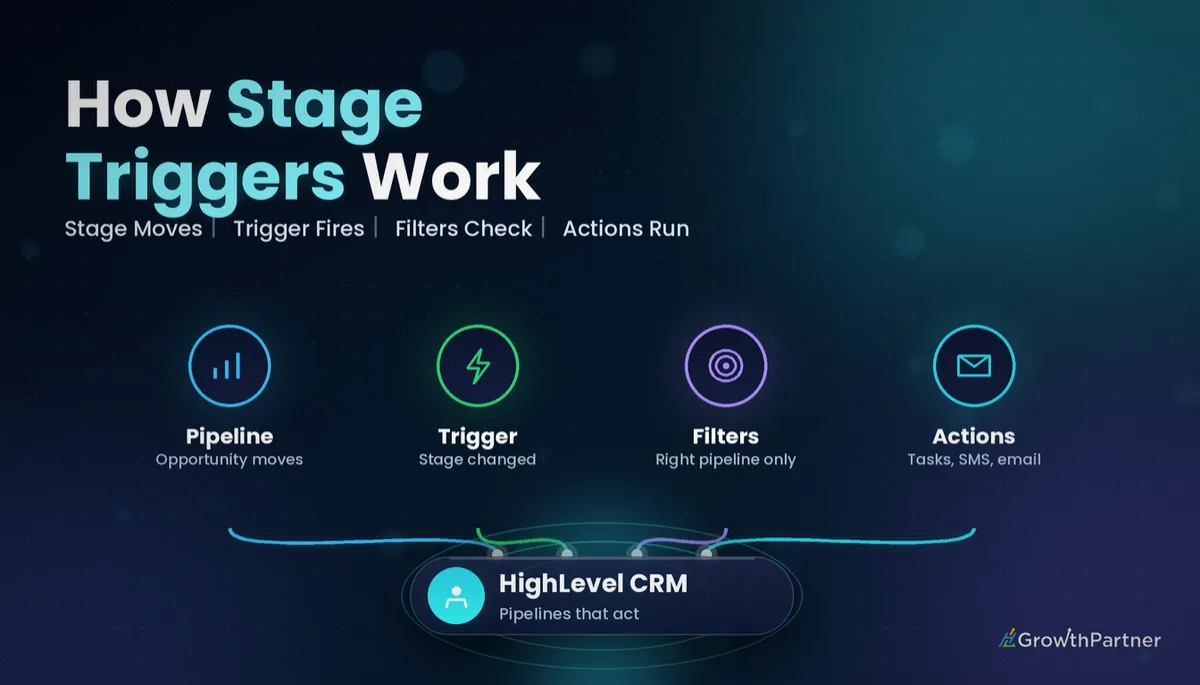
The GoHighLevel Pipeline Stage Changed trigger starts a workflow the moment an opportunity moves from one stage of a pipeline to another. It is the trigger that turns your sales board from a passive picture of deals into something that actually does the follow-up for you.
In this guide I'll walk you through where the trigger lives, which filters matter, how it differs from the other opportunity triggers, and five recipes we build for Australian clients every month. I'll also cover the part most tutorials skip: stopping stage-change loops before they spam your contacts.
Quick Facts
| Where to find it | Automation > Workflows > Add New Trigger > Pipeline Stage Changed |
| What fires it | An opportunity moving to a different stage, forwards or backwards |
| Core filters | In Pipeline and Pipeline Stage, plus options such as Assigned To and tags depending on your account |
| Works on | Opportunities in any pipeline inside a sub-account |
| Does not fire on | Status changes (Open, Won, Lost, Abandoned) that leave the stage untouched |
| Best paired with | Re-entry settings, goals and the Execution Logs for testing |
What the GoHighLevel Pipeline Stage Changed trigger actually does
Every opportunity in HighLevel sits in exactly one stage of one pipeline. When that opportunity is dragged across the board, moved by a workflow action, or updated through the API, its stage changes and this trigger can fire.
That makes it the backbone of HighLevel stage change automation. Instead of relying on a salesperson to remember the next step, the stage itself becomes the instruction.
If your stages are vague or overlap, the trigger will feel unreliable. Before automating anything, make sure your pipelines and opportunities setup has one clear stage per real-world milestone.
Where the trigger lives
Open the sub-account and follow this path:
- Go to Automation, then Workflows.
- Create a new workflow from scratch or open an existing one.
- Click Add New Trigger and search for Pipeline Stage Changed.
- Give the trigger a clear name, add your filters, and save.
HighLevel's own help article, Workflow Trigger – Pipeline Stage Changed, describes the trigger as covering opportunities that progress, regress or are reassigned to a new stage.
Why it fires on backwards moves too
A stage change is a stage change, regardless of direction. If someone drags a deal from "Proposal Sent" back to "Qualified", a workflow filtered on "Qualified" will run again.
Setting up the opportunity stage trigger filters
An unfiltered stage trigger fires on every move in every pipeline in the sub-account.
The two filters you should almost always add are In Pipeline and Pipeline Stage. Together they say "only run when a deal lands in this exact stage of this exact pipeline".
| Filter | What it does | When to use it |
|---|---|---|
| In Pipeline | Limits the trigger to one or more chosen pipelines | Always, unless you deliberately want a cross-pipeline rule |
| Pipeline Stage | Limits the trigger to the stage the opportunity has moved into | Almost always; this is what makes recipes stage-specific |
| Assigned To | Runs only for opportunities owned by a chosen user | Rep-specific sequences or notifications |
| Tags | Runs only when the contact has (or lacks) a given tag | Excluding VIPs, test contacts or a service line |
| Other opportunity fields | Such as lead value or custom fields, depending on your account's filter options | High-value deal alerts or segment-specific follow-up |
Some accounts also show a "moved from" style option for the previous stage. Depending on your account's filter options, you may need to handle that logic with an If/Else branch instead.
Remember that filters inside one trigger are combined with AND logic, while separate triggers on the same workflow act as OR. Our guide to workflow trigger filters explains that rule in detail.
Pipeline Stage Changed vs Opportunity Status Changed vs Opportunity Created
HighLevel has several opportunity triggers, and picking the wrong one is the most common reason a pipeline automation "doesn't work". The difference comes down to what changed on the record.
| Trigger | Fires when | Typical use | Watch out for |
|---|---|---|---|
| Pipeline Stage Changed | The opportunity moves to a different stage | Stage-based follow-up, tasks, reminders | Backwards moves and workflow-driven moves also fire it |
| Opportunity Status Changed | The status changes between Open, Won, Lost or Abandoned | Win onboarding, lost-deal nurture | Marking Won without moving stage won't fire a stage trigger |
| Opportunity Created | A new opportunity is added to a pipeline | Speed-to-lead, owner assignment, welcome messages | Only fires once per new record, not on later moves |
Here's the practical rule I give clients: use stage for "where the deal is" and status for "how the deal ended". If your board has a "Won" stage and you also mark the status Won, decide which one drives automation and stick to it.
Lost deals are a good example. Status Changed to Lost is usually the cleaner trigger because it captures the lost reason, which our article on opportunity lost reasons covers in more depth.
Five HighLevel stage change automation recipes
These are the recipes we deploy most often. Each one uses the Pipeline Stage Changed trigger filtered on a single pipeline and a single stage.
1. Proposal Sent: follow-up sequence plus a task
Trigger on the "Proposal Sent" stage. Send a short email confirming the proposal, wait two business days, then send an SMS check-in.
Add a Create Task action assigned to the opportunity owner, due three days out, so a human calls if the automation gets no reply. Set a goal so the contact leaves the sequence once they reply or the deal moves on.
2. Won: onboarding and a review request
When a deal reaches the "Won" stage, send the welcome email, create an onboarding task for the delivery team, and add a client tag. Then wait a sensible period, often 14 to 30 days for service businesses, before asking for a Google review.
If you also want the opportunity mirrored into a delivery pipeline, use the Create/Update Opportunity action to create a new opportunity there rather than moving the sales one.
3. Booked: appointment reminders and prep
Trigger on "Appointment Booked". Send prep information, a link to an intake form, and an internal heads-up to the rep.
Keep the actual time-based reminders tied to the appointment itself, because a stage trigger doesn't know the appointment time. The stage workflow handles the context; the calendar handles the countdown.
4. Stalled stages: the quiet-deal rescue
Trigger on a stage where deals tend to sit, such as "Negotiation". Add a Wait step of seven days, then an If/Else that checks whether the opportunity is still in that stage.
If it is, create a task for the owner and send a gentle nudge. If it has moved, the branch simply ends.
5. Internal Slack or team notification
For high-value deals, trigger on any important stage and filter by lead value if your account offers it. Send an internal notification, or post to Slack through a webhook or the Slack integration.
This keeps owners and managers informed without them living inside the Opportunities board.
Avoiding loops with the opportunity stage trigger
Loops happen when a workflow triggered by a stage change also moves the opportunity to another stage. That second move can fire another stage workflow, which moves it again, and so on.
Most loops we fix look like one of these:
- Workflow A fires on "Qualified" and moves the deal to "Proposal Sent"; Workflow B fires on "Proposal Sent" and moves it back to "Qualified".
- A single workflow with no stage filter moves the deal, which re-triggers itself.
- A Create/Update Opportunity action set to "update" lands on the same stage that triggered the workflow, re-running it when re-entry is allowed.
Always filter by pipeline and stage, never let a workflow move a deal into the stage that triggers it, and sketch a simple stage map before you publish.
Re-entry settings for stage-based workflows
Because deals move backwards and forwards, re-entry matters more here than with most triggers. In the workflow Settings tab, the "Allow Re-entry" option decides whether a contact can go through again.
| Scenario | Re-entry | Why |
|---|---|---|
| Proposal follow-up | On | A revised proposal should restart the follow-up |
| Won onboarding | Off | You don't want a second welcome pack if someone re-drags the card |
| Internal notification | On | Managers want to know every time a big deal moves |
| Review request | Off | Asking twice for a review annoys clients |
Our deep dive on workflow re-entry settings covers the edge cases, including contacts with more than one opportunity.
Testing the GoHighLevel Pipeline Stage Changed trigger
Never publish a stage workflow and hope. Use a test contact with an obvious name and a test tag, and create an opportunity for them in the right pipeline.
- Publish the workflow (or save it in draft and use the built-in test option where available).
- Drag the test opportunity into the trigger stage on the Opportunities board.
- Open the workflow's Execution Logs and confirm the contact entered and each action ran.
- Move the opportunity backwards and forwards to check re-entry behaves the way you expect.
- Check the contact record for sent messages, tasks and tags.
If the contact never appears in the logs, the trigger filter is usually the culprit. Our guide to troubleshooting workflow errors walks through the full checklist.
Common mistakes to avoid
- Leaving the trigger unfiltered, so it fires on every stage move across every pipeline.
- Using the stage trigger when you really need Opportunity Status Changed for Won or Lost outcomes.
- Letting a workflow move a deal into the same stage that triggers it, creating a loop.
- Allowing re-entry on onboarding or review workflows, so clients get duplicate messages.
- Forgetting that backwards moves fire the trigger, then wondering why old sequences restart.
- Skipping a test contact and the Execution Logs, so problems surface with real clients first.
If you want your pipeline stages mapped and automated end to end without loops or duplicate messages, book a strategy call with the HL Growth Partner team.
Or if you just need the software first: grab the 30-day HighLevel trial and book us when you're ready to scale it.
Frequently asked questions
What does the Pipeline Stage Changed trigger do in GoHighLevel?
It starts a workflow whenever an opportunity moves from one stage to another in a pipeline. You can filter it by pipeline and stage so it only runs for the moves you care about.
Does the trigger fire when a deal moves backwards?
Yes. Any change of stage counts, including moving a deal back to an earlier stage. Use stage filters, If/Else checks and re-entry settings to control what happens on backwards moves.
Should I use Pipeline Stage Changed or Opportunity Status Changed for won deals?
Use Opportunity Status Changed if your team marks deals as Won through the status field. Use Pipeline Stage Changed if you have a dedicated Won stage that deals are moved into. Pick one method and apply it consistently so you don't trigger onboarding twice.
Why is my stage change workflow not firing?
The most common causes are a filter pointing to the wrong pipeline or stage, an unpublished workflow, or re-entry being turned off for a contact who has already been through. Check the Execution Logs with a test contact to see whether the contact entered at all.
Can a workflow move an opportunity and trigger another workflow?
Yes. A Create/Update Opportunity action that changes the stage will fire any Pipeline Stage Changed workflow filtered on the new stage. That is powerful for chaining, but it is also how loops start, so map your stages before publishing.
Can I filter the trigger by the stage a deal moved from?
That depends on your account's filter options. If a previous-stage filter isn't available, use the Pipeline Stage filter for the destination and handle any extra logic with an If/Else branch or tags.
How do I test a Pipeline Stage Changed workflow safely?
Create a clearly named test contact with a test tag and an opportunity in the right pipeline. Move it into the trigger stage, then review the workflow's Execution Logs and the contact record to confirm each action ran as expected.
Related Articles on HL Growth Partner
More workflow triggers and logic
- How the Customer Replied trigger works
- Building If/Else branches in GoHighLevel workflows
- Workflow goals and exit conditions explained
Team, tasks and ownership
- Using the Assign To User action for contact owners
- Managing team workload with GoHighLevel tasks
- Setting up internal team notifications
