GoHighLevel Stale Opportunities Trigger: Setup Guide (2026)
By Dr Priya Jaganathan, GoHighLevel Certified Admin · HL Growth Partner, Australia · Updated 26 October 2026 · 9 min read
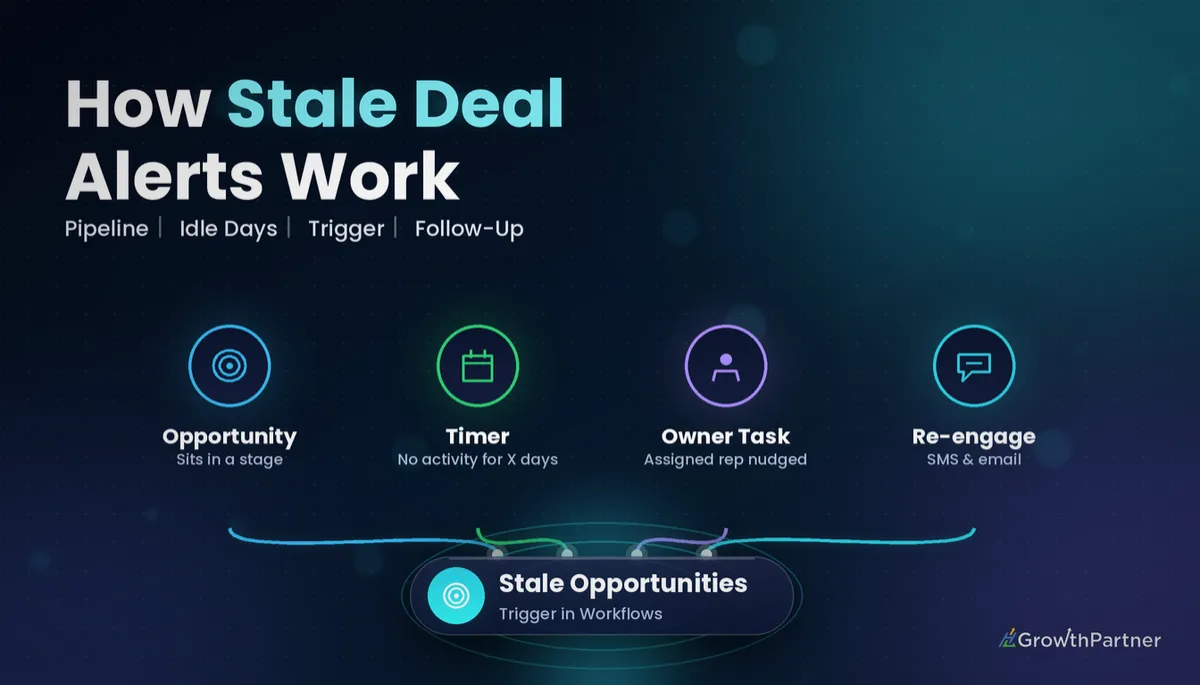
The GoHighLevel stale opportunities trigger watches your pipeline for deals that have stopped moving and starts a workflow when one sits still for too long. It's the closest thing HighLevel has to a sales manager who checks every card on the board, every day, without getting bored.
In this guide I'll cover what the trigger fires on, which filters you can set, how to build a HighLevel stale opportunity workflow step by step, six recipes we deploy for clients, and the safeguards that stop it nagging your team in circles. It's the next instalment in our workflow-trigger series, so you'll also see where it sits next to the other opportunity triggers.
Quick Facts
| Fires when | An opportunity stays in the same stage for a set period without progress or updates (HighLevel Help Centre, 2026) |
| Core filters | In Pipeline and Duration in Days |
| Smallest time unit | Days (there is no hours or minutes option) |
| What resets the clock | Moving the opportunity to a new stage or updating it |
| Retroactive? | No; the stale duration is only counted after the trigger is added |
| Can it fire again? | Yes, if the opportunity goes stale again under the same criteria |
What the GoHighLevel stale opportunities trigger actually does
HighLevel's Stale Opportunities help article describes the trigger as activating when an opportunity has been in the same stage for a set period without any progress or updates. In plain terms, it reacts to nothing happening, which makes it unusual among workflow triggers.
Typical moments it catches:
- A quote has been sitting in "Proposal Sent" for a week with no reply logged.
- A new lead was booked into "Contacted" and nobody touched the card again.
- A consult was completed but the follow-up stage never moved.
What counts as "stale" and what resets the clock
According to HighLevel's documentation, moving an opportunity to a new stage, or updating it, resets the trigger. If the opportunity then becomes stale again under your criteria, the workflow can run again.
What exactly counts as an "update" isn't spelled out in detail. Some third-party guides describe the timer as running from the opportunity's last update, while white-label help centres describe it in terms of time spent in an open status. Treat any edit to the opportunity as a possible reset until you've tested it in your own account.
It doesn't look backwards
HighLevel notes the trigger isn't retroactive: the stale duration is only calculated after the trigger is added. If you publish a seven-day workflow today, a deal that has already been idle for a month won't fire this afternoon.
Stale opportunity trigger filters you can set
The documented filters are the ones you'll use on every build. Your account may show extra options, so check the filter list in the trigger panel before you design around anything else.
| Filter | What it does | Our guidance |
|---|---|---|
| In Pipeline | Limits the trigger to one pipeline, such as your sales pipeline | Always set it; a single workflow per pipeline is easier to audit |
| Duration in Days | How long an opportunity can sit without change before it counts as stale | Match it to your sales cycle, not a round number |
| Tag-based filters (where shown) | Include or exclude opportunities by contact tag | Use an exclusion tag for deals that are deliberately on hold |
On duration, HighLevel's own guidance is that shorter sales cycles may suit 2 to 3 days, while longer cycles might need 7 to 10. Some white-label help centres also say that with no filters set, the trigger applies to open opportunities across every pipeline, which is a good reason never to leave it unfiltered.
How to set up a HighLevel stale opportunity workflow, step by step
Menu labels shift between releases, so treat this as the build flow rather than exact click paths.
- Map your stages first. Write down how long a healthy deal should spend in each stage. That number becomes your duration.
- Create a new workflow from scratch in Automation and name it clearly, for example "Stale Opp | Sales | 5 Days | Rep Nudge".
- Add the trigger. Search for Stale Opportunities in the trigger list and select it.
- Set In Pipeline to the pipeline you're targeting.
- Set Duration in Days to the threshold you mapped in step one.
- Add an exclusion, such as a "deal-on-hold" tag, if your account offers tag filters.
- Branch by stage. Add an If/Else so a stale "New Lead" gets a different response from a stale "Proposal Sent".
- Build the actions: tasks, internal notifications, messages to the contact or opportunity updates (recipes below).
- Check workflow settings, especially re-entry, then save and publish.
Step seven matters more than people expect. If the stage is the thing you care about, the Pipeline Stage Changed trigger handles stage entry, but only a stale workflow catches the deal that never left. Our Pipeline Stage Changed trigger guide covers the event-based side of the same pipeline.
Stale opportunity recipes that rescue deals
These are the six patterns we deploy most often. Durations are examples; set yours from your own sales cycle data.
| Situation | Suggested setup | Actions |
|---|---|---|
| New lead never contacted | Sales pipeline, 1 to 2 days | Create a call task for the assigned user, send an internal notification |
| Proposal with no response | Sales pipeline, 5 days, branch on Proposal Sent | Send the contact a short check-in SMS or email, create a follow-up task |
| Deal stuck in negotiation | Sales pipeline, 10 days | Notify the sales manager, add a "needs-review" tag |
| Post-consult booking not made | Patient or client pipeline, 3 days | Front-desk task to call, then a reminder message to the contact |
| Long-cycle B2B deal gone quiet | B2B pipeline, 14 days | Enrol in a value-content nurture, task for a personal touch |
| Repeat staleness | Second workflow with a longer duration | Move to a "Cold" stage or flag for a manager to decide on Lost |
Use the Create/Update Opportunity workflow action for any recipe that moves the card. Just remember that the move itself resets the stale clock, which is often exactly what you want.
I'd caution against auto-marking deals as Lost on the first stale fire. Let a human make the Lost call and use automation to put the decision in front of them.
Stale Opportunities vs the other opportunity triggers
Picking the wrong opportunity trigger is the most common reason these builds misbehave. HighLevel's list of workflow triggers groups several of them together, and here's how they differ in practice.
| Trigger | Fires when | Best used for | Watch out for |
|---|---|---|---|
| Stale Opportunities | An opportunity sits in a stage without progress for a set number of days | Chasing deals that have gone quiet | Not retroactive; updates reset the clock |
| Pipeline Stage Changed | An opportunity moves to a different stage | Stage-entry actions like sending a proposal pack | Fires on every move unless filtered by stage |
| Opportunity Status Changed | Status changes, for example Open to Won or Lost | Win onboarding and loss follow-up | Doesn't check for inactivity at all |
| Opportunity Changed | Opportunity details are updated | Reacting to value or owner changes | Can fire often; needs tight filters |
A good pairing is stale for the quiet deals and status changes for the outcomes. Our Opportunity Status Changed trigger walkthrough shows how to handle Won, Lost and Abandoned once the chase works.
Testing the stale opportunities trigger before you go live
- Use a test pipeline or a dummy contact with your own email and mobile.
- Set the shortest duration, one day, so you aren't waiting a week for a result.
- Create the test opportunity after publishing, since the trigger doesn't count time from before it existed.
- Leave it untouched. Opening and editing the card may reset the timer.
- Run a reset test: on a second opportunity, change the stage mid-way and confirm the workflow doesn't fire on the original schedule.
- Check the execution log to confirm which branch ran, then set the real duration.
Loop and re-entry safeguards for stale workflows
Because a stale workflow can fire again each time a deal goes quiet, it can turn into a nag machine. These three habits keep it under control.
Decide on re-entry deliberately
Look at the workflow's re-entry setting. For a one-off manager escalation, keep re-entry off. For a recurring rep nudge, re-entry can stay on, but cap it with a guard tag such as "stale-nudge-1" and check for it with If/Else.
Know which actions reset the clock
If your workflow updates the opportunity, it may reset the stale timer, and the deal starts counting again from zero. Track the number of stale fires with a tag or custom field so reporting shows the real picture.
Escalate, don't repeat
Instead of one workflow firing the same message five times, chain a second workflow with a longer duration that escalates to a manager. Our guide to tag-trigger safeguards covers the guard-tag pattern in more depth.
Agency and snapshot tips for stale opportunity automation
Stale workflows are one of the easiest wins to ship in a niche snapshot, because every client has deals that go quiet.
- Ship pipelines with sensible default durations per stage, then tune them with each client on onboarding.
- Send tasks and alerts to the assigned user rather than a named staff member who won't exist in the client's account.
- Leave the workflows in draft inside the snapshot so the client's team is trained before chases go out.
- Report on stale counts each month; it's a clear, client-friendly measure of pipeline health.
That last point lands well in reviews. We fold stale-deal counts into our monthly client reporting for agencies so owners see where follow-up is slipping.
Common mistakes to avoid
- Leaving the pipeline filter empty, so every open deal in every pipeline can enter the workflow.
- Expecting old idle deals to fire straight away when the trigger isn't retroactive.
- Using one duration for every stage instead of branching by stage.
- Editing the test opportunity while testing and accidentally resetting the clock.
- Auto-marking deals as Lost on the first stale fire without human review.
- Allowing unlimited re-entry with no guard tag, so reps get the same nudge week after week.
If you want your pipelines audited and wired with stale-deal chasers that your team will actually act on, book a strategy call with the HL Growth Partner team.
Frequently asked questions
What is the GoHighLevel stale opportunities trigger?
It's a workflow trigger that fires when an opportunity has stayed in the same stage for a set number of days without progress or updates. You set the pipeline and the duration in days as filters. It's designed for chasing deals that have gone quiet.
What resets the stale opportunity timer?
HighLevel's documentation says moving the opportunity to a new stage or updating it resets the trigger. The exact list of updates that count isn't spelled out, so treat any edit to the opportunity as a possible reset. Test in your own account to confirm.
Does the stale opportunities trigger work on deals that are already idle?
No. HighLevel notes that the trigger isn't retroactive, and the stale duration is only calculated after the trigger is added. Deals that were idle before you published the workflow start counting from that point.
Can I set the stale duration in hours?
No, the duration is set in days. There is a request on the HighLevel ideas board for hours or minutes, but days is the unit you'll work with today. For same-day speed-to-lead, use an event trigger with a wait step instead.
Can the stale opportunities trigger fire more than once for the same deal?
Yes. If the opportunity is reset and then becomes stale again under your criteria, the workflow can run again. Review the re-entry setting and use a guard tag if you want a single chase only.
How many days should I set for a stale opportunity?
Base it on how long a healthy deal spends in each stage. HighLevel suggests 2 to 3 days for shorter sales cycles and 7 to 10 days for longer ones. Branch by stage so each stage gets an appropriate threshold.
Should I use Stale Opportunities or Pipeline Stage Changed?
Use Pipeline Stage Changed to act the moment a deal enters a stage, and Stale Opportunities to act when it fails to leave one. Most pipelines benefit from both. Together they cover the move and the silence.
Related Articles on HL Growth Partner
More workflow triggers
- Task Completed trigger: chain the next step automatically
- Customer Replied trigger for faster responses
- Following up missed calls with the Call Status trigger
Pipelines and lead quality
- Pipeline automation fundamentals in HighLevel
- Scoring leads with AI in GoHighLevel
- Turning call notes into follow-up with Note Added
