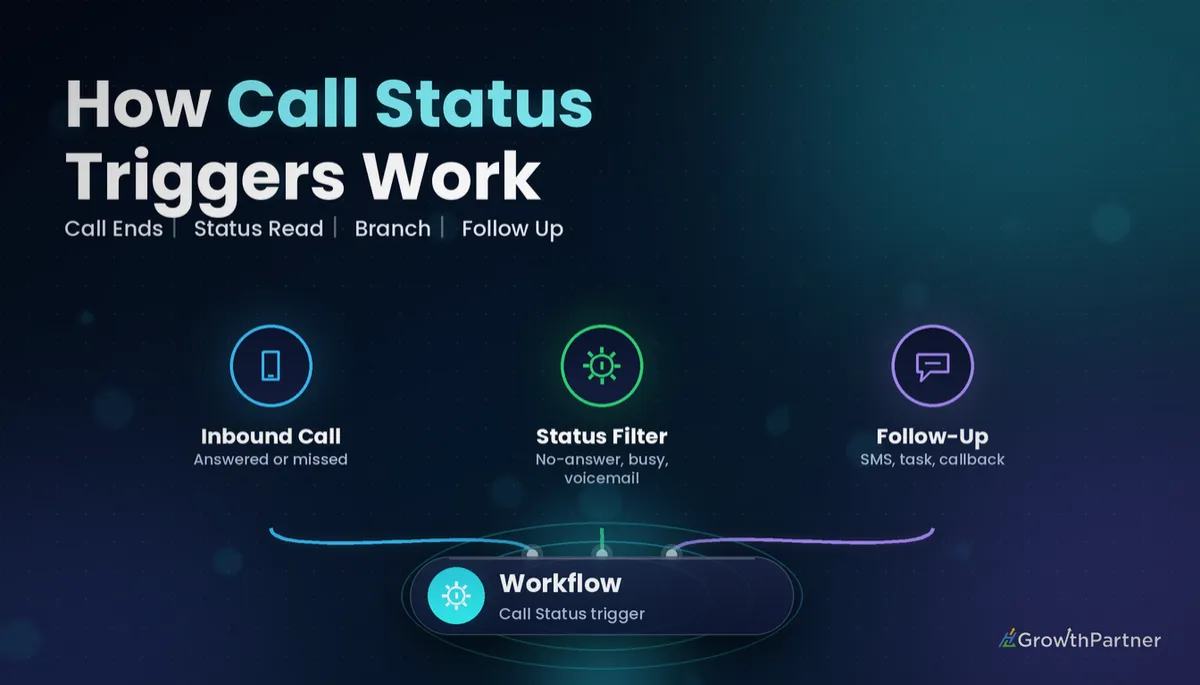
GoHighLevel Call Status Trigger: Setup Guide (2026)
By Dr Priya Jaganathan, GoHighLevel Certified Admin · HL Growth Partner, Australia · Updated 21 October 2026 · 9 min read
Some links below are affiliate links — if you sign up through them, HL Growth Partner may earn a commission at no extra cost to you. It never changes what we recommend.
The GoHighLevel Call Status trigger starts a workflow the moment a phone call in your sub-account ends with a specific outcome, such as completed, busy, voicemail or not answered. It is the trigger that turns your phone system from a passive inbox into something that actually follows up.
In this guide I walk through how the HighLevel call status workflow trigger works, which filters to use, and six recipes we build for Australian service businesses. I also cover how it differs from the built-in Missed Call Text Back setting, how to test it without annoying real customers, and the SMS compliance points that catch Aussie businesses out.
Quick Facts
| Where to find it | Automation > Workflows > Add New Trigger > Call Status |
| What fires it | A call on your HighLevel (LC Phone) number reaching a set outcome |
| Status values (per HighLevel docs) | Busy, Canceled, Completed, Not Answered, Voicemail |
| Main filters | Call Direction (incoming / outgoing) and Call Status |
| Related trigger | Call Details, which adds rep-selected Custom Dispositions |
| AU SMS rules | Spam Act 2003, enforced by the ACMA: consent, sender ID and an unsubscribe option |
What the GoHighLevel Call Status trigger actually does
Every call that runs through a HighLevel phone number ends with a system outcome. The Call Status trigger listens for those outcomes and enrols the matching contact into your workflow.
According to HighLevel's own help article on the Call Status workflow trigger, it fires when a call is busy, canceled, sent to voicemail, completed or not answered. You narrow it down with filters for call direction and call status.
The filters you will use most
- Call Direction – incoming (customer rang you) or outgoing (your team rang them). Almost every good recipe sets this.
- Call Status – the outcome you care about. You can usually select more than one value in the same filter.
- In Workflow – some account versions also show this, so you can limit enrolment to contacts already in another workflow. Check your own dropdown before relying on it.
Labels shift slightly between releases (for example "Not Answered" versus "No Answer"), so always pick from the dropdown rather than typing what you expect. If you are new to stacking filters, our guide to GoHighLevel workflow trigger filters explains how AND/OR logic behaves.
What each status usually means in practice
| Status | Typical meaning | Common workflow response |
|---|---|---|
| Completed | The call connected and ended normally | Tag, move pipeline stage, log a note |
| Not Answered | It rang out with nobody picking up | Text-back (incoming) or retry task (outgoing) |
| Busy | The line was engaged | Short wait, then retry or SMS |
| Voicemail | The caller reached voicemail | Task to contact owner to listen and call back |
| Canceled | The call was dropped before connecting | Treat like a missed call, with a softer message |
Call Status versus the newer Call Details trigger
HighLevel has been moving rep-chosen outcomes (like "Interested" or "Wrong number") into Custom Dispositions, which sit under the Call Details trigger. Call Status remains the right tool for system outcomes; Call Details with a Custom Disposition filter is better when the rep's judgement should drive the next step.
HighLevel call status workflow trigger vs Missed Call Text Back
Most accounts already have Missed Call Text Back switched on in phone settings. It sends one fixed SMS when an inbound call is missed, and that is all it does.
HighLevel's Missed Call Text Back help article notes that the setting sends an SMS for every missed call, even when the same person rings several times in quick succession. It also suggests building the logic in a workflow instead to avoid duplicate messages.
| Feature | Missed Call Text Back setting | Call Status trigger workflow |
|---|---|---|
| Message logic | One fixed SMS | Any sequence: SMS, email, tasks, tags |
| Business hours aware | No branching | Yes, with If/Else or wait steps |
| Duplicate protection | None | Re-entry settings, tags and waits |
| Outbound calls | Not covered | Covered via Call Direction filter |
| Reporting | Basic | Workflow stats, tags and pipeline data |
My rule: once you build a missed-call workflow, turn the native setting off so callers do not get two texts. Our missed call text back setup guide covers the native feature if you only need the basics.
Six Call Status trigger recipes worth building
These are the builds we reach for most often with tradies, clinics and professional services firms. Each one starts with the same trigger and changes only the filters and actions.
1. Missed-call follow-up that goes beyond a single text
Trigger: Call Status, direction incoming, status Not Answered, Busy and Canceled. Then send a short SMS naming your business and offering a booking link.
- Wait 30 minutes and check whether the contact has replied or booked.
- If not, send a follow-up email with the same booking link.
- Create a call-back task for the team the next business morning.
Add a "missed-call-sequence" tag at the start and check for it, so a caller who rings three times does not get three sequences.
2. Voicemail left: task to the contact owner
Trigger: incoming, status Voicemail. The action is a task assigned to the contact owner, titled "Listen to voicemail and call back", due within the hour.
If the contact has no owner yet, assign one first with a round-robin step. Our guide to assigning the contact owner in GoHighLevel walks through the options.
3. Answered call: move the pipeline stage and tag
Trigger: Completed. An If/Else branch checks whether the contact has an open opportunity in your sales pipeline, then moves it from "New Lead" to "Contacted" and adds a "spoke-to-us" tag.
This single recipe fixes most stale pipelines, because reps no longer have to drag cards after every call.
4. Outbound no-answer retry cadence
Trigger: outgoing, status Not Answered, Busy or Voicemail. This is where re-entry matters most, since a rep may ring the same lead several times.
- Attempt 1 missed: SMS "Sorry we missed you" and a task to retry tomorrow.
- Attempt 2 missed: email plus a retry task two days later.
- Attempt 3 missed: move to a nurture stage and stop calling.
Track attempts with tags (attempt-1, attempt-2) or a number custom field, and branch on that value each time the workflow fires.
5. After-hours handling with Voice AI
If you run a Voice AI agent after hours, the call is answered by the agent rather than missed. Use a business-hours If/Else branch so after-hours calls get a "We have your details, we'll call first thing" SMS instead of the daytime sequence.
Our GoHighLevel Voice AI setup guide explains how to configure the agent itself; the Call Status workflow simply handles what happens next.
6. Reporting on call outcomes
Workflows are a cheap reporting layer. Add a tag or increment a custom field for each outcome, and you can filter Smart Lists by "missed and never called back" in seconds.
Pair that with the workflow's own enrolment stats to see how many calls you miss each week and whether your follow-up converts.
Using If/Else branches and re-entry on call status
You can either build one workflow per status or one workflow with several statuses selected, then branch. I prefer separate workflows for incoming and outgoing, and If/Else branches inside each for the status.
Branching keeps related logic in one place and makes it easier to hand over to a VA. Our guide to GoHighLevel If/Else branches shows how to set up the conditions cleanly.
Re-entry settings
In workflow settings, Allow Re-entry decides whether a contact can go through the workflow again. For call workflows you almost always want it on, because people call more than once.
The catch is duplicate messages. Combine re-entry with a "sequence active" tag that you add at the start and remove at the end, and use a goal or exit condition when the contact books.
How to test the Call Status trigger safely
Never test on a live client list. Create a test contact with your own mobile number and run through each status deliberately.
- Not Answered: call the business number and let it ring out.
- Busy: call while the line is already in use, or decline the call.
- Voicemail: ring through and leave a short message.
- Completed: have a teammate answer and hang up normally.
After each test, open the workflow's Enrollment History and the contact's activity to confirm which status was recorded. Expect a short delay before the status lands, so add a brief wait before any branch that checks other contact data.
SMS compliance for Australian call follow-ups
US accounts deal with A2P 10DLC registration, but that is a US carrier requirement. In Australia, the relevant rules sit under the Spam Act 2003, enforced by the ACMA.
In plain terms, commercial messages need consent, must clearly identify your business, and must include a way to opt out. Someone who just rang you is generally treated as a reasonable inferred-consent case for a reply about their enquiry, but adding them to ongoing promotions is a different matter.
Keep follow-up texts short, name the business, and include "Reply STOP to opt out" on anything beyond a direct reply. Shorter messages also keep your SMS segment costs down.
Common mistakes to avoid
- Leaving native Missed Call Text Back on while running a missed-call workflow, so callers get two texts.
- Skipping the Call Direction filter, which sends "Sorry we missed your call" to people your own team rang.
- Turning re-entry off, so repeat callers are ignored the second time.
- Turning re-entry on without a tag check, so repeat callers get stacked sequences.
- Assigning voicemail tasks to a user who never checks tasks, instead of the contact owner.
- Not filtering by business hours, so the after-hours caller gets a daytime "We'll call you in 10 minutes" promise.
If you want your call follow-up, voicemail tasks and pipeline moves built and tested properly, book a strategy call with the HL Growth Partner team.
Or if you just need the software first: grab the 30-day HighLevel trial and book us when you're ready to scale it.
Frequently asked questions
Where do I find the Call Status trigger in GoHighLevel?
Open Automation, then Workflows, create or edit a workflow and click Add New Trigger. Search for Call Status and select it. You can then add filters for call direction and call status.
What call statuses can the trigger listen for?
HighLevel's documentation lists busy, canceled, completed, not answered and voicemail. Labels can vary slightly between account versions, so always choose from the dropdown in your own sub-account.
Should I use the Call Status trigger or Missed Call Text Back?
Use Missed Call Text Back if you only need one simple reply. Use a Call Status workflow when you want follow-up sequences, tasks, business-hours logic or duplicate protection. If you build the workflow, switch the native setting off to avoid double texts.
Does the Call Status trigger work for outbound calls?
Yes. Set the Call Direction filter to outgoing to catch calls your team makes. This is ideal for no-answer retry cadences and for moving a lead through the pipeline after a completed call.
Should re-entry be allowed on call status workflows?
Usually yes, because contacts often call more than once. Pair re-entry with a tag check or an active-sequence tag so a repeat caller does not receive overlapping sequences.
What is the difference between Call Status and Call Details?
Call Status reacts to the system outcome of a call, such as completed or voicemail. Call Details can filter on Custom Dispositions that a rep selects after the call, which suits sales teams who want their judgement to drive the next step.
Do I need A2P registration for SMS follow-ups in Australia?
A2P 10DLC is a US requirement, not an Australian one. In Australia, focus on the Spam Act 2003, enforced by the ACMA: have consent, identify your business and give people a way to opt out.
Related Articles on HL Growth Partner
More workflow triggers
- Customer Replied trigger: setup and recipes
- Appointment Status trigger guide
- Pipeline Stage Changed trigger explained
