GoHighLevel Google Forms Integration: Setup & Cost (2026)
By Dr Priya Jaganathan, GoHighLevel Certified Admin · HL Growth Partner, Australia · Updated 22 October 2026 · 9 min read
Some links below are affiliate links — if you sign up through them, HL Growth Partner may earn a commission at no extra cost to you. It never changes what we recommend.
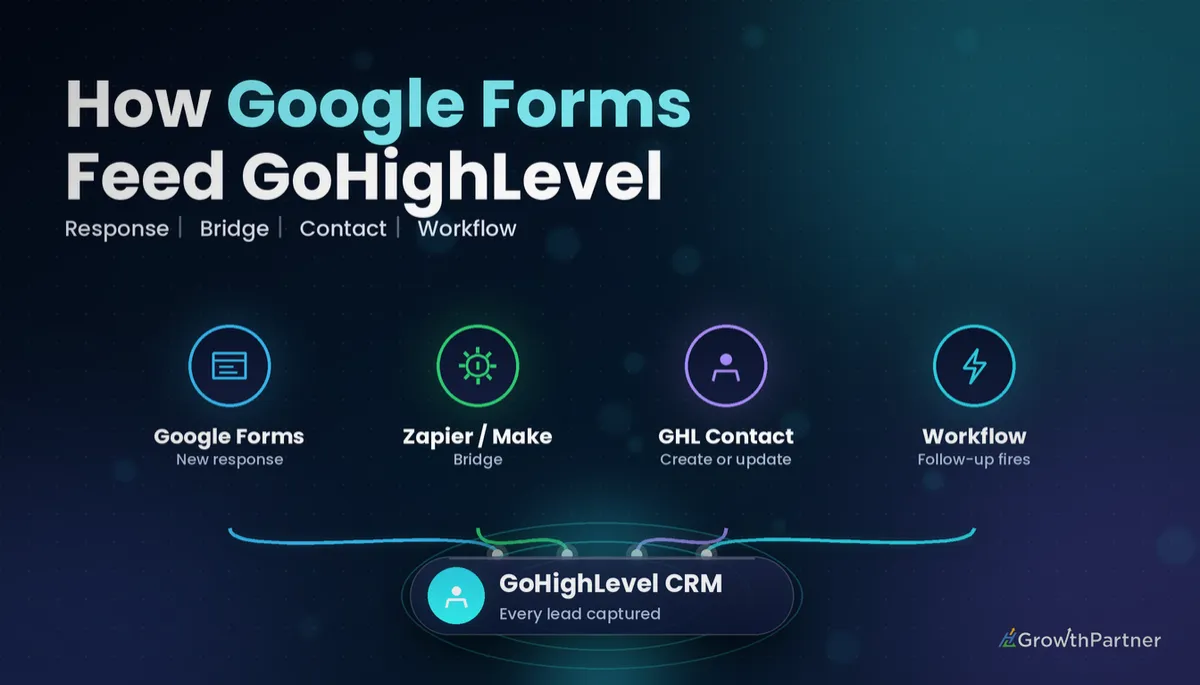
A GoHighLevel Google Forms integration sounds like it should be a toggle in Settings, but it isn't. HighLevel has no native Google Forms connector, and Google Forms has no built-in outbound webhook, so every response needs a bridge to reach your CRM.
This guide walks through the four realistic ways to connect Google Forms to HighLevel in 2026, what each one costs to run, and how to set up the most common route step by step. I'll also cover the clean-up work most agencies skip: duplicate contacts, SMS consent, source tagging and the follow-up Workflow.
Quick Facts
| Native connector | None — HighLevel has no built-in Google Forms integration |
| Google Forms cost | Free with a Google account |
| HighLevel in Zapier | Listed as the "LeadConnector" app |
| Zapier free plan | 100 tasks/month, two-step Zaps only (Zapier's pricing page, 2026) |
| Zapier Professional | From US$29.99/month billed monthly, or US$19.99/month billed annually, for 750 tasks (Zapier's pricing page, 2026) |
| HighLevel plans | Starter US$97/month, Unlimited US$297/month, Agency Pro US$497/month |
Why the GoHighLevel Google Forms integration needs a bridge
Most form tools push data out the moment someone hits Submit. Google Forms only stores responses in the form and, optionally, a linked Google Sheet.
HighLevel, on the other side, is happy to receive data through its API, an Inbound Webhook trigger, or a connector app. So the job is simply choosing what sits in the middle. The bridge you pick decides your running cost, your speed and how often you'll be fixing things.
What "a bridge" actually means
In practice, the bridge is one of three things:
- An automation platform that watches the form or its Sheet (Zapier, Make or Pabbly Connect)
- A small Google Apps Script attached to the form that sends each response to HighLevel
- No bridge at all, because you rebuild the form natively inside HighLevel
Four ways to connect Google Forms to HighLevel
Here's how the routes stack up when I set them up for clients.
| Route | Setup effort | Running cost | Speed | Reliability |
|---|---|---|---|---|
| 1. Zapier (Google Forms → LeadConnector) | Low — no code | Free up to 100 tasks/month; Professional from US$19.99–US$29.99/month | Near real time on paid plans; slower polling on free | High, with Zap history for troubleshooting |
| 2. Make or Pabbly Connect (via linked Google Sheet) | Medium — scenario building | Low; depends on your plan and volume | Depends on schedule or Sheet trigger | Good, but Sheet edits can break mapping |
| 3. Google Apps Script → HighLevel Inbound Webhook | Medium to high — light coding | No bridge subscription; Inbound Webhook is a premium trigger and may carry usage charges depending on plan | Instant on submit | Good once tested; nobody gets alerted if it silently fails |
| 4. Replace with native HighLevel forms/surveys | Medium — one-off rebuild | Included in your HighLevel plan | Instant | Highest — no third party in the chain |
Route 1: Zapier
Zapier has a Google Forms "New Form Response" trigger and a LeadConnector "Create/Update Contact" action. That's exactly two steps, which means it fits inside the free plan if your volume stays under 100 responses a month.
Add a filter, a formatter or a second action (say, adding a note) and you're into a multi-step Zap, which needs a paid plan. If you're new to the platform, my GoHighLevel Zapier integration guide covers the connection and task maths in more depth.
Route 2: Make or Pabbly Connect
Make and Pabbly Connect usually treat the form's linked Google Sheet as the bridge. Each new row becomes a trigger, and the scenario pushes it into HighLevel as a contact.
This works well, but the Sheet becomes part of your infrastructure. If someone renames a column or sorts the data, the mapping can quietly break. The HighLevel Google Sheets integration walkthrough explains how to lock that Sheet down.
Route 3: Google Apps Script to an Inbound Webhook
Google Apps Script lets you attach an installable "on form submit" trigger to the form. The script reads the response and POSTs it as JSON to a URL generated by a HighLevel Workflow using the Inbound Webhook trigger.
There's no middle-man subscription, and it fires instantly. The trade-off is that you own the code, and Inbound Webhook is a premium trigger and may carry usage charges depending on plan. Google's Apps Script documentation covers triggers and UrlFetchApp, and our inbound and outbound webhooks setup guide shows how to map the payload inside the Workflow.
Route 4: Replace Google Forms with native HighLevel forms
For most clients, this is my recommendation. HighLevel's form and survey builders write straight to the contact record, apply tags, capture consent and fire Workflows without any bridge.
You lose nothing Google Forms does well, and gain attribution, conditional logic and one less subscription to babysit.
Not on HighLevel yet? Start with a free 30-day trial here — long enough to build everything in this guide before you pay a cent.
How the data flows: step-by-step Zapier setup
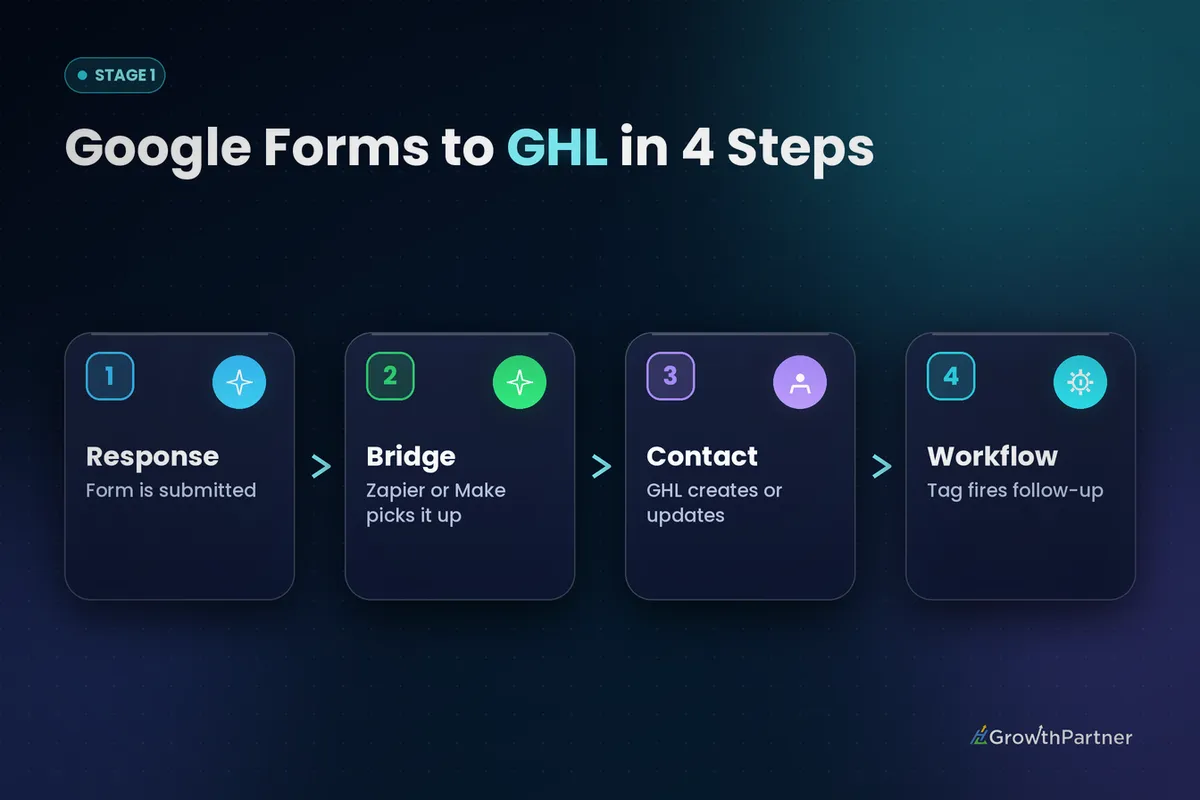
Zapier is where most agencies start, so here's the sequence I use. Build it with a test form first.
Step 1: Prepare the Google Form
Make email a required, validated question and add phone as a separate short-answer question. Add a clear consent checkbox for SMS if you intend to text the lead.
Submit a few test responses first so the trigger has sample data to map.
Step 2: Create the Zap trigger
- In Zapier, create a new Zap and choose Google Forms as the trigger app
- Select the New Form Response event
- Connect the Google account that owns the form and pick the form
- Test the trigger and confirm your sample response appears
Step 3: Add the LeadConnector action
- Choose LeadConnector as the action app (this is HighLevel inside Zapier)
- Select Create/Update Contact
- Connect the correct sub-account — double-check this if you manage several locations
- Map each form answer to its HighLevel field (see the table below)
- Add a source tag such as google-form-enquiry in the Tags field
Step 4: Test, then switch it on
Run the action test and open the contact in HighLevel. Check the custom fields populated, the tag landed and no duplicate was created.
Only then turn the Zap on and confirm one live response in the Zap history.
Field mapping for connecting Google Forms to HighLevel
Clean mapping is what separates a usable integration from a messy contact list. Map to standard fields wherever one exists, and create custom fields only for the answers you'll actually filter or personalise on.
| Google Form question | HighLevel field | Field type | Notes |
|---|---|---|---|
| First name | First Name | Standard | Split full-name questions into two |
| Email address | Standard | Primary match key — make it required | |
| Mobile number | Phone | Standard | Ask for country code to keep formatting consistent |
| Business name | Company Name | Standard | Useful for B2B pipelines |
| Service interested in | Service Interest | Custom (dropdown) | Match option labels exactly to the form |
| Budget range | Budget Range | Custom (dropdown) | Use for pipeline routing filters |
| Anything else? | Enquiry Notes | Custom (large text) | Or add as a contact note |
| SMS consent checkbox | SMS Consent | Custom (checkbox) | Store the exact wording you displayed |
Duplicates, consent and source tags in your Google Forms integration
Handling duplicate contacts
HighLevel matches incoming contacts on email and phone, and the Create/Update Contact action updates an existing record rather than creating a second one when it finds a match. That only works if the answers arrive clean.
Make email required and keep phone formatting consistent. Check your sub-account's duplicate contact settings suit how the business collects data.
Capturing SMS opt-in properly
Google Forms has no concept of DND or consent status. If you plan to send SMS, add an explicit, unticked consent checkbox and map it to a custom field.
Then use a Workflow filter so only consenting contacts receive texts.
Tagging the source
Without a source tag, a Google Forms lead looks like any other contact. Add one consistent tag per form in the bridge; it becomes your reporting filter and Workflow trigger.
Triggering a follow-up Workflow after the GoHighLevel Google Forms integration
Once the contact lands, a Workflow does the actual follow-up. You have two sensible trigger options:
- Contact Tag added — filter on your source tag (e.g. google-form-enquiry). Best when existing contacts may resubmit.
- Contact Created — add a tag filter so it only fires for this form. Best for brand-new leads only.
I usually prefer the tag trigger, because an updated existing contact won't fire a Contact Created trigger. Inside the Workflow, send an instant email confirmation, notify the owner, create an opportunity in the right pipeline stage, and branch on the consent field before any SMS step.
The same pattern applies across form tools — the Typeform to HighLevel integration uses an almost identical tag-then-Workflow structure.
What a Google Forms to HighLevel setup really costs
Google Forms is free with a Google account, so your cost sits in HighLevel (Starter US$97/month, Unlimited US$297/month, Agency Pro US$497/month) and the bridge. Zapier's tiers are listed on Zapier's pricing page (2026); Apps Script has no subscription, but the Inbound Webhook trigger is premium.
The native route adds nothing beyond the HighLevel plan you already pay for. That's why, for most clients, replacing Google Forms is the cheapest option over time, not just the tidiest.
Common mistakes to avoid
- Leaving email optional, which breaks duplicate matching and creates orphan contacts
- Connecting the Zap to the wrong sub-account when you manage multiple locations
- Letting the team edit or re-sort the linked Google Sheet that Make or Pabbly depends on
- Sending SMS without a mapped consent field and a Workflow filter that checks it
- Skipping the source tag, so you can't report on or trigger from Google Forms leads
- Using Contact Created as the only trigger and missing returning contacts who resubmit
If you want your Google Forms leads flowing into HighLevel (or migrated to native forms) without losing a single response, book a strategy call with the HL Growth Partner team.
Or if you just need the software first: grab the 30-day HighLevel trial and book us when you're ready to scale it.
Frequently asked questions
Does GoHighLevel have a native Google Forms integration?
No. HighLevel has no built-in Google Forms connector, and Google Forms has no outbound webhook of its own. You need a bridge such as Zapier, Make, Pabbly Connect or Google Apps Script, or you can rebuild the form natively in HighLevel.
What is the easiest way to connect Google Forms to HighLevel?
Zapier is the easiest no-code route. Use the Google Forms "New Form Response" trigger and the LeadConnector "Create/Update Contact" action, then map each question to a HighLevel field. It is usually the quickest route to get live once your form is ready.
Can I use the Zapier free plan for this integration?
Yes, if your volume is low. Zapier's free plan includes 100 tasks per month and only allows two-step Zaps, which is exactly what a Google Forms to LeadConnector Zap needs. Adding filters or extra actions requires a paid plan.
Why is HighLevel called LeadConnector in Zapier?
LeadConnector is the name HighLevel uses for its app in Zapier and other third-party platforms. When you search for HighLevel in Zapier, choose the LeadConnector app and connect it to the correct sub-account.
Will Google Forms submissions create duplicate contacts in HighLevel?
Not if you set it up properly. HighLevel matches contacts on email and phone, and the Create/Update Contact action updates an existing record when it finds a match. Make email required and keep phone formatting consistent so matching works.
Can I send Google Forms data to a HighLevel Inbound Webhook?
Yes, using Google Apps Script with an on-form-submit trigger that POSTs each response to the webhook URL. Inbound Webhook is a premium trigger and may carry usage charges depending on plan, so check your HighLevel plan before relying on it.
Should I replace Google Forms with HighLevel forms?
For most businesses, yes. Native HighLevel forms and surveys write directly to the contact, apply tags, capture consent and trigger Workflows with no third-party bridge. That means fewer failure points and no extra subscription.
Related Articles on HL Growth Partner
Other form integrations
- Ninja Forms and HighLevel: setup and cost
- Connecting Fluent Forms to GoHighLevel
- Gravity Forms to HighLevel integration guide
