HighLevel Ask AI and AI Studio Updates (LevelUp 2026)
 By Dr Priya Jaganathan, GoHighLevel Certified Admin · HL Growth Partner · Updated 28 October 2026 · 6 min read
What changed in HighLevel Ask AI (Projects, phone, WhatsApp, Slack) and AI Studio's backend and commerce at LevelUp 2026, with use cases and how to sell them.


Part 4 of 10 in the LevelUp 2026 guide. Each release has a status label, an example use case, set-up steps and how to sell it. Checked against HighLevel's LevelUp Day release blog, changelog and help centre.
This is part 4 of 10 in my HighLevel LevelUp 2026 guide. HighLevel announced more than 300 features and updates at LevelUp 2026, on LevelUp Day (27 October 2026) in Dallas. This post covers two of the 20 biggest: Release 7, Ask AI, and Release 8, AI Studio backend and commerce. Each one has a status label, what it is, why it matters, an example scenario, how to set it up and how an agency can sell it. The whole guide starts on the main LevelUp 2026 updates page.
Why listen to me? I was in the room at LevelUp Day. I run HL Growth Partner, a white-label HighLevel fulfilment partner in Brisbane. I'm a HighLevel Certified Admin and a Gold SaaSPRENEUR, and I build these features for agencies every week. Every launch here is checked against HighLevel's own LevelUp Day release blog, changelog and help centre. HighLevel's blog tells you what each feature does. This guide tells you what to do with it.
Release 7: Ask AI: Projects, phone, WhatsApp & Slack
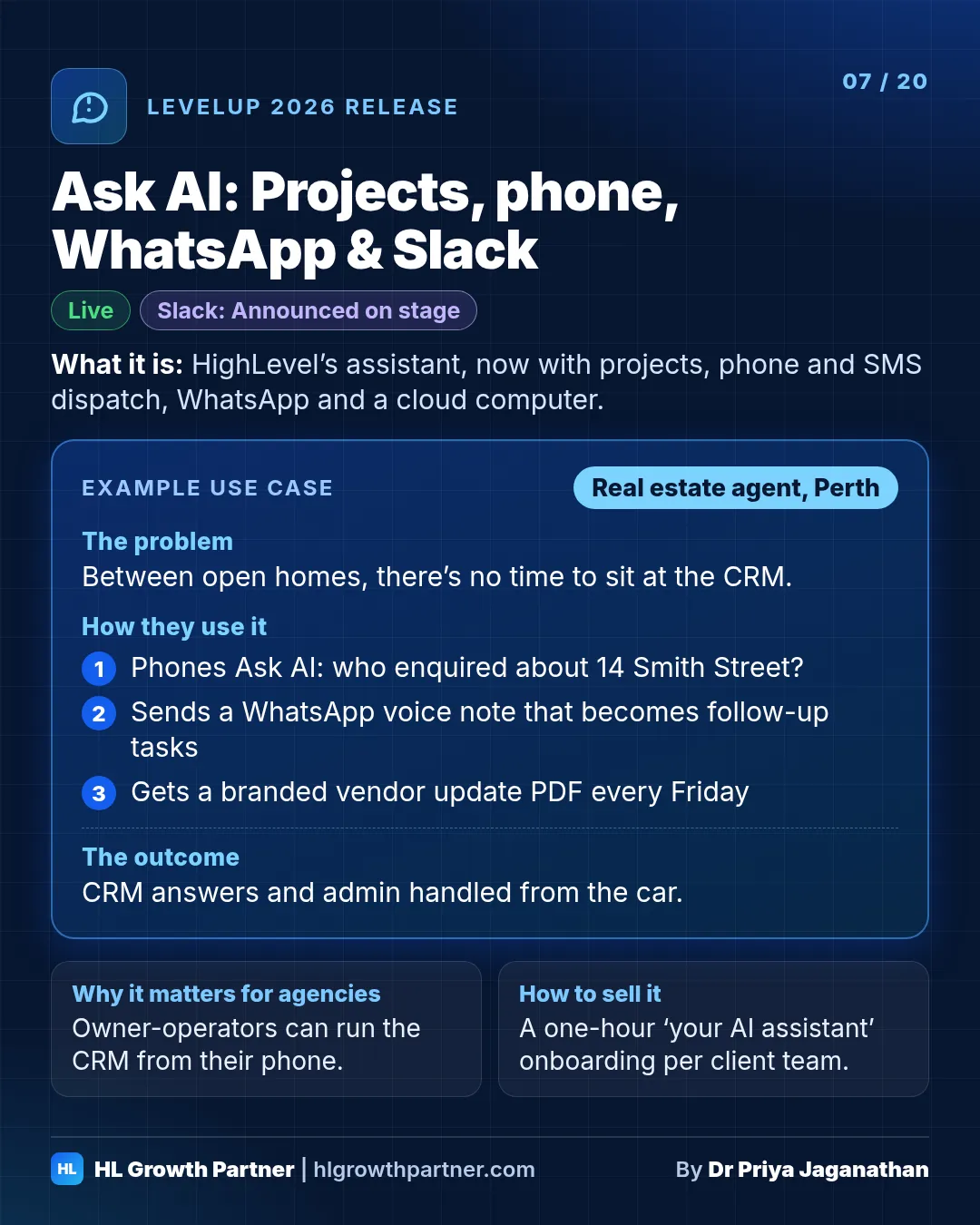
Ask AI, HighLevel's built-in assistant, now has project workspaces (the "Spaces" from the keynote), phone and SMS dispatch with a PIN, WhatsApp voice notes and files, branded document generation, parallel research sub-agents, its own private cloud computer with Chrome and a terminal, MCP connectors, and agency permission controls. Slack was announced on stage.
Status: Live unless noted. Slack was Announced on stage.
What it is. Ask AI is HighLevel's built-in assistant for you and your team, and it's grown a lot:
- Project workspaces. This is "Spaces" in the keynote. HighLevel's release notes call them Projects. They group related chats, files, instructions and brand voice, each with its own memory.
- Phone and SMS dispatch. Call or text Ask AI from your mobile to look up contacts, check your calendar or trigger workflows. Voice calls are protected by a 6-digit PIN.
- WhatsApp rich media. Send voice notes, images and documents. Ask AI can reply with formatted files, audio or video.
- Document generation. It creates and edits branded PDFs, Word files, spreadsheets and presentations, checks them with an internal reviewer, and can produce reports on a schedule.
- Parallel sub-agents and a sandbox. Big requests are split up and researched in parallel, then you approve the plan.
- A cloud computer. Each user gets a private machine with Chrome, a terminal and files, so Ask AI can work on websites that have no API. You can watch it live and take over at any time, and logins sit in an encrypted vault.
- Connectors (MCP). Ask AI already connects to outside apps through MCP connectors.
- Agency permission controls. Choose which skills each user can run. For example, you can block payments or CRM edits for junior staff.
On stage, HighLevel also mentioned a Slack channel for Ask AI. I couldn't find written release notes for it yet. Today, Slack is available as a workflow action.
Why it matters. For owner-operators, the phone dispatch is the sleeper hit. "Text my assistant, who's my next appointment and what do they owe?" while you're standing on a job site is exactly what HighLevel's tradie and clinic users have been asking for.
Example scenario: real estate (illustrative). Picture a real estate agent in Perth driving between open homes.
- They phone Ask AI: "Who enquired about 14 Smith Street this week, and has anyone booked a second inspection?"
- After the open home, they send a WhatsApp voice note and Ask AI turns it into follow-up tasks.
- On Friday, a scheduled Ask AI report produces a one-page vendor update as a branded PDF.
How to set it up
- Open Ask AI and create a Project for each client or each major workflow. Add the instructions and reference files.
- Under the Dispatch tab, connect your phone and set a PIN.
- As the agency, set up access levels before you roll it out to client staff.
- Add MCP connectors only for the apps you actually use, and enable only the tools you need.
How an agency can sell this. Run a one-hour "your AI assistant" onboarding session for each client team, with a Project template built for their industry. Bundle it into your plan rather than selling it on its own.
Also announced for this release at LevelUp 2026:
- Ask AI with Funnel AI: create a funnel by asking Ask AI. Status: Announced on stage.
Release 8: AI Studio backend & commerce
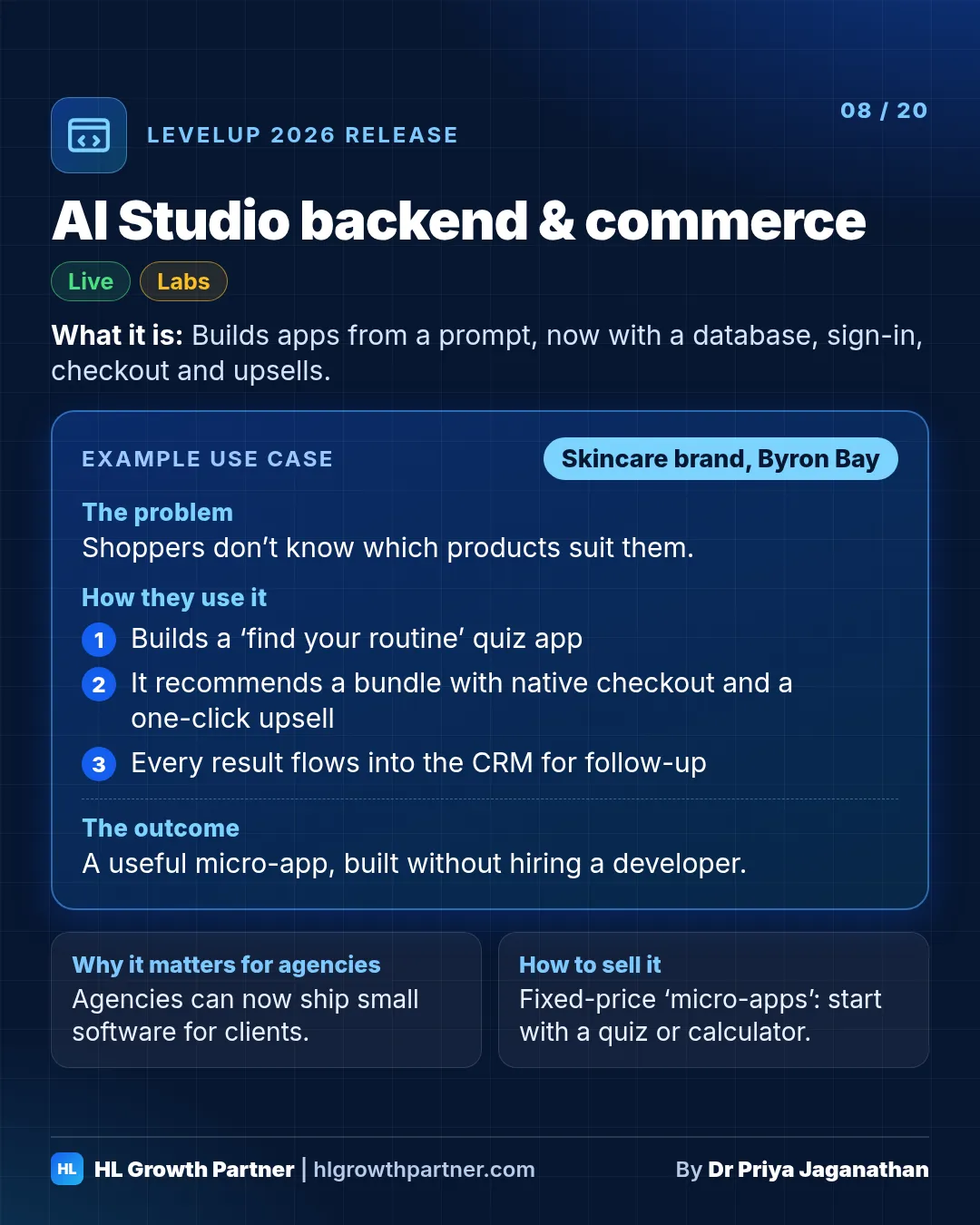
AI Studio builds sites and apps from a prompt. It now has a native backend, AI Studio Cloud, with a database, sign-in, file storage and daily backups. It also has native commerce: catalogue products, hosted checkout, subscriptions and one-click upsells. Separately, App Studio in the Developer Portal builds full HighLevel Marketplace apps by chat.
Status: Live and Labs, depending on the part
What it is. AI Studio builds websites, landing pages and interactive apps from a prompt. Now it has a native backend, AI Studio Cloud, which is a managed database with sign-in, file storage and daily backups, so apps can store real data. It also has native commerce: you can sell catalogue products through HighLevel's payment providers, with hosted checkout, subscriptions and one-click upsells. Alongside it, App Studio in the Developer Portal builds full HighLevel Marketplace apps (front end, back end, database, OAuth and webhooks) from a conversation.
Why it matters. Agencies can now build small, useful software for clients without hiring a developer: quote calculators, member directories, booking tools.
Example scenario: ecommerce brand (illustrative). Picture a Byron Bay skincare brand.
- The agency uses AI Studio to build a "find your routine" quiz app that stores each shopper's answers.
- The app recommends a bundle and sells it through native checkout, with a one-click upsell.
- Every result flows into the CRM for follow-up emails.
How to set it up
- Open AI Studio and describe the app.
- Enable the Cloud backend if the app needs to store data.
- Enable Payments and choose the catalogue products to sell.
- For a Marketplace app, go to Developer Portal > My Apps > Build with App Studio.
How an agency can sell this. Sell "micro-apps" as fixed-price projects. Stick to small, clear scopes. A calculator or a quiz is a good starting point.
Also announced for this release at LevelUp 2026:
- Payments and products in the cloud backend: AI Studio Cloud now covers payments and products, for example an ecommerce store and two-step order forms. Status: Announced on stage.
- Form submissions and analytics inside AI Studio: see form submissions and an analytics dashboard natively in AI Studio. Status: Announced on stage.
- Native chat widget: add a chat widget to an AI Studio build and set up the Conversation AI agent behind it from the same interface. Status: Announced on stage.
Keep going through the LevelUp 2026 guide
- Previous: Releases 5 and 6: Conversation AI flow builder and AI Search Visibility
- Next: Releases 9 and 10: LC Payments and Australian data residency
- All of it: 300+ HighLevel LevelUp 2026 updates, every launch explained