GoHighLevel Group Post Created Trigger: Setup Guide (2026)
 By Dr Priya Jaganathan, GoHighLevel Certified Admin · HL Growth Partner, Australia · Updated 18 November 2026 · 9 min read
How to set up the Group Post Created trigger in HighLevel Workflows, which filters to use, and six ready-to-build recipes that turn community posts into welcomes, support routing, tags and pipeline opportunities.
Some links below are affiliate links — if you sign up through them, HL Growth Partner may earn a commission at no extra cost to you. It never changes what we recommend.
The GoHighLevel Group Post Created trigger lets a workflow start the moment a member publishes a new post in one of your HighLevel Communities groups. For agencies and coaches who run a paid or free community, it is the missing link between "someone said something in the group" and "the right person on the team actually saw it".
In this guide I walk through what the trigger does, the filters it offers, the exact setup path in Automation > Workflows, and six recipes I build for clients. I also show where this HighLevel community post trigger sits alongside the rest of the Communities trigger family, so you pick the right one each time.
| Source | HighLevel help centre: "Communities Workflow Triggers for Posts, Comments, Requests, and Events" (updated July 2026) |
| Triggers documented | Group Post Created, Group Comment Created, Group Joining Request Rejected, Member Registered for Group Event |
| When Group Post Created fires | A new top-level post is created in a selected group (not comments) |
| Filters | Group (required); Channel, Post Title, Post Content (optional) |
| Comment equivalent | Group Comment Created: same context plus a Comment Content filter |
| Where to find it | Workflow Builder > Add New Trigger > Communities category |
What the GoHighLevel Group Post Created trigger actually does
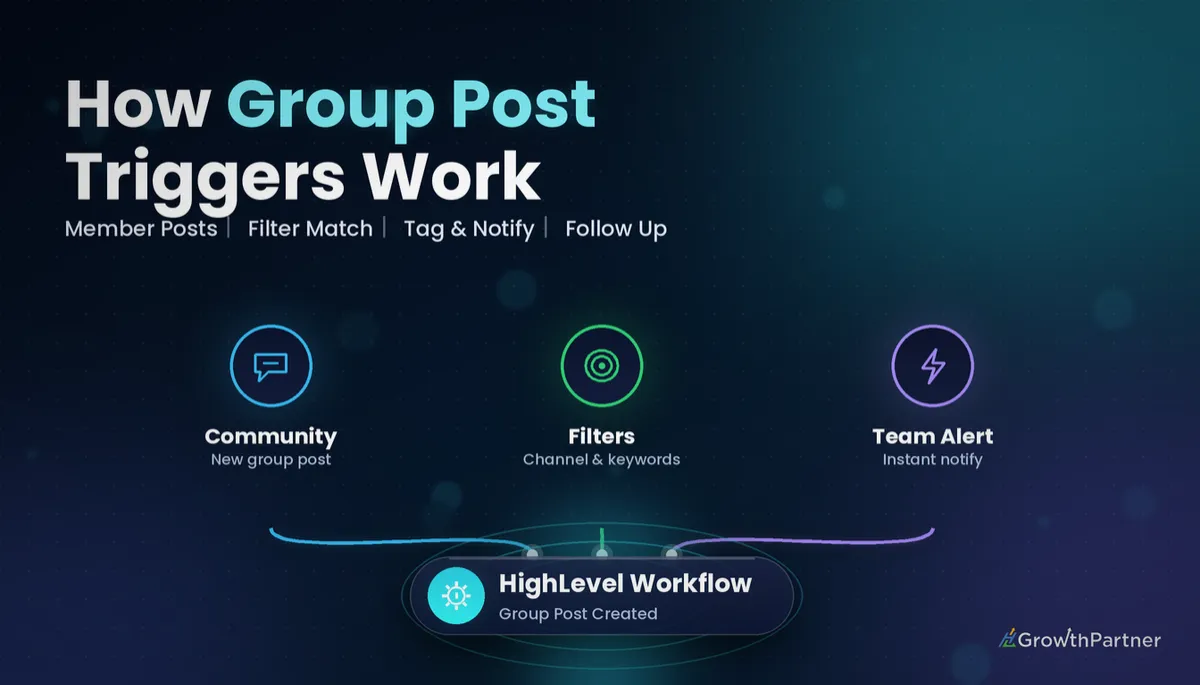
Group Post Created fires when a new top-level post is created in the group you select. It does not fire on comments or replies, so a busy thread under one post only starts the workflow once, for the original author.
The contact who enters the workflow is the member who wrote the post. That matters, because every action you add afterwards (tags, notes, opportunities, emails) lands on the poster's contact record in the sub-account.
Think of it as a listening post on your community, not a broadcast tool. It reacts to what members do, which makes it ideal for engagement tracking, support triage and moderation rather than outbound marketing.
If you are still setting up the community itself, start with our GoHighLevel Communities guide and come back once you have at least one group and a few channels in place.
The Group Post Created filters, explained
According to HighLevel's changelog, the trigger supports four filters. Only one is mandatory, and the optional ones are where the real precision comes from.
- Group (required): the community group to watch. Each Communities trigger requires you to choose a group, so a workflow never listens to "all groups" by accident.
- Channel (optional): narrows the trigger to a specific channel, such as a "Questions" or "Wins" channel.
- Post Title (optional): matches on words in the post's title.
- Post Content (optional): matches on words in the body of the post.
For keyword routing, I prefer Post Content, because members often write vague titles like "Quick one".
Use Channel as your first line of segmentation and keywords as your second. A channel filter is predictable; keyword filters depend on how members phrase things, so they need testing and a list of variants.
How to set up the HighLevel community post trigger, step by step
Here is the path I follow in a client sub-account.
- Go to Automation > Workflows and click Create Workflow, then choose Start from scratch.
- Click Add New Trigger and open the Communities category. Check what your account shows here, as the list can vary between accounts.
- Select Group Post Created and rename the trigger to something descriptive, for example "Post in Members group, Questions channel".
- Choose the Group. Add a Channel, Post Title or Post Content filter if the workflow only applies to certain posts.
- Save the trigger, then add your actions underneath: tags, If/Else branches, Internal Notification, Create/Update Opportunity, and so on.
- Name the workflow clearly, set it to Publish, and save.
If you are new to how triggers, filters and actions fit together, our complete guide to GoHighLevel workflow triggers covers the fundamentals that apply here too.
Six Group Post Created recipes for agencies and coaches
These are the builds I set up most often, all from the same trigger.
1. Welcome first-time posters
Trigger on Group Post Created for your main group with no extra filters. Add an If/Else that checks whether the contact has the tag community-first-post.
If the tag is missing, add it, then send a short personal welcome by email or SMS from the coach: "Saw your first post, great to have you here." If the tag already exists, end the branch. The tag is what stops the welcome repeating every time they post.
2. Route support questions by keyword to the team
Set the Channel filter to your Questions or Support channel and add a Post Content filter for words like "help", "stuck", "error", "login" or "can't access". Then add an Internal Notification action to the support lead, by email or in-app.
Include the contact's name and a note to check the group in the notification body. This single recipe is the one clients tell me saves the most member frustration, because questions stop sitting unanswered over a weekend.
3. Tag engaged members
Every time someone posts, add a tag such as community-active and update a custom field like "Last community post" with the current date. You now have a live segment of engaged members you can filter in Contacts or use in Smart Lists.
Pair it with the Leaderboard Level Changed trigger if you also gamify the group, so posting activity and level-ups feed the same engagement picture.
4. Add to a pipeline when someone posts "hiring" or "help"
Members who post "hiring", "looking for someone" or "need help with" are often warm leads for a done-for-you offer. Use a Post Content filter for those phrases and add a Create/Update Opportunity action into a "Community Leads" pipeline stage.
Follow it with an Internal Notification to whoever handles sales.
5. Moderation alert on flagged words
Build a separate workflow with a Post Content filter listing words you never want in the group: competitor spam, abusive language, "DM me for" style promotions. The action is an Internal Notification to your moderator, plus a tag like moderation-review on the contact.
Do not automate punishment. Let the workflow alert a human, and let the human decide. False positives happen.
6. Weekly content digest via tagging
Tag posts that belong in a weekly roundup, for example anything in a "Wins" channel, with digest-this-week on the poster's contact. On Friday, a scheduled process or a manual review of that tag gives you a ready-made list of members to feature in your digest email.
After sending, remove the tag in bulk so next week starts clean. If you want the digest workflow to pause until a set day, our guide to wait steps and goal events shows how to time it.
A community grows when members feel seen. The Group Post Created trigger is how a small team notices every post without living inside the group all day.
Not on HighLevel yet? Start with a free 30-day trial here — long enough to build everything in this guide before you pay a cent.
Testing your Group Post Created workflow before members see it
Always test with a staff or test contact who is a member of the group. Publish the workflow, post in the right channel using a keyword from your filter, then check the workflow's Execution Logs to confirm the contact entered and each action ran.
- Post once with a matching keyword and once without, to prove the filter excludes what it should.
- Post a comment on an existing post and confirm the workflow does not fire, since this trigger ignores comments.
- Confirm the Internal Notification actually arrived in the right inbox or app.
Test in a quiet test channel first, then switch the Channel filter to the live one.
How Group Post Created fits with the other Communities triggers
HighLevel's help centre article on posts, comments, requests and events documents four triggers, and the blog already covers several access and gamification triggers. Here is how the whole family divides up.
| Trigger | Fires when | Use it for |
|---|---|---|
| Group Post Created | A new top-level post is created in the selected group | Welcomes, support routing, lead capture, moderation alerts |
| Group Comment Created | A comment is added; adds a Comment Content filter | Responding to replies, tracking thread participation |
| Group Joining Request Rejected | A request to join the group is rejected | Polite follow-up, redirecting to a free offer |
| Member Registered for Group Event | A member registers for a group event | Event reminders, attendance tagging |
| Group Access Granted | A contact is given access to the group | Onboarding sequences, welcome emails |
| Group Access Revoked | A contact's group access is removed | Offboarding, win-back campaigns |
| Private Channel Access Granted / Revoked | Access to a private channel changes | Tier-specific onboarding and offboarding |
| Leaderboard Level Changed | A member's leaderboard level changes | Rewards, recognition, upsell timing |
One detail catches people out with Group Comment Created. Its Post Content filter evaluates the original post, not the comment, so to match words in the reply itself you use the Comment Content filter.
The most common pairing I build is Group Post Created with the Group Access Granted trigger: one workflow onboards new members, the other notices when they first speak up.
For the full list and wording of each trigger, see HighLevel's Communities Workflow Triggers help article and the HighLevel changelog announcement.
Using these workflows across client sub-accounts
If you run communities for several clients, build the recipes once in a template sub-account and package them into a snapshot. After loading the snapshot, reselect the Group in each trigger, because the group in the new sub-account is a different group.
Communities and Memberships are included on HighLevel plans, so you are not paying extra per community to run these automations.
Common mistakes to avoid
- Expecting Group Post Created to fire on comments. It only fires on new top-level posts; use Group Comment Created for replies.
- Leaving the workflow in Draft after building it, then wondering why nothing happens.
- Relying on Post Title for keyword routing when members put the real detail in the body. Use Post Content.
- Sending a welcome on every post because there is no tag check. Add an If/Else on a "first post" tag.
- Automatically removing members based on a flagged-word filter instead of alerting a human moderator.
- Loading a snapshot into a client account and forgetting to reselect the Group in each Communities trigger.
Or if you just need the software first: grab the 30-day HighLevel trial and book us when you're ready to scale it.
Frequently asked questions
What does the GoHighLevel Group Post Created trigger do?
It starts a workflow when a member creates a new top-level post in a HighLevel Communities group you select. The member who wrote the post becomes the contact in the workflow, so tags, notes and notifications apply to them.
Does Group Post Created fire on comments?
No. Group Post Created only fires on new top-level posts, not comments. To automate on replies, use the Group Comment Created trigger, which adds a Comment Content filter.
What filters does the Group Post Created trigger have?
According to HighLevel's changelog, the Group filter is required, and Channel, Post Title and Post Content are optional. Use Channel to segment by topic and Post Content to match keywords in the body of a post.
Where do I find the HighLevel community post trigger?
Go to Automation, then Workflows, create or open a workflow and click Add New Trigger. Open the Communities category and choose Group Post Created. Check the list in your own account, as the triggers shown can vary.
Can I route community support questions to my team automatically?
Yes. Filter the trigger to your support channel, add a Post Content filter for words like help or stuck, then add an Internal Notification action to your support lead. Test it with a staff account before relying on it.
How do I welcome only first-time posters?
Add an If/Else after the trigger that checks for a first-post tag. If the tag is missing, add it and send the welcome; if it already exists, end the branch so the welcome never repeats.
Do I need a separate workflow for each group?
Each Communities trigger requires you to choose a group, so plan one trigger per group you want to watch. When you copy workflows into another sub-account with a snapshot, reselect the group in each trigger.
Related Articles on HL Growth Partner
More Communities triggers
 GoHighLevel Group Access Revoked Trigger: Setup Guide (2026)
 GoHighLevel Private Channel Access Granted Trigger: Setup Guide (2026)
 GoHighLevel New Signup Trigger: Setup Guide (2026)
Communities compared
 GoHighLevel vs Skool: Communities & Cost (2026)
 GoHighLevel vs Circle: Communities & True Cost (2026)