More HighLevel LevelUp 2026 Updates: Every Other Launch, by Area
 By Dr Priya Jaganathan, GoHighLevel Certified Admin · HL Growth Partner · Updated 28 October 2026 · 35 min read
Every other HighLevel LevelUp 2026 update beyond the 20 releases: Build, Run and Grow launches plus 76 more by area, with short explainers for the bigger ones.


The Build, Run and Grow tables, 76 more keynote updates by area, and short explainers for the bigger launches. Checked against HighLevel's LevelUp Day release blog and changelog.
This is the reference part of my HighLevel LevelUp 2026 guide. HighLevel announced more than 300 features and updates at LevelUp 2026. The 20 biggest each have their own post, linked from the main LevelUp 2026 updates page. These are all the other launches. First come the Build, Run and Grow tables, grouped the way HighLevel presented them. Then come 76 more updates from the keynote, grouped by area. The bigger launches have their own short explainer at the end.
Why listen to me? I was in the room at LevelUp Day. I run HL Growth Partner, a white-label HighLevel fulfilment partner in Brisbane. I'm a HighLevel Certified Admin and a Gold SaaSPRENEUR, and I build these features for agencies every week. Every launch here is checked against HighLevel's own LevelUp Day release blog, changelog and help centre. HighLevel's blog tells you what each feature does. This guide tells you what to do with it.
The 20 releases in the main guide are the ones I'd act on first. These are the other LevelUp 2026 launches. First come the Build, Run and Grow tables, grouped the way HighLevel presented them. Then come 76 more updates from the keynote, grouped by area (AI and Build, phone and messaging, CRM, mobile and so on). The bigger launches have their own explainer at the end.
More Build updates: AI agents, assistants and builders
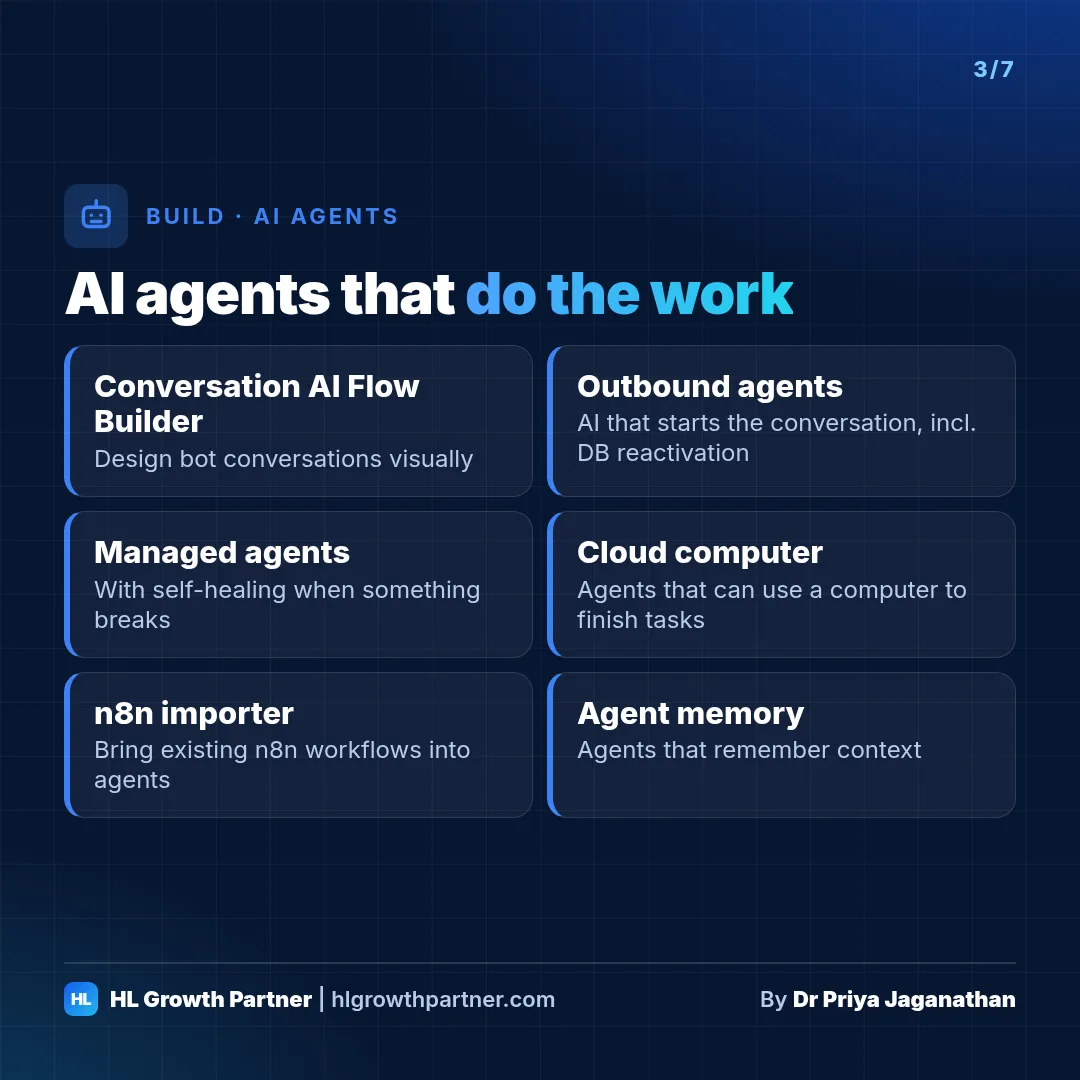
Build is where most of the AI announcements landed. Robin split HighLevel's AI into two families:
- AI assistants, which help you build and create: AI Studio, Ask AI, Workflow AI and Email AI
- AI agents, which do work for your clients' customers: Conversation AI, Managed Agents and Voice AI
I'd sum up the theme as agents that do the work, not just answer questions. Here's what's new and how I'd use each part.
Covered in more detail below
| Launch | What it does | Best for | Status | Details |
|---|---|---|---|---|
| Prompt Optimizer, versioning, cloning | Test, version and copy agents safely | Multi-location, franchises | Live / Labs | Read more |
| Client Portal AI App Builder | AI designs and codes the branded portal and app | Coaches, clinics, gyms | Live / Private beta | Read more |
| Workflow AI Builder with account data | Builds workflows using your real forms, pipelines and tags | Every agency | Live | Read more |
| Email AI editor, sequences, AI A/B testing | Prompt-to-email in brand colours, plus whole sequences | Ecommerce, coaches | Labs / Live | Read more |
Smaller updates at a glance
| Feature | Status | Best-fit industry | Quick use case |
|---|---|---|---|
| Chat Widget video avatars | Live | Med spa, real estate | A short looping video of the owner beside the chat button |
| Chat Widget interactive buttons | Live | Ecommerce, trades | "Track my order / Book a quote / Talk to a person" buttons with branching |
| Chat Widget insights dashboard | Live | Any | Funnel from widget loads to leads, to prove the widget is worth having |
| AI and Chat Widget element in Funnels | Live | Coaches, events | Scans the funnel to build the bot's knowledge base automatically |
| Conversation AI MCP servers | Labs | Ecommerce, SaaS | The bot checks stock or order status in an outside app mid-chat |
| Voice AI MCP (speech-to-speech) | Live | Trades, clinics | The voice agent checks Google Calendar or Stripe live on the call |
| Option-based field mapping | Live | Insurance, real estate | The bot fills in dropdowns like "buying / selling / renting" correctly |
| Agent logs, metrics and goal monitors | Live | Agencies | Get an email alert when bookings from a bot fall behind target |
| Native Graphic Library (11,000+ icons) | Live | Any | No more hunting for icons for landing pages |
| Brand Board typography hierarchy | Live | Any | Set brand fonts once for future builders |
| Snapshot dependency resolution | Live | Agencies | Snapshots now bring along the email templates their workflows need |
More Run updates: messaging, email, CRM, marketing and calendars
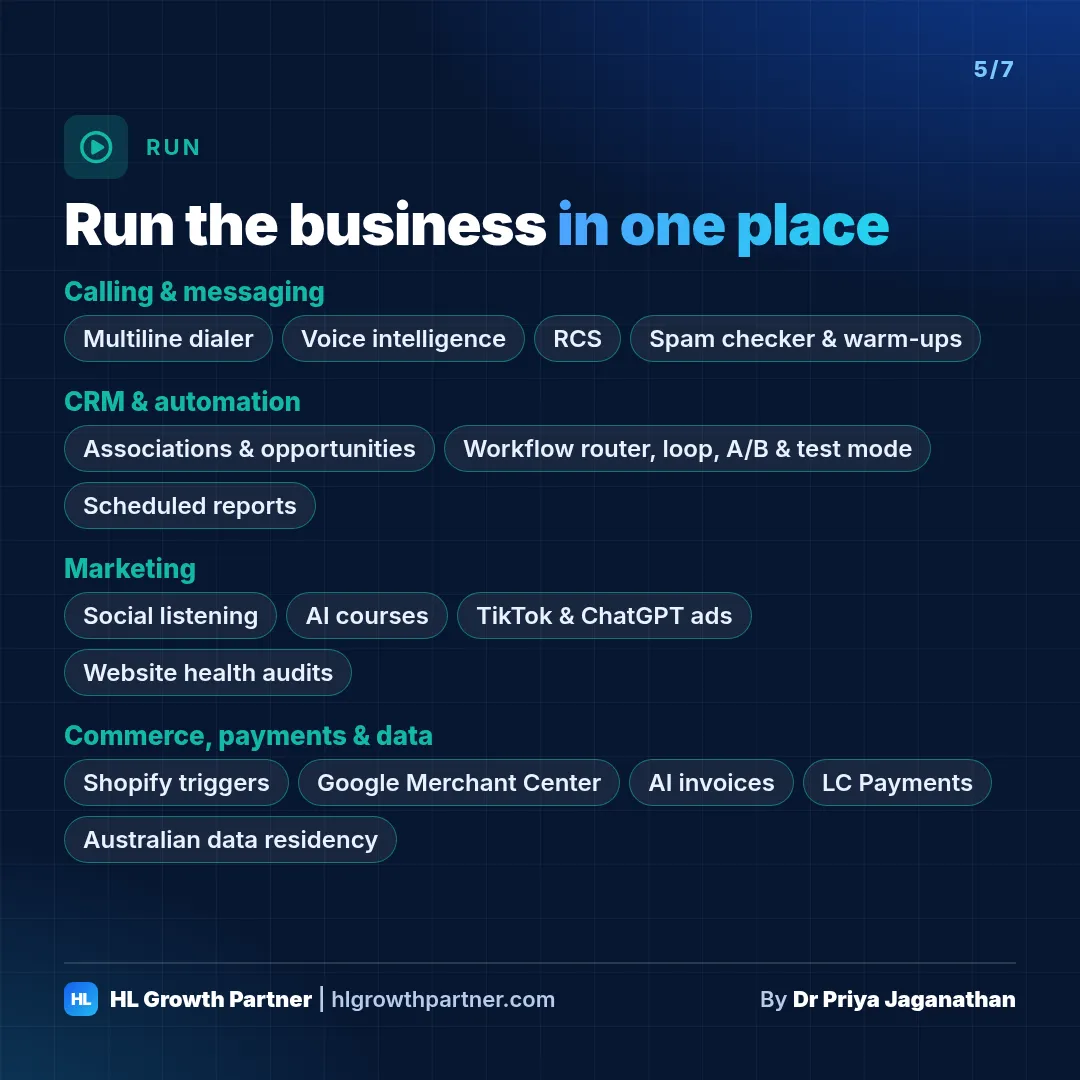
Run is the day-to-day machinery: phones, inboxes, pipelines, automations, marketing and getting paid. These launches are less flashy than the AI ones, but they're the ones that will change how your clients' teams actually work.
Covered in more detail below
| Launch | What it does | Best for | Status | Details |
|---|---|---|---|---|
| RCS | Branded rich messages with SMS fallback | Retail, hospitality | Private beta | Read more |
| WhatsApp Flows, carousels, templates, call recording | Forms in chat, 10-card carousels, 52 templates | Hospitality, multicultural businesses | Live | Read more |
| Email domain warm-up | Builds sender reputation inside LC Email | Anyone sending campaigns | Beta (free) | Read more |
| Spam check, Inbox Preview, verification on import | Fix deliverability before you send | Anyone sending campaigns | Live / Labs | Read more |
| CRM associations and opportunity workspace | Deals with their own feeds, contacts, roles and workflows | B2B, real estate, law | Private beta (mostly) | Read more |
| Social Intelligence, comments in Conversations | Social listening, and comments as leads | Social media agencies | Limited beta / Live | Read more |
| Course AI, video analytics | AI-built courses and retention data | Coaches, educators | Beta / Labs | Read more |
| Communities (tiers, premium channels, badges, onboarding) | Paid tiers and engagement | Coaches, memberships | Live | Read more |
| TikTok lead gen, Meta two-way sync | TikTok ads in Ad Manager, synced Meta campaigns | Local and ecommerce | Live | Read more |
| ChatGPT ads | Ads in ChatGPT | Early adopters | Announced on stage | Read more |
| Forms, quizzes, QR codes | Native quizzes, error checks, QR usage limits, Calendly, wallet saving, analytics | Retail, hospitality, events | Live | Read more |
| Rentals and calendars | Fees, add-ons, deposits, products sold at appointments | Hire, accommodation, salons | Live | Read more |
Smaller updates at a glance
| Feature | Status | Best-fit industry | Quick use case |
|---|---|---|---|
| Conversations keyword search | Live | Any | Find "the quote we gave in March" across every thread |
| Revamped contact activity panel | Live | Any | Opportunities, appointments, notes and tags in one timeline |
| Contact document folders | Live | Law, accounting | Matter folders on each client record |
| Order Form redesign (Labs) | Labs | Coaches, ecommerce | Split layout, custom fields, file uploads and signatures at checkout |
| Reviews AI bulk controls | Live | Multi-location | Set auto, suggestive or off replies across 30 sub-accounts at once |
| Reviews AI guardrails | Live | Clinics, law | Hold negative or sensitive reviews for a human |
| Reputation dashboard widgets | Live | Any | Review health beside sales numbers |
| Media from webpages and tags | Live | Agencies | Pull every image off a client's old site in one go |
| External tracking controls | Labs | Any with an external site | Track iframe booking forms and mark sensitive fields "do not track" |
| Multi-brand notification domains | Live | SaaS agencies | System emails from each brand's own domain |
| Affiliate Manager API, audit logs, PayPal retries | Live | Coaches, SaaS | Run a client's affiliate program properly |
| Mobile Ask AI voice and dictation | Live | Owner-operators | Hands-free questions between jobs |
| Calculated fields in mobile | Private beta | Sales teams | Lead score on the contact card |
More Grow updates: compliance, navigation and migrations
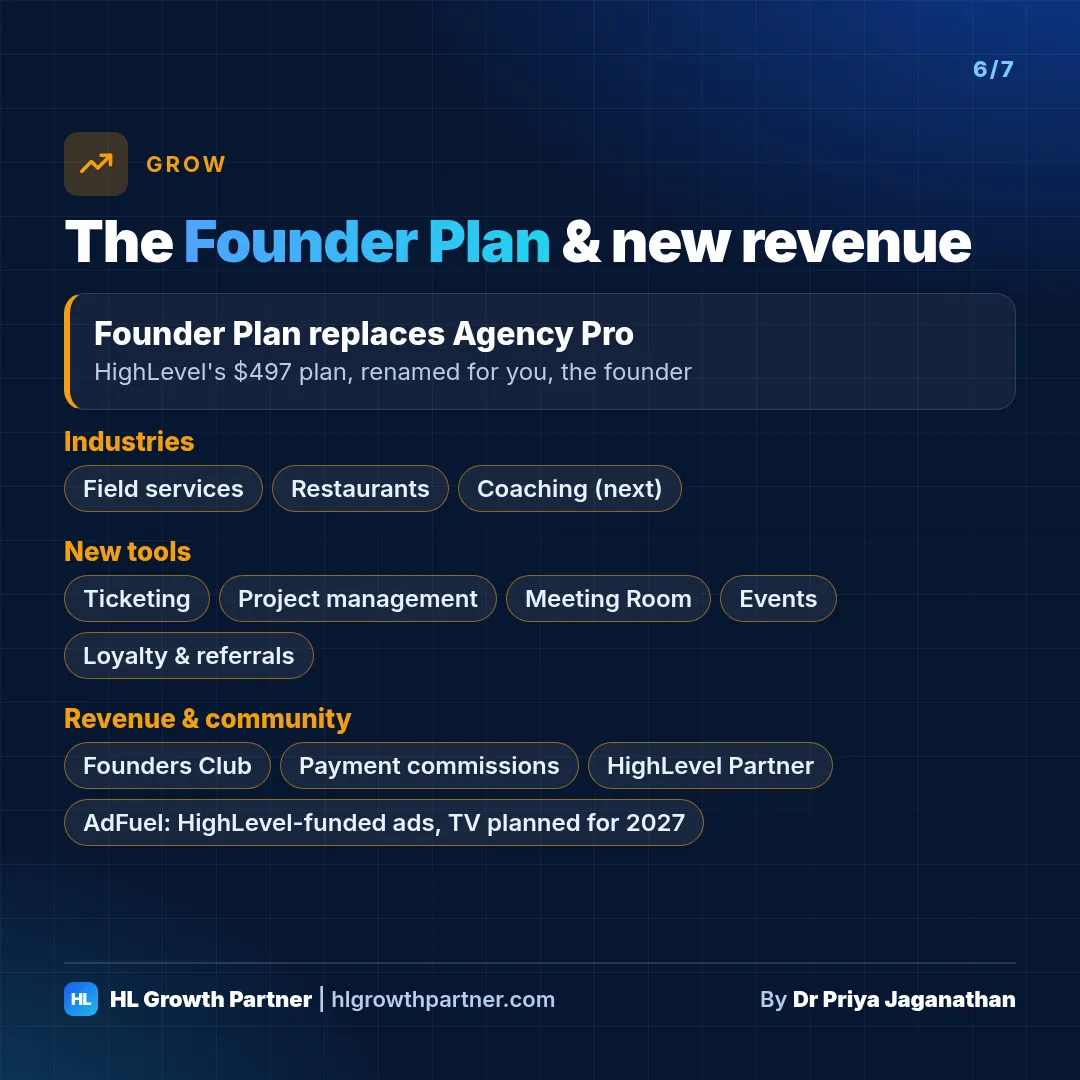
Grow is about the business behind the business: plans, industries, operations tools, and, for the first time, HighLevel actively sending customers and advertising to founders.
Covered in more detail below
| Launch | What it does | Best for | Status | Details |
|---|---|---|---|---|
| Agency Trust Center (A2P) | Manage A2P 10DLC across sub-accounts | US-texting agencies | Live | Read more |
Smaller updates at a glance
| Feature | Status | Best-fit industry | Quick use case |
|---|---|---|---|
| Custom navigation | Labs (opt-in), Founder Plan | All agencies | Hide what the client doesn't use. Rename "Opportunities" to "Jobs" |
| Social Connect invites | Labs | Social media agencies | Client connects their own accounts, no login sharing |
| Client Portal service booking | Live | Clinics, salons | Members rebook from the portal |
| HubSpot importer filters | Live | B2B migrations | Import only deals modified in the past 2 years |
| GoKollab app banner | Live | Communities | Push web visitors into the app |
Every other LevelUp 2026 keynote update, by area
These 76 updates were said on stage during the keynote but aren't covered anywhere else in this guide. Most aren't in HighLevel's written release notes yet, so they're marked Announced on stage unless the LevelUp Day release blog or changelog shows them as Live, Labs or Beta. The use cases are illustrative examples, not client results.
More LevelUp 2026 updates: AI & Build
| Update | What it does | Best-fit use case (illustrative) | Status |
|---|---|---|---|
| Shareable Workflow AI agent links | Share a link to an agent thread, like sharing a ChatGPT chat, for the agent action in workflows | Agency: send a client the agent thread behind their lead-routing workflow for sign-off | Announced on stage |
More LevelUp 2026 updates: Phone, messaging & email
| Update | What it does | Best-fit use case (illustrative) | Status |
|---|---|---|---|
| Multiple WhatsApp Business (WABA) accounts per sub-account | Connect more than one WhatsApp Business account to a single sub-account | Multi-brand clinic group: separate WhatsApp numbers for physio and dental | Announced on stage |
| Device-specific email styling | Adjust padding, spacing, typography and alignment for mobile without changing the desktop design. Tablet was also mentioned on stage | Retailer: full-width buttons and tighter padding on mobile promo emails | Live (mobile view controls) |
More LevelUp 2026 updates: CRM & opportunities
| Update | What it does | Best-fit use case (illustrative) | Status |
|---|---|---|---|
| Auto-create companies from email domain | Creates the company and associates contacts automatically based on their email domain | B2B IT services firm: every new @client.com.au contact lands on the right company | Announced on stage |
| Duplicate company suggestions | Suggests existing companies as you type a name or domain, so you don't create duplicates | Accounting practice: stops "Smith Pty Ltd" and "Smith Pty. Ltd." both being created | Labs |
| Searchable contact dropdowns in company and custom object fields | Company and custom object fields can hold a searchable dropdown of contacts | Property manager: pick the tenant contact on a Lease record | Announced on stage |
| Company and custom object record workspace | The side panel becomes a workspace with conversations, appointments, tasks, notes and associations for each record | Law firm: book a meeting and message the client from the Matter record | Private beta |
| Default associations and automatic activity linking | Emails, calls, SMS and appointments link automatically to related companies or opportunities using default rules | Commercial real estate: every call with a tenant shows on the deal timeline | Private beta |
| Conditional custom fields on opportunities | Opportunity fields show or hide based on other answers | Solar installer: battery questions only appear when "battery" is selected | Announced on stage |
| Opportunities in Conversations | See and work the deal from inside the Conversations inbox | Car dealer: update the deal stage while replying to the buyer | Announced on stage |
| Customisable create-opportunity panel | Admins choose the fields, required items and order in the Add Opportunity panel, with no contact needed upfront | Recruitment agency: capture role, salary band and start date on every new deal | Private beta |
| 8 new opportunity triggers and actions | New workflow triggers and actions built around opportunities, including deals with no contact | Mortgage broker: start a workflow when a deal reaches "Approved", even without a contact | Private beta (opportunity workflows) |
| HubSpot importer: opportunities | The HubSpot importer now brings across opportunities | B2B agency: migrate a client's HubSpot deals with their pipeline | Announced on stage |
| Colour-coded tags | Give tags colours so they're easier to spot | Gym: red for overdue payments, green for VIP members | Announced on stage |
More LevelUp 2026 updates: Social, content & reputation
| Update | What it does | Best-fit use case (illustrative) | Status |
|---|---|---|---|
| Sync native social posts | Posts made directly on each social channel sync into HighLevel, not just posts scheduled in Social Planner | Restaurant: posts the owner makes on Instagram show up alongside the agency's scheduled posts | Announced on stage |
| Reviews in Conversations | Reviews from all connected Google Business Profiles arrive in the Conversations inbox | Multi-location dental group: reply to reviews from every practice in one inbox | Announced on stage |
| Ad Manager two-way sync for Google | Two-way campaign sync extended to Google (Meta two-way sync is already live) | Trades: edit Google campaigns in HighLevel or Google Ads and keep both in step | Announced on stage |
| Video testimonial editing | Combines several recorded responses into one polished testimonial | Coach: turn three short client answers into one testimonial video | Announced on stage |
| Video testimonial workflow trigger | Start a workflow when a video testimonial comes in | Cosmetic clinic: thank the client and send a referral offer automatically | Announced on stage |
| AI review for branded mobile apps | An instant AI pre-submission check of branded app listings (privacy policy, descriptions, images) cuts review time from about five days to seconds | Gym: get its branded member app approved for store set-up faster | Live |
More LevelUp 2026 updates: Funnels, forms, QR & media
| Update | What it does | Best-fit use case (illustrative) | Status |
|---|---|---|---|
| Bot protection | An upgraded, Cloudflare-style captcha included in funnels and websites | Any lead-gen site: fewer spam form fills | Announced on stage |
| Tablet-mode builder improvements | Better responsiveness when designing in tablet mode | Real estate: listing pages that look right on iPads at open homes | Announced on stage |
| 20+ hover animations | More than 20 hover animations for page elements | Boutique: product tiles that lift on hover | Announced on stage |
| Instagram feed widget | Shows an Instagram feed on a funnel or website | Café: live Instagram grid on the homepage | Announced on stage |
| Services and rental element | Native page elements for services and rentals | Jet-ski hire: rentals bookable straight from the website | Announced on stage |
| Native event planner pages | Event pages built natively in the builders | Meetup host: event page, RSVP and check-in in one place | Announced on stage |
| Dynamic text replacement | Swaps page text to match the visitor, for example to echo the search or ad that brought them | Plumber: "Blocked drains in Ipswich" headline for that ad group | Announced on stage |
| Brand boards in forms, plus custom fonts | Apply Brand Board styles and custom fonts to forms | Law firm: intake forms in the firm's own typeface | Announced on stage |
| App links in QR codes | One QR code sends iPhone users to the App Store and Android users to Google Play | Gym: one code on the front desk for its member app | Announced on stage |
| More form embed options | New embed and integration options, including pop-ups and sizes | Mortgage broker: a pop-up calculator form on a blog post | Announced on stage |
| Improved image choice element | A better image-choice question type in forms, surveys and quizzes | Interior designer: "pick your style" quiz with photos | Announced on stage |
| Date-time and URL elements | New date-time and URL fields for forms | Photographer: preferred shoot date and time, plus a Pinterest board link | Announced on stage |
| Conditional redirect logic | Send people to a different page depending on their answers. Product-based redirects are in HighLevel's release notes | Course creator: beginners to one offer, advanced students to another | Live (product-based redirects) |
| Global form settings | Settings that apply across forms, surveys and quizzes | Agency: set consent text and styling once for a client's 15 forms | Announced on stage |
| Media storage dashboard widget | Shows media storage on a dashboard | Agency: spot which client is filling up storage with video | Announced on stage |
| Map field settings | More settings for the map field | Mobile dog groomer: confirm the service address on a map | Announced on stage |
More LevelUp 2026 updates: Workflows
| Update | What it does | Best-fit use case (illustrative) | Status |
|---|---|---|---|
| Slack trigger and action | Start workflows from Slack and send to Slack from workflows. A Slack action was already available | Agency: post hot leads to a client's Slack channel and react from there | Announced on stage |
| Google Sheets triggers and actions | Start workflows from Google Sheets rows, and write to sheets | Event organiser: new sheet rows become contacts in a nurture sequence | Announced on stage |
| Gated workflows | Named on stage as a highly requested feature. HighLevel hadn't published how gating works when I wrote this | Course creator: hold later steps until an earlier one is done (check the final design) | Announced on stage |
More LevelUp 2026 updates: Calendars & services
| Update | What it does | Best-fit use case (illustrative) | Status |
|---|---|---|---|
| Merged calendar type | One calendar type with configurable host assignment, instead of picking between several types | Physio clinic: one calendar that can book a specific physio or the next available | Announced on stage |
More LevelUp 2026 updates: Voice & Conversation AI
| Update | What it does | Best-fit use case (illustrative) | Status |
|---|---|---|---|
| Skills and API tools for AI agents | Agents can use third-party tools through APIs and skills, alongside MCP, for example to answer questions about a Shopify store | Online store: the bot answers "is this in stock in size 10?" | Announced on stage |
| Custom provider channels | Add custom messaging channels to Conversation AI through the Marketplace | SaaS founder: run Conversation AI on a channel HighLevel doesn't support natively | Announced on stage |
| Connect Conversation AI agents in the chat widget builder | Assign, swap or remove the Conversation AI agent behind a Live Chat or All-in-One widget from inside the widget builder | Dental clinic: put the booking bot on the website chat without leaving the builder | Live |
More LevelUp 2026 updates: Reporting & dashboards
| Update | What it does | Best-fit use case (illustrative) | Status |
|---|---|---|---|
| Full-page dashboard editor | Edit dashboards in a full-page editor | Agency: build a client's monthly dashboard on a full screen | Announced on stage |
| Recommended widgets | Widget suggestions alongside the visual widget gallery | New client: a sensible starter dashboard in minutes | Announced on stage |
| Sticky notes in dashboards | Add notes to a dashboard | Agency: note "ads paused 3–10 Nov" beside the dip in leads | Announced on stage |
| Sell more with AI opportunities | Monitor AI spend and revenue across sub-accounts to see where AI upsells make sense | Agency: find clients whose AI usage justifies a move to the Growth plan | Announced on stage |
| Revert snapshot flow | Roll back a snapshot that's been applied | Agency: undo a snapshot update that broke a client's funnel | Announced on stage |
| Asset dependency maps | Shows which assets depend on which (related to snapshot dependency resolution and Workflow Maps) | Agency: check what breaks before deleting an old form | Announced on stage |
More LevelUp 2026 updates: Commerce & payments
| Update | What it does | Best-fit use case (illustrative) | Status |
|---|---|---|---|
| Manual taxes and tax zones | Manual tax rates, tax zones and a simpler tax set-up | Online store: GST for Australia and different rates for overseas orders | Announced on stage |
| Unified item model | Services and digital products get the same options as physical ones: add-ons, modifiers, units, fractional quantities and channel visibility | Café: oat milk as a modifier, and coffee beans sold by the kilo | Announced on stage |
| Ecommerce stores inside funnels and websites | Create the store inside an existing funnel or website | Boutique: shop pages on the same site as the blog | Announced on stage |
| Store pickup | Customers can choose to collect their order | Garden centre: click-and-collect | Announced on stage |
| Single-use coupons | Coupons that can be redeemed only once | Salon: one-off birthday discount codes | Announced on stage |
| SaaS subscriber lifecycle tracking | Track where each SaaS subscriber is in their lifecycle | SaaS founder: spot trial users who never activated | Announced on stage |
| Bundle pricing | Sell products together at a bundle price | Skincare brand: a three-step routine bundle | Announced on stage |
More LevelUp 2026 updates: Mobile app
| Update | What it does | Best-fit use case (illustrative) | Status |
|---|---|---|---|
| Mobile app customiser redesign | A redesigned customiser for the mobile app | Agency: brand the client's app experience faster | Announced on stage |
| AI connectors (MCP) in the mobile app | Use AI connectors from the mobile app | Real estate agent: Ask AI pulls data from a connected app on the road | Announced on stage |
| AI shortcuts | Quick AI shortcuts in the app | Tradie: one tap to summarise today's jobs | Announced on stage |
| Mobile widgets library | A library of widgets for the mobile app | Clinic owner: today's bookings on the home screen | Announced on stage |
| Bulk email and SMS on mobile | Bulk actions, including bulk email and SMS, from the app | Gym manager: message every member when a class is cancelled | Announced on stage |
| Ask AI about a contact | Ask AI questions about the contact you're looking at | Sales rep: "what did we last quote this person?" before a call | Announced on stage |
| Conversation filters, custom views and message search | Filter conversations, save custom views and search message history by keyword on mobile | Property manager: find the tenant's message about the leaking tap | Announced on stage |
| Multi-party call transfer by team member | Transfer calls between team members from the app (warm and blind transfers are already in the rebuilt calling) | Solar sales: hand a hot caller to the senior rep | Announced on stage |
| Call quality indicator and feedback | See call quality and send feedback on a call | Field team: report bad lines from site | Announced on stage |
| Call transcripts, summaries and scorecards on mobile | Read call transcripts, AI summaries and scorecards in the app | Sales manager: review a rep's call between meetings | Announced on stage |
| Custom appointment statuses on mobile | Use custom appointment statuses in the app | Mobile vet: mark "en route" and "arrived" | Announced on stage |
| Custom inline pricing for a service | Set a custom price for a service on the spot | Dog groomer: charge extra for a matted coat | Announced on stage |
| Multiple staff per appointment | Assign more than one team member to an appointment | Cleaning company: a two-person crew on one booking | Announced on stage |
| Sell products at checkout on mobile | Add and sell products during checkout in the app | Hair salon: add the shampoo at the chair | Announced on stage |
| Save QR codes to wallets from mobile | Save QR codes to Apple or Google Wallet from the app | Networking: a business card QR in the wallet | Announced on stage |
| Contact-level associations on mobile | See and manage a contact's associations in the app | B2B rep: see which companies a contact belongs to before a meeting | Announced on stage |
| Refreshed navigation and unread indicator | A refreshed navigation and an unread indicator in the app | Any owner-operator: see at a glance what needs a reply | Announced on stage |
More LevelUp 2026 updates: Communities
| Update | What it does | Best-fit use case (illustrative) | Status |
|---|---|---|---|
| Free trials on community plans | Community plans can include a free trial, alongside multiple tiers | Coach: 7-day free trial of the paid tier | Announced on stage |
| Custom levels and points | Gamification with custom levels and points | Fitness community: points for posting workouts | Announced on stage |
More LevelUp 2026 updates: Other
| Update | What it does | Best-fit use case (illustrative) | Status |
|---|---|---|---|
| Domain recovery for expired domains | Helps recover domains that have expired | Agency: get a client's lapsed domain back before the site goes down | Announced on stage |
The details: more LevelUp 2026 updates explained
The explainers for the bigger launches in the tables above, in the same order.
How do you test, optimise and share HighLevel AI agents?
Use the Prompt Optimizer to generate test scenarios and suggest better prompts, and Test your agent to preview rich elements and outbound conversations. Voice AI versioning (Labs) gives you drafts and rollback, and Clone to Sub-Accounts copies a Voice AI agent and its linked assets to many accounts at once.
Status: Prompt Optimizer is Live. Voice AI versioning is in Labs. Cloning to sub-accounts is Live. Anything beyond that on sharing agents was Announced on stage.
What it is.
- The Prompt Optimizer (the agent optimiser) generates realistic test scenarios, runs them against a copy of your agent, scores the results and suggests a better prompt. You approve the change, and your live prompt doesn't change until you do.
- Test your agent now previews rich elements on each channel and can simulate an outbound conversation started by a CRM trigger.
- Voice AI versioning gives you draft and live versions, side-by-side comparisons and one-click rollback.
- Clone to Sub-Accounts copies a Voice AI agent, plus its linked calendars, workflows and custom fields if you choose, to many sub-accounts at once.
HighLevel also talked on stage about making agents easier to share. Until the written details are out, cloning and snapshots are how you share agents.
Why it matters. The biggest risk with AI agents is editing a live agent and breaking it on a Friday night. Drafts, version history and test runs make agents safe to change.
Example scenario: trades franchise (illustrative). Picture a pest control brand with 12 franchise sub-accounts. Head office:
- builds and tests one Voice AI receptionist
- clones it to all 12 sub-accounts, with their calendars
- tests changes as a draft
- rolls back in one click if bookings drop after an update.
How to set it up
- Turn on Agent Versioning in Labs. From then on, edit drafts, not the live agent.
- Run the Prompt Optimizer on your top three agents. Review the changes before you apply them.
- Use Clone to Sub-Accounts for multi-location clients, then set each location's phone number.
How an agency can sell this. Offer an "AI agent care plan": a monthly optimiser run, a health check and version control. It's the managed-services side of AI, and it keeps clients from churning when a bot goes wrong.
Can HighLevel build a custom client portal with AI?
Yes. The Client Portal AI App Builder designs and codes your branded web portal and mobile app from prompts. It builds pages for courses, communities and files, can save member submissions as CRM custom objects, and publishes to up to 10 domains. AI App Studio for Android apps is in private beta, and Discover adds a storefront (Labs).
Status: Live. AI App Studio for branded mobile apps is in Private Beta. Discover is in Labs.
What it is. The Client Portal AI App Builder designs your web portal and branded mobile app from prompts: colours, fonts, logos and navigation. It can also write the code for whole portal pages for courses, communities and shared files, publish across up to 10 custom domains, and save member submissions (bookings, applications) as custom objects in the CRM. There's more:
- Discover turns the portal into a storefront for courses, offers and communities.
- Service booking lets members book appointments inside the portal.
- AI App Studio (private beta) codes Android app screens to match your brand.
- An instant AI review checks branded app submissions before they go to the app stores, which HighLevel says cuts review time from days to seconds.
Why it matters. A branded portal used to mean either a generic template or a developer. Now a coach or clinic can have something that genuinely looks like theirs.
Example scenario: business coach (illustrative). Picture a business coach in Sydney.
- Clients log into a portal in the coach's branding, where they find the course, the community and a "submit your weekly numbers" form.
- Each submission is saved as a "Weekly scorecard" custom object, which the coach reviews before each session.
- Discover lists the coach's paid workshop for upsells.
How to set it up
- Start a Client Portal AI build. Describe the brand and what members need to do.
- When it asks whether to use custom objects, say yes, then review the data plan before you approve it.
- Turn on Appointments in App Permissions so members can book, and enable Discover in Labs.
How an agency can sell this. Offer a "branded client app" package for coaches, clinics and gyms. Charge a one-off build fee, plus a monthly fee for content updates.
What does the HighLevel Workflow AI Builder do now?
The Workflow AI Builder now finds the forms, pipelines, stages, snippets, tags and users you name in your prompt, and fills them into each workflow step as it builds. You get a workflow that's close to ready to test and publish. Behind the agents, HighLevel's Skills platform gives them shared, permissioned abilities.
Status: Live
What it is. The AI Builder in Workflows now looks up the forms, pipelines, stages, snippets, tags and users you name in your prompt, and fills them into each step as it builds. You can watch it work ("Found form", "Found pipeline"). Behind the agents, HighLevel's Skills platform gives Voice AI, Conversation AI and Managed Agents shared, reusable abilities, each with its own permissions. The keynote showed more of where skills are heading.
Why it matters. It used to build the shape of a workflow, and you still had to click into every step. Now a prompt can produce a workflow that's almost ready to publish.
Example scenario: restaurant (illustrative). "When the Function Enquiry form is submitted, create an opportunity in Events pipeline: New Enquiry, send the Function Pack email snippet, tag function-lead and create a task for Sam." One prompt and one review, and the workflow is ready.
How to set it up
- Go to Automation > Workflows and open AI Builder.
- Name each record exactly as it appears in the account.
- Review every step, run a test, then publish.
How an agency can sell this. You don't sell this one directly. It cuts your own fulfilment time, so use it to protect your margins.
What is HighLevel Email AI?
Email AI builds a complete, on-brand email from a prompt, using your Brand Board's logo and colours. You refine it by chatting, in code, with visual edits or in the drag-and-drop editor (Labs). Email Sequences generates a whole multi-step journey from one goal, and AI A/B testing creates variations and tests them on opens or clicks.
Status: Email AI editor is in Labs. The rest are Live.
What it is. Describe an email and Email AI builds a complete design in your Brand Board's logo and colours. You can then refine it by chatting, in code, with visual edits or in the drag-and-drop editor. Email Sequences generates a whole multi-step journey from one goal, and AI-Powered A/B Testing creates variations and tests them on opens or clicks.
Why it matters. Email is still the channel small businesses own outright, and design time is the usual reason it gets skipped.
Example scenario: Shopify store (illustrative). Picture a homewares store.
- It asks for a five-email "welcome to the family" sequence with the goal "first purchase within 14 days".
- Email AI drafts it in brand colours, and the owner edits it by chatting ("make email 3 about our Australian-made range").
- AI A/B testing tries two subject lines on every send.
How to set it up
- Go to Marketing > Emails > Create with AI and describe the email.
- Keep your Brand Board up to date, because the AI uses it.
- For a sequence, start from the goal and review every email before you turn it on.
How an agency can sell this. "Done-for-you email" retainers get cheaper to deliver, so you can offer a lower entry tier or more sends at the same price.
Does HighLevel support RCS and WhatsApp Flows?
Yes. RCS, branded rich messaging with buttons and SMS fallback, is in private beta. WhatsApp is live, with native WhatsApp Flows for forms inside the chat, carousel templates with up to 10 cards, a library of 52 pre-built templates in six languages, and call recording with transcription and a consent announcement.
Status: RCS is in Private beta. The WhatsApp features are Live.
What it is.
- RCS (Rich Communication Services) is the upgrade to SMS on Android and iPhone. It gives you a branded sender, rich media, action buttons and automatic SMS fallback. It's in private beta in HighLevel.
- WhatsApp (through the WhatsApp Business API, or WABA):
- native WhatsApp Flows, so leads fill in forms inside the chat
- carousel templates with up to 10 swipeable cards, counted as one marketing message
- 52 ready-made templates in six languages
- call recording and transcription, with a consent announcement before recording starts
Why it matters. Messages that look like they come from a real brand, with buttons and pictures, get more taps than plain text. WhatsApp Flows remove the "click this link and fill in a form" step, which is where most leads drop off.
Example scenario: restaurant (illustrative). Picture a Brisbane Indian restaurant whose regulars mostly message on WhatsApp.
- Every Thursday it sends a carousel of the weekend specials (one card per dish), with "Order pickup" and "Book a table" buttons.
- Function enquiries get a WhatsApp Flow that collects the date, guest numbers and dietary needs, and saves it to the CRM as a form submission.
How to set it up
- Connect WhatsApp under Settings > WhatsApp. Start with a pre-built template so it gets approved faster.
- Go to Flows > Create Flow > Form submission and pick your form.
- If you record calls, choose the consent announcement and language.
How an agency can sell this. A "WhatsApp channel set-up" package is a strong offer in Australia, particularly for businesses serving Indian, Chinese, Middle Eastern and Latin American communities, who use WhatsApp heavily.
How do HighLevel's new email deliverability tools work?
LC Email now includes automated domain warm-up (beta, free during the beta), which builds sender reputation with warm-up mailboxes and a 0 to 100 health score. A pre-send spam check, Inbox Preview in real Gmail, Outlook and Apple Mail inboxes (Labs), and email verification on contact import help you fix problems before you send.
Status: Domain warm-up is in Beta (free during the beta). Inbox Preview is in Labs. The spam check and email verification are Live.
What it is.
- Domain warm-up for LC Email. HighLevel creates warm-up mailboxes on your domain, sends natural threaded conversations to gradually build your reputation with Gmail, Outlook and Yahoo, and shows a 0 to 100 health score with SPF/DKIM/DMARC status.
- Pre-send spam check. Scores your sender set-up and content before a campaign goes out.
- Inbox Preview. Shows how the email actually renders in real Gmail, Outlook and Apple Mail, including dark mode and Gmail clipping.
- Email verification on import. Catches bad addresses before your first send.
Why it matters. Since the big inbox providers tightened their sender rules, deliverability has quietly killed plenty of client campaigns. These tools bring the fixes into HighLevel, so you don't need three extra subscriptions.
Example scenario: accounting practice (illustrative). Picture a Melbourne accounting practice about to send its first EOFY newsletter from a new dedicated domain.
- It verifies the 3,000 imported contacts on import.
- It warms the domain for three weeks first.
- It runs the spam check and Inbox Preview before the send, and fixes an Outlook rendering problem it would otherwise have missed.
How to set it up
- Verify the dedicated domain and SSL. Request warm-up beta access, then click Start warm-up under Settings > Email Services > Dedicated Domain and IP.
- Fix any DNS records that show red first.
- Turn on Inbox Preview in Labs and make it a standard step before every send.
How an agency can sell this. A one-off "deliverability health check" for every new client: DNS, warm-up and list clean-up. It's quick to do and clients understand it straight away.
What changed in HighLevel CRM associations and opportunities?
Opportunities are becoming full workspaces, mostly in private beta. Each deal gets its own sidebar, appointments, tasks, notes and conversation feed, and deals can exist without a contact. Custom association labels link many contacts to deals and companies with roles like Decision maker, and new workflow actions and triggers act on those associated records.
Status: Mostly Private beta. Smart List association filters, the association trigger and the company role labels are Live or in Labs.
What it is. This was the deepest set of CRM changes in years. Deals, companies and custom objects become full workspaces instead of just labels on a contact.
- Opportunities get their own sidebar workspace, with their own appointments, tasks, notes, payments and a conversation feed for each deal.
- Opportunities can exist without a contact. You can create them from forms, import them by CSV and run workflows on them.
- Custom associations link many contacts, with roles like "Decision maker" or "Billing contact", to deals and companies. A contact can belong to several companies.
- New workflow actions email or SMS all associated contacts by label. An Association Created trigger starts workflows when records are linked.
- Calculated fields (private beta) work out lead scores, days since a milestone and similar values.
- Deleting a contact can now keep its opportunities.
Why it matters. Any business where more than one person is involved in a sale (B2B, real estate, law, finance, schools) has been forcing HighLevel's contact-first model to fit. This removes that friction.
Example scenario: commercial real estate (illustrative). Picture a commercial leasing agent in Brisbane.
- Each tenancy is an opportunity linked to the tenant company, its director (Decision maker), its accountant (Billing contact) and the landlord.
- The lease-renewal workflow emails everyone tagged "Decision maker" 120 days out.
- A calculated field shows the days until expiry.
- All messages about that deal sit in the deal's own feed, not scattered across four contact threads.
How to set it up
- Ask HighLevel about private beta access, or look for the options under Settings > Objects.
- Set up your association labels first, under Settings > Objects > Opportunities > Associations.
- Use Bring in past activity to link existing history to your current deals.
How an agency can sell this. "CRM restructure" projects for B2B and property clients. Pair it with a migration offer for anyone coming from HubSpot. The HubSpot importer now filters by created and modified date.
Does HighLevel have social listening now?
Yes, in limited beta. Social Intelligence tracks keywords, hashtags and brand topics for volume and sentiment, with email alerts. Separately, comments on posts published through Social Planner now land in the Conversations inbox as contacts and threads, and clients can connect their own social accounts with a secure invite link.
Status: Social Intelligence is in Limited beta. Comments in Conversations and the client invite links are Live (invites start in Labs).
What it is.
- Social Intelligence tracks keywords, hashtags and brand topics for volume and sentiment, with email alerts when things change.
- Comments on posts published through Social Planner now land in the Conversations inbox. New commenters become contacts, and you can reply in public or move the conversation to a DM.
- Invite links let clients connect their own social accounts without needing a login.
- Social Planner workflow triggers fire on approvals, rejections and failed posts.
Why it matters. Comments are leads. When they sit in a separate tab, nobody replies to them.
Example scenario: real estate (illustrative). Picture a Gold Coast agency.
- Every "price?" comment on a listing post becomes a contact and a conversation.
- The team replies with a DM offering the inspection times.
- Social Intelligence tracks mentions of "Burleigh rentals" so the agency can spot local sentiment shifts early.
How to set it up. Agency Settings > Social Comments (turn it on for each sub-account), then Social Planner > Settings > Comments.
How an agency can sell this. Add "comment-to-lead" handling to your social media management retainers.
Can HighLevel create courses with AI?
Yes. Course AI (beta) builds the modules, lessons, quizzes and thumbnails from a prompt or your existing material, and turns uploaded video transcripts into lesson descriptions, quizzes and PDF recaps. Video analytics (Labs) shows where students drop off. Communities gained paid tiers, premium channels, automatic badges and onboarding checklists.
Status: Course AI is in Beta. Video analytics is in Labs. The Communities features are Live.
What it is.
- Course AI builds the modules, lesson copy, quizzes and thumbnails from a prompt or your existing material. For uploaded videos, it reads the transcript to write the lesson description, quiz questions and a PDF recap.
- Video analytics shows watch time, retention heatmaps, drop-off points and AI suggestions.
- Communities gains:
- multiple pricing tiers in one community
- premium channels (visible, hidden, free on request or paid)
- automatic badges
- automated welcome DMs and onboarding checklists
Why it matters. Coaches and educators can launch faster and see where students drop off. Paid tiers turn a free community into recurring revenue.
Example scenario: health coach (illustrative). Picture a perimenopause health coach.
- She uploads six recorded webinars, and Course AI turns them into a structured course with quizzes and PDF recaps.
- Her community gets a free tier and a $39/month tier that includes a premium "Live Q&A" channel.
- Video analytics shows most viewers drop off at minute 7 of Module 3, so she re-records it shorter.
How to set it up. Join the Course AI beta, then go to Courses > Create new > Start from scratch. For tiers, go to Community > Settings > Subscriptions > Add Plan.
How an agency can sell this. A "course in a week" launch package for coaches, plus ongoing community management.
Can you run TikTok and ChatGPT ads from HighLevel?
TikTok, yes. Ad Manager now builds and manages TikTok Lead Generation campaigns alongside Meta, Google and LinkedIn, and Meta campaigns sync both ways. ChatGPT ads were announced on stage, but HighLevel hadn't published release notes for them when I wrote this, so treat them as coming.
Status: TikTok lead gen and Meta two-way sync are Live. ChatGPT ads were Announced on stage.
What it is.
- TikTok Lead Generation campaigns now sit inside Ad Manager alongside Meta, Google and LinkedIn. You can use Instant Forms or TikTok DMs, with budget, scheduling and interest targeting.
- Meta two-way sync pulls in your existing Meta campaigns and keeps edits in sync.
- ChatGPT ads were mentioned on stage. HighLevel hasn't published release notes for them yet, so treat them as coming.
Why it matters. TikTok is where younger customers find local businesses, and managing it inside HighLevel means the leads go straight into the CRM.
Example scenario: tattoo studio (illustrative). Picture a Newcastle tattoo studio.
- It runs a TikTok lead gen campaign: "Book a flash day spot".
- Leads land in a pipeline, and the outbound Conversation AI agent messages each one within a minute to collect deposit details.
How to set it up. Ad Manager > Settings > TikTok > Connect account, then Campaigns > Create Campaign > TikTok. Check that TikTok lead gen is available in the client's country and category before you sell it.
How an agency can sell this. "Short-form lead gen" for appointment-based businesses aimed at under-35s.
What's new in HighLevel forms, quizzes and QR codes?
Forms and quizzes gained a native quiz element in the builders, real-time error detection, a single Integrate tab, product-level conditional logic and automatic taxes. QR codes gained usage limits and expiry dates, Calendly support, wallet saving, ready-made codes for calendars and rentals, redesigned business cards, and device, browser and location analytics.
Status: Live (a few parts are in Labs or Private beta)
What it is.
- Forms and quizzes:
- a native Quiz element inside the funnel and website builders
- real-time error detection, for example a placeholder URL or payments left in test mode
- one Integrate tab for embeds, sharing, email and workflows
- product-level conditional logic
- automatic taxes with billing address syncing
- QR codes:
- usage limits and expiry dates (one-time-use codes)
- Calendly support
- saving to a phone's wallet
- redesigned business cards with an "Exchange contact" form
- ready-made QR codes for calendars, services and rentals
- device, browser and location analytics
- brand colour swatches
Why it matters. QR codes bridge the physical world (shopfronts, flyers, packaging) and the CRM. Usage limits make printed offers safe to run, because a code can't be shared forever.
Example scenario: restaurant (illustrative). One restaurant play HighLevel has suggested is printing a QR code on delivery boxes so diners order direct next time.
Picture it in practice: a Perth pizza shop prints a one-time-use QR code on every box, worth a discount on the customer's next direct order. Location analytics show which suburbs scan the most, which tells the shop where to letterbox next.
How to set it up. Open QR Codes, create a dynamic code and set its usage limit and expiry. Link it to a form or offer page, and watch the analytics.
How an agency can sell this. "Offline-to-online" packages for hospitality and retail: QR codes, landing pages and follow-up automation.
What's new in HighLevel rentals and calendars?
Rentals now support mandatory fees such as cleaning, optional add-ons, partial payments with automatic balance collection, and security deposits. Calendars can sell retail products during a service appointment, with inventory updating automatically, and support custom appointment statuses (Labs). Together they let hire and accommodation businesses run bookings and payments in HighLevel.
Status: Live. Custom appointment statuses are in Labs.
What it is.
- Rentals:
- mandatory fees, such as cleaning
- optional add-ons
- partial payments, collecting the balance before check-in
- security deposits, collected upfront or held as a card on file
- Calendars:
- sell retail products during a service appointment, with inventory updating automatically
- custom appointment statuses
Why it matters. Hire businesses and accommodation hosts can finally run bookings and payments in HighLevel without a separate booking engine.
Example scenario: equipment hire (illustrative). Picture a party-hire business in Toowoomba.
- It lists marquees as rentals, with a mandatory cleaning fee.
- It offers optional add-ons (lighting, heaters) and takes a 30% deposit.
- The balance is charged automatically 7 days before the event, and there's a refundable bond.
Example scenario: hair salon (illustrative). At checkout, the stylist adds the shampoo the client loved to the appointment. Stock updates automatically.
How to set it up. Calendars > Calendar Settings > Rentals (fees, add-ons, payment settings). For products, open an appointment and click + Add product.
How an agency can sell this. Target hire companies, glamping sites and venues currently paying for separate booking software. Offer to migrate them.
What is the HighLevel Agency Trust Center?
The Agency Trust Center is a single agency-level dashboard for A2P 10DLC texting registrations across every sub-account. You can see registration health and common rejection reasons, fix and resubmit brands and campaigns, and start new registrations without logging into each sub-account. A2P 10DLC applies to US numbers only.
Status: Live
What it is. A single agency-level dashboard for A2P 10DLC registrations across every sub-account. You can see registration health and common rejection reasons, fix and resubmit brands and campaigns, and start new registrations without logging into each sub-account.
Why it matters. For agencies with US clients, A2P has been the biggest single drain on support time. A2P 10DLC is a US requirement. It doesn't apply to Australian numbers, which have their own regulatory bundle requirement.
How to set it up. Go to Agency View > Settings > Phone Integration > Trust Center (A2P).
How an agency can sell this. Include compliance set-up in onboarding and charge for it. It's real work.
Keep going through the LevelUp 2026 guide
- Previous: Releases 19 and 20: Project management, Meeting Room, Events and loyalty
- All of it: 300+ HighLevel LevelUp 2026 updates, every launch explained