HighLevel Managed Agents, Outbound AI and Database Reactivation (LevelUp 2026)
 By Dr Priya Jaganathan, GoHighLevel Certified Admin · HL Growth Partner · Updated 28 October 2026 · 6 min read
HighLevel Managed Agents and outbound AI database reactivation explained after LevelUp 2026: what they do, a use case, set-up steps and how to sell them.


Part 2 of 10 in the LevelUp 2026 guide. Each release has a status label, an example use case, set-up steps and how to sell it. Checked against HighLevel's LevelUp Day release blog, changelog and help centre.
This is part 2 of 10 in my HighLevel LevelUp 2026 guide. HighLevel announced more than 300 features and updates at LevelUp 2026, on LevelUp Day (27 October 2026) in Dallas. This post covers two of the 20 biggest: Release 3, Managed Agents, and Release 4, Outbound AI and database reactivation. Each one has a status label, what it is, why it matters, an example scenario, how to set it up and how an agency can sell it. The whole guide starts on the main LevelUp 2026 updates page.
Why listen to me? I was in the room at LevelUp Day. I run HL Growth Partner, a white-label HighLevel fulfilment partner in Brisbane. I'm a HighLevel Certified Admin and a Gold SaaSPRENEUR, and I build these features for agencies every week. Every launch here is checked against HighLevel's own LevelUp Day release blog, changelog and help centre. HighLevel's blog tells you what each feature does. This guide tells you what to do with it.
Release 3: Managed Agents
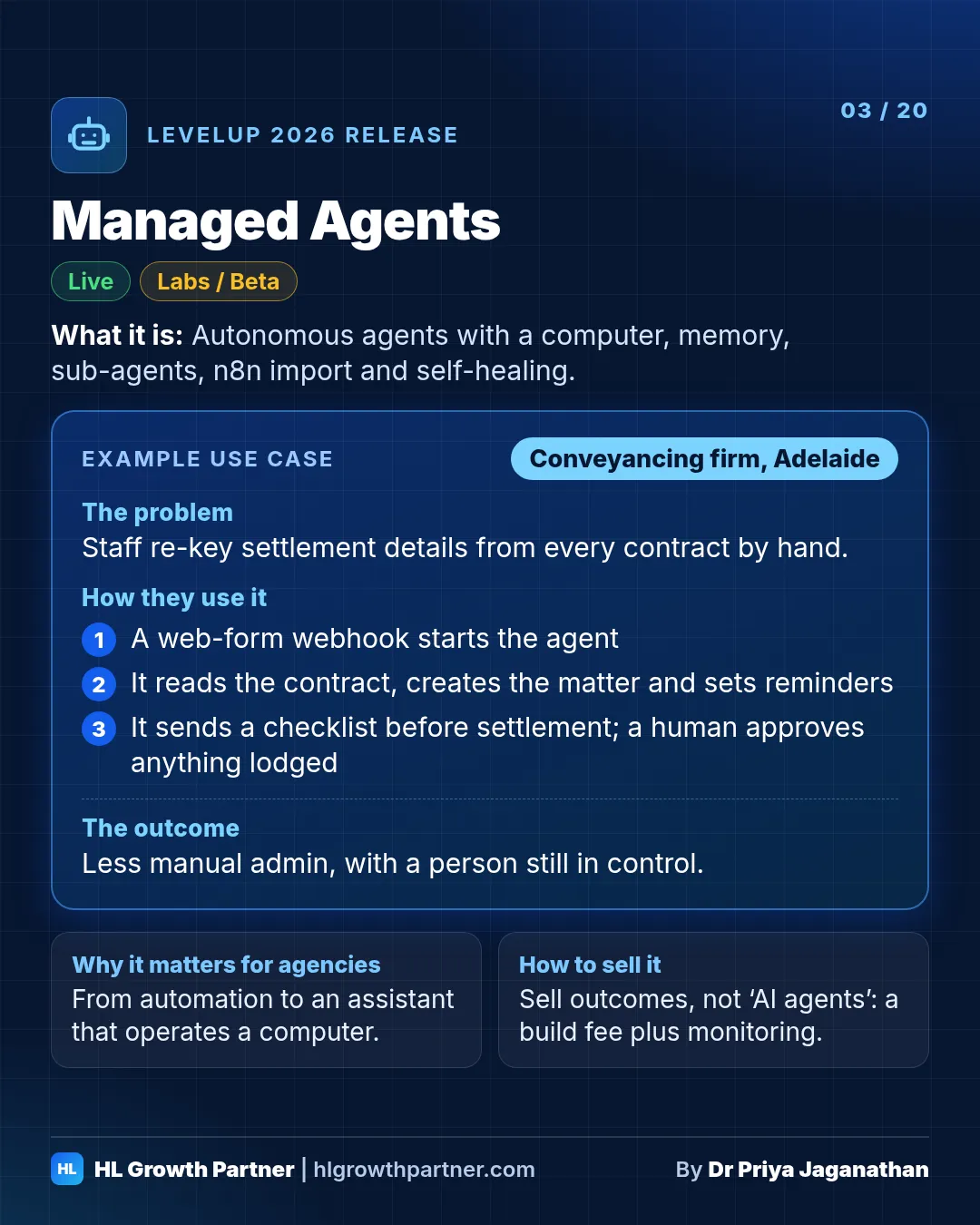
Managed Agents are HighLevel's autonomous AI agents, built in Agent Studio from plain-language instructions. At LevelUp 2026 they gained their own computer (browsing, files and scripts, with approval rules), memory, sub-agents, an n8n workflow importer, inbound webhook triggers, waits and scheduled follow-ups, custom values for multi-account templates, and Agent Health with self-healing.
Status: A mix of Live, Labs (the new Managed Agents interface) and Beta (n8n import)
What it is. Managed Agents are HighLevel's autonomous "do the job" agents, built in Agent Studio. A lot landed for them this year:
- Computer: each agent gets its own isolated machine to browse websites, manage files and run scripts. It can run 8 to 10 browser tabs in parallel, and it must ask before it submits forms, makes payments, publishes or exports data.
- Memory: agents remember each user's preferences and save completed task steps as reusable procedures. You can view, edit or delete them in a Memory tab.
- Sub-agents: the main agent splits complex jobs and hands focused tasks to sub-agents. HighLevel says this cuts cost and improves accuracy.
- n8n importer: upload an n8n workflow export and Agent Studio builds a Managed Agent that copies its logic.
- Inbound webhooks, waits and scheduled follow-ups: start agents from Zapier, Make, Shopify or your own code. They can pause for minutes or days, and follow-ups move automatically if an appointment changes.
- Custom values: one agent template can work across many sub-accounts, pulling in each one's links and details.
- Agent Health and self-healing: HighLevel scores Voice and Conversation AI agents on recent real calls and chats. If one is slipping, Self Healing uses the Prompt Optimizer to suggest a better prompt and shows you the test results and the change before anything is applied.
Why it matters. This is the jump from "automation" to "an assistant that operates a computer for you". The n8n importer alone will save agencies who've built their back office in n8n a lot of rework. Custom values mean you can build an agent once and roll it out to every client.
Example scenario: law firm (illustrative). Picture a small conveyancing firm in Adelaide.
- An inbound webhook from its web form starts a Managed Agent.
- The agent checks the contract-of-sale PDF the client uploaded, pulls out the settlement date and the vendor's details, creates the matter as a custom object and sets reminder tasks.
- It waits until 10 days before settlement, then sends the client a checklist.
- It never gives legal advice, and anything unusual goes to a paralegal.
- Because the agent has to ask before it submits anything, nothing gets lodged without a human approving it.
Example scenario: agency back office (illustrative). Picture an agency with an n8n workflow that sends a monthly SEO report. It imports the workflow, reviews the mapped steps, reconnects its apps, and retires the n8n server.
How to set it up
- Turn on Managed Agents New UI in Labs, then go to AI Agents > Agent Studio > Managed.
- Describe the job in plain words. Check the plan and any sub-agents it proposes.
- Under Capabilities, enable Computer and set the "Ask Before" rules. Make them tight to begin with.
- Use Insert value to add custom values so the agent works in every sub-account.
- Test in Test Mode with a real test contact, then publish. Turn on Agent Health monitoring.
- For n8n, go to Import from > n8n (Beta) and upload the JSON.
How an agency can sell this. Sell outcomes ("we'll take your weekly reporting off your plate"), not "AI agents". Charge for building the agent once, then a monthly fee to monitor it. The Agent Health dashboard gives you something real to show the client in each review.
Release 4: Outbound AI & database reactivation
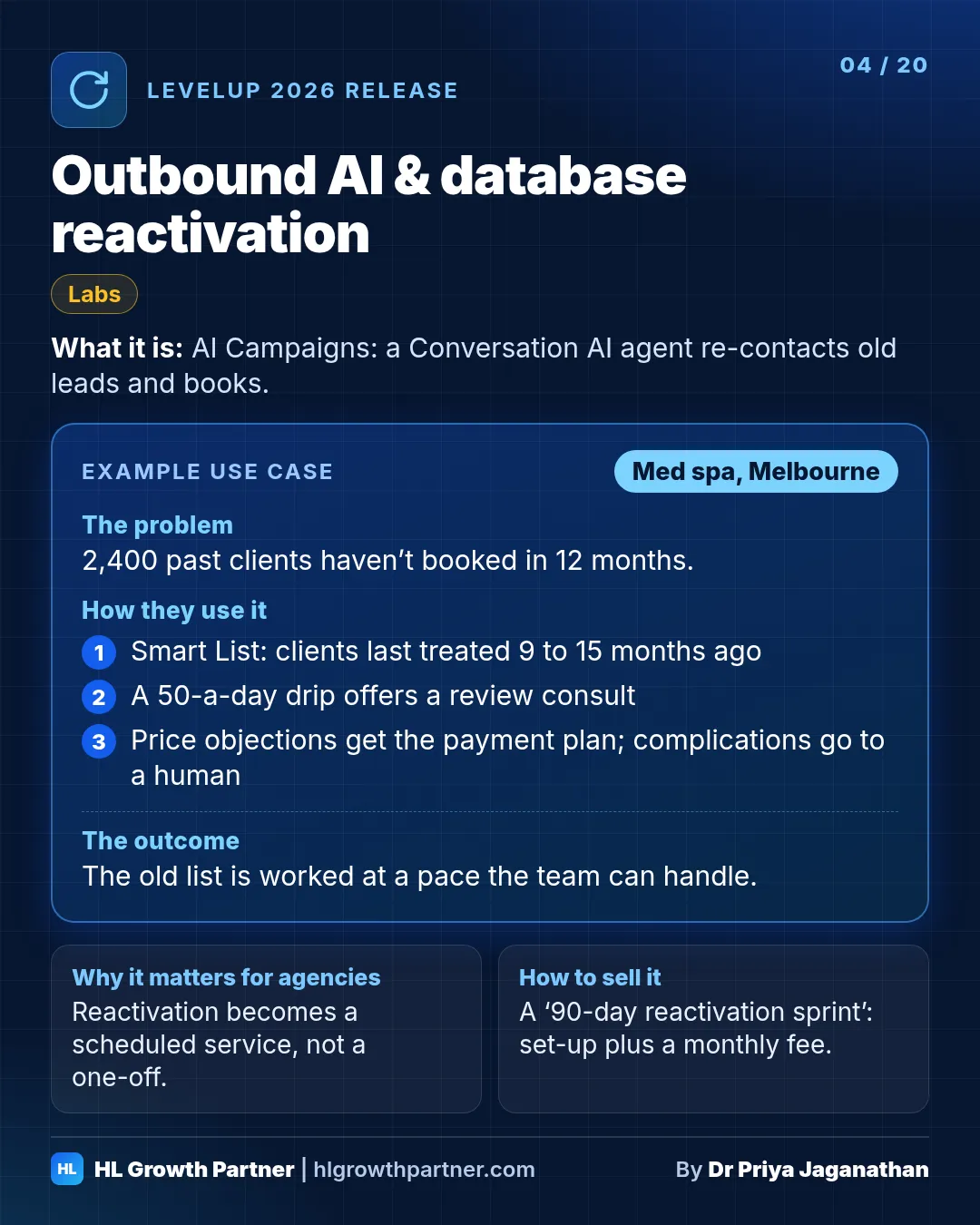
HighLevel's database reactivation runs through AI Campaigns. You pick a Smart List of old leads, past customers or stalled deals, choose immediate, scheduled or drip sending, and a Conversation AI agent sends personalised outreach, follows up, handles objections and books appointments. It needs Conversations AI - Outbound turned on in Labs, plus the right messaging compliance.
Status: Labs ("Conversations AI - Outbound")
What it is. Conversation AI agents can now start conversations, not just reply to them. A CRM trigger such as a form fill, a missed call or a deal changing stage fires a personalised opening message, and the agent follows up on a schedule. AI Campaigns extend this to bulk outreach. You pick a Smart List of old leads, past customers or stalled deals, choose to send immediately, on a schedule or as a drip, and the agent handles the first message, follow-ups, objections and booking.
Why it matters. Most small businesses are sitting on a database they paid to build and then stopped talking to. On stage, HighLevel credited Rob Bailey with introducing database reactivation to its community, and now it has built the concept into the product. Reactivation has always been one of the highest-return jobs an agency can do. This makes it something you can run on a schedule instead of a one-off project.
Example scenario: med spa (illustrative). Picture a med spa in Melbourne with 2,400 past clients who haven't booked in 12 months.
- The agency builds a Smart List of people whose last treatment was 9 to 15 months ago.
- An AI Campaign is sent as a drip, 50 a day, so the team can handle the replies.
- The opener mentions the client's last treatment type, using merge fields, and offers a review consult.
- If someone replies "too expensive", the agent offers the clinic's existing payment plan and never invents a discount.
- Anyone who mentions a reaction or complication is handed to a human straight away.
How to set it up
- Turn on Conversations AI - Outbound in Labs.
- Create an Auto-Pilot agent. Write its prompt, opening message and follow-up schedule.
- On the Deploy tab, set the sending number and confirm SMS compliance.
- Go to Contacts > AI Campaign, pick the segment, assign the agent, choose the send mode and start.
How an agency can sell this. Package it as a "90-day reactivation sprint": a set-up fee plus a monthly fee to run the campaigns. Avoid performance-based pricing until you've done it for that client once. Agree a goal before you start, for example consult bookings, rather than "revenue".
Compliance first. Outbound messages are commercial messages. In Australia, the Spam Act needs consent, clear sender identification and a working opt-out. In the US, you'll also need A2P 10DLC registration. Only message people who gave consent.
Keep going through the LevelUp 2026 guide
- Previous: Releases 1 and 2: Founder Plan and $20 AI Employee Starter plan
- Next: Releases 5 and 6: Conversation AI flow builder and AI Search Visibility
- All of it: 300+ HighLevel LevelUp 2026 updates, every launch explained