
GoHighLevel Fillout Integration: Setup & Cost (2026)
By Dr Priya Jaganathan, GoHighLevel Certified Admin · HL Growth Partner, Australia · Updated 28 October 2026 · 10 min read
Some links below are affiliate links — if you sign up through them, HL Growth Partner may earn a commission at no extra cost to you. It never changes what we recommend.
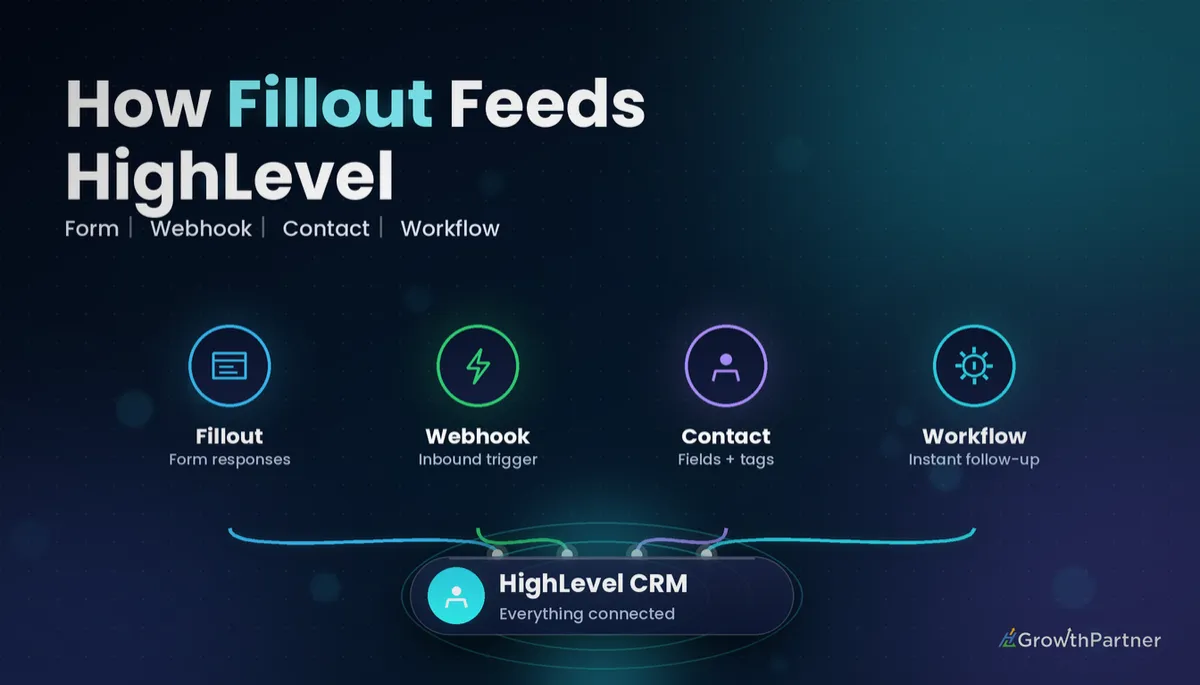
A GoHighLevel Fillout integration lets you keep Fillout's polished, logic-heavy forms while every submission lands in HighLevel as a contact, gets tagged, drops into a pipeline and triggers a follow-up within seconds. Done properly, the form tool becomes a front door and HighLevel does the selling.
This guide covers what Fillout is, the three realistic ways to connect Fillout to HighLevel, a step-by-step setup with field mapping, what each option costs in 2026, and the honest answer to whether you need Fillout at all when HighLevel already ships its own form builder.
Quick Facts
| Native HighLevel app in Fillout? | Not listed in Fillout's integrations directory at the time of writing (October 2026) |
| Fillout plan with webhooks | Free plan includes the Webhook integration (Fillout pricing page) |
| Fillout free plan responses | 1,000 responses per month |
| Fillout paid plans (monthly billing) | Starter US$19, Pro US$49, Business US$89 per month |
| HighLevel plans | Starter US$97, Unlimited US$297, Agency Pro US$497 per month |
| HighLevel Inbound Webhook trigger | A premium workflow trigger, billed at US$0.01 per execution |
What Fillout is and why HighLevel users reach for it
Fillout is a no-code form builder that competes with Typeform and Jotform. It does one-question-at-a-time and classic layouts, conditional logic, calculations, payments, file uploads and scheduling, and it connects natively to tools like Airtable, Notion, Slack and Pipedrive.
Agencies usually bring it in for one of three reasons: a client already has dozens of Fillout forms, the team wants a specific form experience (quizzes, scored assessments, long applications), or a designer prefers Fillout's editor. The job is simply to make sure the data ends up in HighLevel, cleanly mapped, so your automations can act on it.
If you have read our Typeform and HighLevel setup guide, the logic here will feel familiar. The difference is that HighLevel has built dedicated workflow triggers for some form tools, and Fillout is not one of them yet.
Three ways to connect Fillout to HighLevel in 2026
We checked Fillout's integrations directory and HighLevel's workflow triggers in October 2026. Neither lists a dedicated Fillout-to-HighLevel connector, so you are choosing between these three routes:
- Fillout webhook into a HighLevel Inbound Webhook trigger — direct, real-time, no middleman.
- Zapier (or Make) as a bridge — Fillout triggers the automation tool, which then creates or updates the HighLevel contact.
- Replace the form with a native HighLevel form or survey — no integration needed at all.
For most agencies, the webhook route is the one we recommend. It is fast, costs a cent per submission and keeps everything inside one HighLevel workflow.
Option 1: Fillout webhook to HighLevel Inbound Webhook
Fillout can send every submission as a JSON payload to any URL. HighLevel's Inbound Webhook workflow trigger gives you exactly that URL, and it can read the incoming fields so you can map them onto a contact. Our full guide to inbound and outbound webhooks in HighLevel covers the trigger in more depth.
Option 2: Zapier or Make as the bridge
Fillout appears as a trigger app in both Zapier and Make, and HighLevel has its own app on both platforms. You pick "new response" in Fillout, then a create-or-update contact action in HighLevel. It suits teams who already run their automations in Zapier, but it adds a second bill and a second place for things to break. See our HighLevel Zapier integration breakdown for when that trade-off is worth it.
Option 3: Rebuild it as a native HighLevel form
HighLevel's form and survey builders write straight to contact fields and custom fields, fire the Form Submitted trigger, and carry attribution data with them. If the Fillout form is simple, rebuilding it is often less work than maintaining an integration.
Step-by-step: the GoHighLevel Fillout integration via webhook
Here is the setup we use for client builds. Allow about 30 minutes for a single form, including testing.
Step 1: Prepare your HighLevel fields first
Before touching Fillout, list every question on the form and decide where each answer belongs. Standard answers (first name, last name, email, phone) go to standard contact fields. Everything else, such as budget, service interest or a quiz score, needs a custom field.
Create those custom fields in your sub-account settings now. If you are unsure what should be a field and what should be a tag, our explainer on when to use tags versus custom fields will save you a messy rebuild later.
Step 2: Create the workflow and Inbound Webhook trigger
In Automation, create a new workflow and add the Inbound Webhook trigger. HighLevel generates a unique webhook URL for that trigger. Copy it, but do not save the trigger yet, because it needs a sample request before it can map fields.
Step 3: Add the webhook in Fillout
In your Fillout form, open the Integrate tab, choose Webhook and paste the HighLevel URL. Fillout's own webhook help article explains the advanced settings, including how to customise the request body if you want cleaner key names.
We recommend a custom body with simple keys such as first_name, email, phone and budget. It makes the HighLevel side far easier to read and survives question rewording in Fillout.
Step 4: Send a test submission and capture the sample
Submit the live form once with realistic test data. Back in HighLevel, fetch the sample request on the Inbound Webhook trigger and select it as the mapping reference. HighLevel's guide to the Inbound Webhook premium trigger walks through this screen. Save the trigger once the fields appear.
Step 5: Map fields with Create or Update Contact
The Inbound Webhook trigger does not create a contact on its own. Add a Create Contact or Update Contact action and map each incoming value to its HighLevel field:
- Email and phone to the standard fields, so HighLevel can de-duplicate against existing contacts.
- First and last name to the name fields.
- Every qualifying answer to its matching custom field.
- A hidden "source" value from Fillout to a lead source field, so reporting shows where the lead came from.
Step 6: Tag, create the opportunity and follow up instantly
Now the workflow does the selling. After the contact action, add:
- Add Tag, for example
fillout-enquiry, plus an if/else branch that tags by service or budget. - Create or Update Opportunity in the right pipeline and stage, with the opportunity value taken from a budget answer if you capture one.
- Instant follow-up: an SMS and email within the first minute, then an internal notification to the account owner.
Publish the workflow, submit one more test and check the contact record, the tag, the opportunity and the messages. Never go live on a single test. Test every branch of conditional logic in the form.
Not on HighLevel yet? Start with a free 30-day trial here — long enough to build everything in this guide before you pay a cent.
How much the GoHighLevel Fillout integration costs in 2026
You are paying for up to three things: Fillout, HighLevel, and an automation bridge if you choose one. Prices below are in US dollars, as each vendor lists them.
Fillout plan pricing
Per Fillout's published pricing (as listed in October 2026), the free plan includes unlimited forms, 1,000 responses a month and the Webhook integration. That means you can connect Fillout to HighLevel without paying Fillout anything until volume or features push you up.
| Fillout plan | Monthly billing | Billed annually | Responses per month |
|---|---|---|---|
| Free | US$0 | US$0 | 1,000 |
| Starter | US$19 | US$15/mo | 2,000 |
| Pro | US$49 | US$40/mo | 5,000 |
| Business | US$89 | US$75/mo | Unlimited (fair use) |
Paid plans mainly add higher response limits, branding removal and team features rather than integration access, so upgrade on volume, not because you think webhooks need it.
HighLevel plan and premium trigger costs
Per HighLevel's published pricing (as listed in October 2026), plans are Starter at US$97, Unlimited at US$297 and Agency Pro at US$497 per month, each with unlimited contacts and users. Any plan can run the webhook setup above.
The one usage cost to know: Inbound Webhook is a premium workflow trigger, and HighLevel's pricing guide bills premium features at US$0.01 per execution. At 500 Fillout submissions a month, that is about US$5. Agencies on the right plan can rebill that cost to clients.
Zapier cost if you use a bridge
Per Zapier's pricing page (October 2026), the free plan includes 100 tasks a month, and Professional starts at US$19.99 a month billed annually. A basic Fillout-to-HighLevel Zap uses at least one task per submission, so a busy form outgrows the free tier quickly.
Webhook vs Zapier vs native forms: which to choose
| Factor | Fillout webhook to HighLevel | Fillout via Zapier/Make | Native HighLevel form |
|---|---|---|---|
| Speed | Near-instant | Usually fast, depends on the bridge | Instant |
| Extra software cost | None (Fillout free plan works) | Zapier or Make subscription | None |
| HighLevel usage cost | US$0.01 per submission (premium trigger) | Depends on the HighLevel actions used | No premium trigger needed |
| Setup effort | Moderate: field mapping in the workflow | Low to moderate: mapping in the Zap | Low for simple forms |
| Points of failure | Two tools | Three tools | One tool |
| Best for | Most agencies keeping Fillout | Teams already living in Zapier | Lead capture and standard intake |
When native HighLevel forms are enough (the honest verdict)
For plain lead capture, contact forms, booking enquiries and short intake forms, native HighLevel forms are enough. They map straight to custom fields, fire the Form Submitted trigger without premium charges, and keep attribution intact. Start with our HighLevel forms and surveys setup guide before you add another subscription.
Keep Fillout when the form itself is the product: scored quizzes, long applications with complex branching, payment-heavy order forms, or a client who simply will not leave the tool. In those cases, the webhook integration above gives you the best of both platforms for about a cent per lead.
Common mistakes to avoid
- Expecting the Inbound Webhook trigger to create the contact automatically. You still need a Create or Update Contact action.
- Saving the trigger before sending a sample submission, which leaves you with nothing to map.
- Dumping every answer into tags instead of custom fields, which makes segmenting and reporting painful.
- Skipping email and phone mapping, so HighLevel creates duplicate contacts instead of updating existing ones.
- Testing one happy-path submission and ignoring the form's conditional branches.
- Paying for Zapier on a simple form that a direct webhook, or a native HighLevel form, would handle for less.
If you want your Fillout forms wired into HighLevel with clean field mapping, pipelines and instant follow-up already built, book a strategy call with the HL Growth Partner team.
Or if you just need the software first: grab the 30-day HighLevel trial and book us when you're ready to scale it.
Frequently asked questions
Does Fillout have a native GoHighLevel integration?
As of October 2026, HighLevel does not appear in Fillout's native integrations directory, and HighLevel has no dedicated Fillout workflow trigger. The reliable options are a Fillout webhook into a HighLevel Inbound Webhook trigger, or Zapier or Make as a bridge.
How do I connect Fillout to HighLevel without Zapier?
Create a HighLevel workflow with the Inbound Webhook trigger, copy its URL, and add it as a Webhook integration in Fillout's Integrate tab. Send a test submission, select it as the sample in HighLevel, then map the fields with a Create or Update Contact action.
Which Fillout plan do I need for webhooks?
Fillout's pricing page lists the Webhook integration on the free plan, which includes 1,000 responses a month. You only need a paid plan for higher response limits or extra features such as branding removal.
Does the HighLevel Inbound Webhook trigger cost extra?
Yes. Inbound Webhook is a premium workflow trigger, and HighLevel's pricing guide bills premium features at US$0.01 per execution. For most small businesses that works out to a few dollars a month.
Can Fillout submissions create opportunities in a HighLevel pipeline?
Yes. After the contact is created in the workflow, add a Create or Update Opportunity action, choose the pipeline and stage, and optionally set the opportunity value from a budget answer in the form. You can branch to different stages based on the answers.
Should I use Fillout or native HighLevel forms?
Use native HighLevel forms for standard lead capture and intake, because they map directly to fields and need no integration. Keep Fillout for complex experiences such as scored quizzes, long applications or payment-heavy forms, and connect it with a webhook.
How much does Zapier add to a Fillout and HighLevel setup?
Zapier's free plan includes 100 tasks a month, and its Professional plan starts at US$19.99 a month billed annually. Each Fillout submission uses at least one task, so higher-volume forms usually need a paid plan.
Related Articles on HL Growth Partner
More form tool integrations
- GoHighLevel Jotform integration: setup and cost
- Connecting Google Forms to GoHighLevel
- GoHighLevel Cognito Forms integration guide
