GoHighLevel Clockify Integration: Setup & Cost (2026)
 By Dr Priya Jaganathan, GoHighLevel Certified Admin · HL Growth Partner, Australia · Updated 17 November 2026 · 9 min read
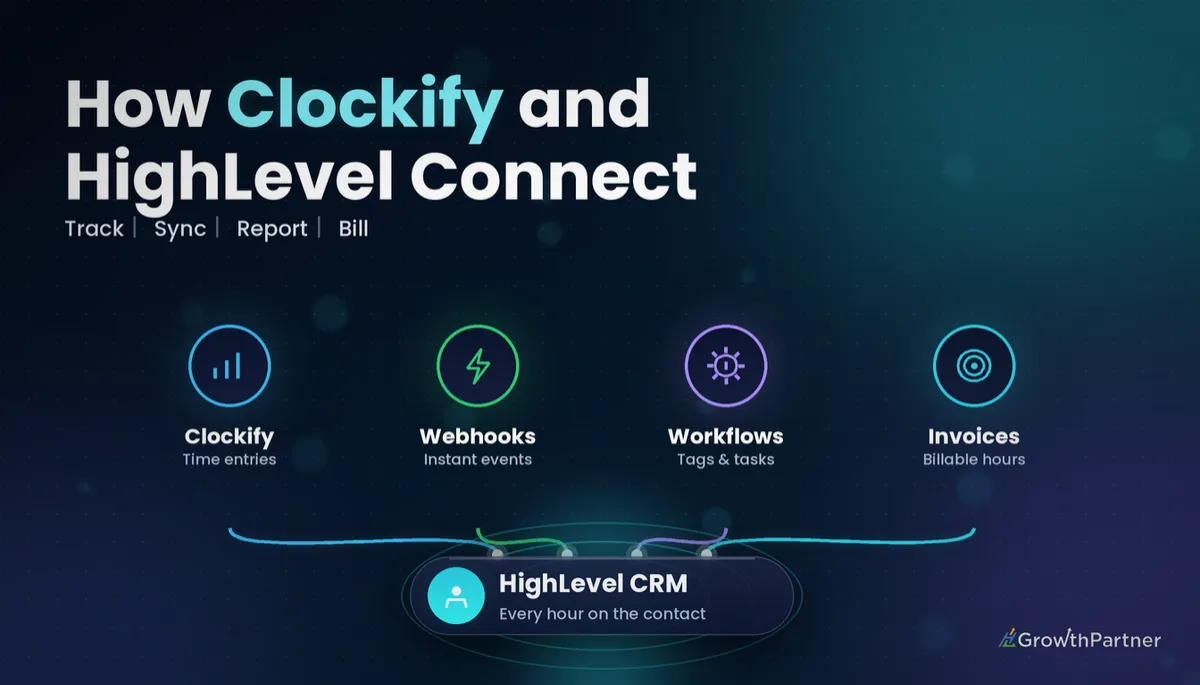
How to connect Clockify to HighLevel without a native app, so every won deal gets a Clockify project and every billable hour lands back on the client record where your team can see it.
Some links below are affiliate links — if you sign up through them, HL Growth Partner may earn a commission at no extra cost to you. It never changes what we recommend.
A GoHighLevel Clockify integration is how agencies stop guessing whether a retainer client is profitable. HighLevel holds the deal, the contact and the invoice; Clockify holds the hours. Until the two talk to each other, someone is copying numbers between tabs at month end.
This guide continues our productivity-tool integration series (Linear, Coda, Podio, Todoist, Asana and more). It covers the three realistic ways to connect Clockify to HighLevel, a step-by-step build for billable-hours tracking per client, and what the whole stack costs in 2026.
| Native HighLevel–Clockify app | None; connect via Zapier, Make or webhooks |
| Clockify free plan | Forever-free plan available |
| Clockify paid plans (2026) | From $3.99 per user/month billed annually (Timely, CostBench) |
| Clockify webhook event for hours | NEW_TIME_ENTRY (HTTP POST to your URL) |
| Webhooks on Clockify Free | Up to 3 per workspace |
| HighLevel Inbound Webhook | Premium workflow trigger, usage-billed |
Is there a native GoHighLevel Clockify integration?
No. There is no native HighLevel–Clockify integration in the HighLevel App Marketplace or inside Clockify's own integrations list that syncs the two directly. Anything you read promising a one-click connection is describing a middleware setup.
That is less of a problem than it sounds. Both tools speak webhooks, and both have well-supported connectors on Zapier and Make. You choose how much plumbing you want to own.
What each tool should own
Before you build anything, decide which system is the source of truth for what. Mixing this up is where most time-tracking automations go wrong.
- HighLevel owns the client: contacts, opportunities, pipelines, retainer amounts and invoices.
- Clockify owns the time: clients, projects, tasks and individual time entries.
- The integration owns the hand-offs: a won deal creates a Clockify project, and logged hours flow back to a contact custom field.
Three ways to connect Clockify to HighLevel
Your options are Zapier, Make, or native webhooks on both sides. Each one works; the trade-offs are speed, cost and how comfortable you are reading a JSON payload.
| Method | How hours reach HighLevel | Trade-offs | Best for |
|---|---|---|---|
| Zapier | Clockify "New Time Entry" trigger, then a HighLevel action | Polling trigger, not instant; checks at your Zapier plan's interval. Bulk imports can arrive in batches. | Agencies wanting the fastest no-code setup |
| Make | Clockify module or custom webhook, then a HighLevel module | More flexible routing and maths; steeper learning curve than Zapier | Multi-step scenarios like summing hours per client |
| Native webhooks | Clockify NEW_TIME_ENTRY webhook posts to a HighLevel Inbound Webhook trigger | Near-instant, no middleware bill; Inbound Webhook is usage-billed and Clockify limits webhooks per workspace by plan | Technical teams comfortable mapping payloads |
Zapier: quickest to launch
Zapier's Clockify integrations page lists the triggers and actions available. The key point: the "New Time Entry" trigger polls on a schedule rather than firing instantly, so a contact's hours field may lag behind the timer by however long your plan's interval is.
Make: best for the maths
If you need to add each new entry to a running monthly total, Make handles the arithmetic and branching more comfortably. Our GoHighLevel Make.com integration guide walks through connecting the HighLevel side.
Native webhooks: fastest data
Clockify can send an HTTP POST to any URL you configure whenever the NEW_TIME_ENTRY event fires. Point it at a HighLevel Workflow using the Inbound Webhook trigger and you skip middleware entirely. If you have not built one before, start with our guide to GoHighLevel inbound and outbound webhooks.
What agencies actually automate between Clockify and HighLevel
For agencies billing by the hour or selling retainers, four automations cover almost all of the value. Build them in this order.
1. Create a Clockify project when a deal is won
When an opportunity moves to Won in your pipeline, a Workflow fires and creates the matching client and project in Clockify. Your team can start tracking time on day one without anyone setting it up by hand.
2. Log hours back to the contact
Each new time entry updates a contact custom field such as "Hours logged this month". Account managers see consumption on the contact record without opening Clockify.
3. Alert when retainer hours hit a threshold
Once the custom field crosses a set percentage of the retainer, HighLevel creates an internal task or sends a notification. This is the automation that protects margin before the overrun, not after.
4. Feed invoices
The monthly hours total becomes the quantity on an invoice for hourly clients, or a trigger to quote overage on retainer clients. A human still reviews it before it goes out.
How to set up the GoHighLevel Clockify integration step by step
The build below uses a HighLevel Workflow for deal-won events and Clockify webhooks for hours. Swap in Zapier or Make at any step if you prefer a visual builder.
Step 1: Prepare HighLevel
- Create a contact custom field "Hours logged this month" (number type) and another for "Retainer hours" if you sell blocks of time.
- Add a custom field for the Clockify project ID so the two records can be matched later.
- Confirm your pipeline has a clear Won stage that only closes genuinely signed clients.
Step 2: Create Clockify projects from won deals
Build a Workflow triggered when an opportunity status changes to Won. Add a Custom Webhook action that calls Clockify's API with your workspace's API key to create the client and project, using the contact's company name.
If you would rather not touch an API, use a Zapier Zap with a HighLevel trigger and Clockify's create-project action instead. Either way, write the returned project ID back to the contact so later steps can match hours to the right client.
Step 3: Send time entries to HighLevel
In HighLevel, create a second Workflow with the Inbound Webhook trigger and copy its URL. In Clockify's workspace settings, add a webhook on the NEW_TIME_ENTRY event pointing at that URL.
Log a test entry in Clockify, then map the payload in HighLevel: project, user and duration. Remember the Free plan allows up to 3 webhooks per workspace, so plan which events earn a slot.
Time tracking only protects margin when the hours sit next to the retainer. Hours hidden in another tool are hours nobody checks until the invoice is late.
Step 4: Update the running total
HighLevel needs to add each new entry's duration to the existing custom field value, not overwrite it. Doing this sum in Make or Zapier before updating the contact is usually simpler and easier to debug.
Reset the field on the first of each month with a scheduled step, and archive last month's total in a separate field if you report on trends.
Step 5: Add threshold alerts and tasks
Add an If/Else branch that compares hours logged with retainer hours. When usage crosses your threshold, create a task for the account manager; our GoHighLevel Tasks workload guide covers assigning them so they do not get lost.
Step 6: Test with a real client week
Run the build in parallel with your old spreadsheet for one week. Compare the totals line by line before you let it drive invoices or client conversations.
What the Clockify HighLevel integration costs in 2026
Your total cost is Clockify seats, HighLevel's plan and usage, and any middleware. The Clockify prices below come from 2026 third-party aggregators (Timely, CostBench) in USD, so confirm current figures on Clockify's pricing page before you budget.
| Component | Annual billing | Monthly billing | Notes |
|---|---|---|---|
| Clockify Free | $0 | $0 | Forever-free; up to 3 webhooks per workspace |
| Clockify Basic | $3.99 per user/month | $4.99 per user/month | Timely, CostBench (2026) |
| Clockify Standard | $5.49 per user/month | $6.99 per user/month | Timely, CostBench (2026) |
| Clockify Pro | $7.99 per user/month | $9.99 per user/month | Timely, CostBench (2026) |
| Clockify Enterprise | $11.99 per user/month | $14.99 per user/month | Timely, CostBench (2026) |
| Clockify Productivity Suite | $15.99 per seat/month | Reported by CostBench as added August 2026 | |
| HighLevel plan | Starter $97, Unlimited $297, Agency Pro $497 per month | 2026 pricing guides; Starter includes 3 sub-accounts | |
| HighLevel Inbound Webhook | Usage-billed | Premium workflow trigger; check your account's rates | |
| Zapier or Make | Depends on your plan | Faster polling and more tasks cost more | |
The Productivity Suite appears in CostBench's reporting but not every aggregator lists it yet, which is another reason to check Clockify directly. Because the Inbound Webhook is a premium trigger, read our breakdown of GoHighLevel premium workflow actions and costs to estimate usage at your volume of time entries.
Which combination is cheapest?
For a small agency, Clockify Free plus native webhooks keeps the middleware bill at zero, with only HighLevel's usage charges on top. Larger teams that want reporting features usually land on a paid Clockify tier and pay for Zapier or Make in exchange for less maintenance.
Not on HighLevel yet? Start with a free 30-day trial here — long enough to build everything in this guide before you pay a cent.
The same pattern of deal-won triggers and custom-field updates appears in our GoHighLevel Linear integration build, if your agency also runs development work.
Common mistakes to avoid
- Overwriting the hours custom field with each entry instead of adding to the running total.
- Expecting Zapier's "New Time Entry" trigger to be instant when it polls on your plan's interval.
- Not storing the Clockify project ID on the contact, so hours cannot be matched to the right client.
- Using up the Free plan's 3 webhooks on low-value events before the NEW_TIME_ENTRY one is set up.
- Letting the automation send invoices without a human review of the monthly total.
- Budgeting from aggregator prices without confirming them on Clockify's pricing page.
Or if you just need the software first: grab the 30-day HighLevel trial and book us when you're ready to scale it.
Frequently asked questions
Does GoHighLevel have a native Clockify integration?
No, there is no native HighLevel to Clockify integration. You connect the two with Zapier, Make, or Clockify webhooks sent to a HighLevel Inbound Webhook trigger. All three methods can create projects and log hours.
How do I connect Clockify to HighLevel without Zapier?
Create a HighLevel Workflow with the Inbound Webhook trigger and copy its URL. In Clockify, add a webhook on the NEW_TIME_ENTRY event that posts to that URL. Then map the payload fields to a contact custom field in the Workflow.
Is the Zapier Clockify trigger instant?
No. Zapier's Clockify New Time Entry trigger is a polling trigger that checks at your Zapier plan's interval. Bulk imports of time entries can also arrive in batches rather than one by one.
How much does Clockify cost in 2026?
Clockify has a forever-free plan. According to 2026 aggregators Timely and CostBench, paid plans run from $3.99 to $11.99 per user per month billed annually, or $4.99 to $14.99 billed monthly, in USD. Confirm current prices on Clockify's pricing page.
Can a won deal in HighLevel create a Clockify project automatically?
Yes. Trigger a Workflow when an opportunity moves to Won, then use a Custom Webhook action calling Clockify's API, or a Zapier action, to create the client and project. Save the returned project ID on the contact so hours can be matched later.
How many webhooks does Clockify's free plan allow?
Clockify's Free plan allows up to 3 webhooks per workspace. Paid plans raise the limit, so check Clockify's plan details if you need more events than that.
Does the HighLevel Inbound Webhook trigger cost extra?
Yes. The Inbound Webhook is a premium workflow trigger in HighLevel and is billed on usage. Check the rates in your own account before routing every time entry through it.
Related Articles on HL Growth Partner
More productivity tool integrations
 GoHighLevel Todoist Integration: Setup & Cost (2026)
 GoHighLevel Asana Integration: Setup & Cost (2026)
 GoHighLevel ClickUp Integration: Setup & Cost (2026)
Data and project tracking
 GoHighLevel Jira Integration: Setup & Cost (2026)
 GoHighLevel Airtable Integration: Setup & Cost (2026)