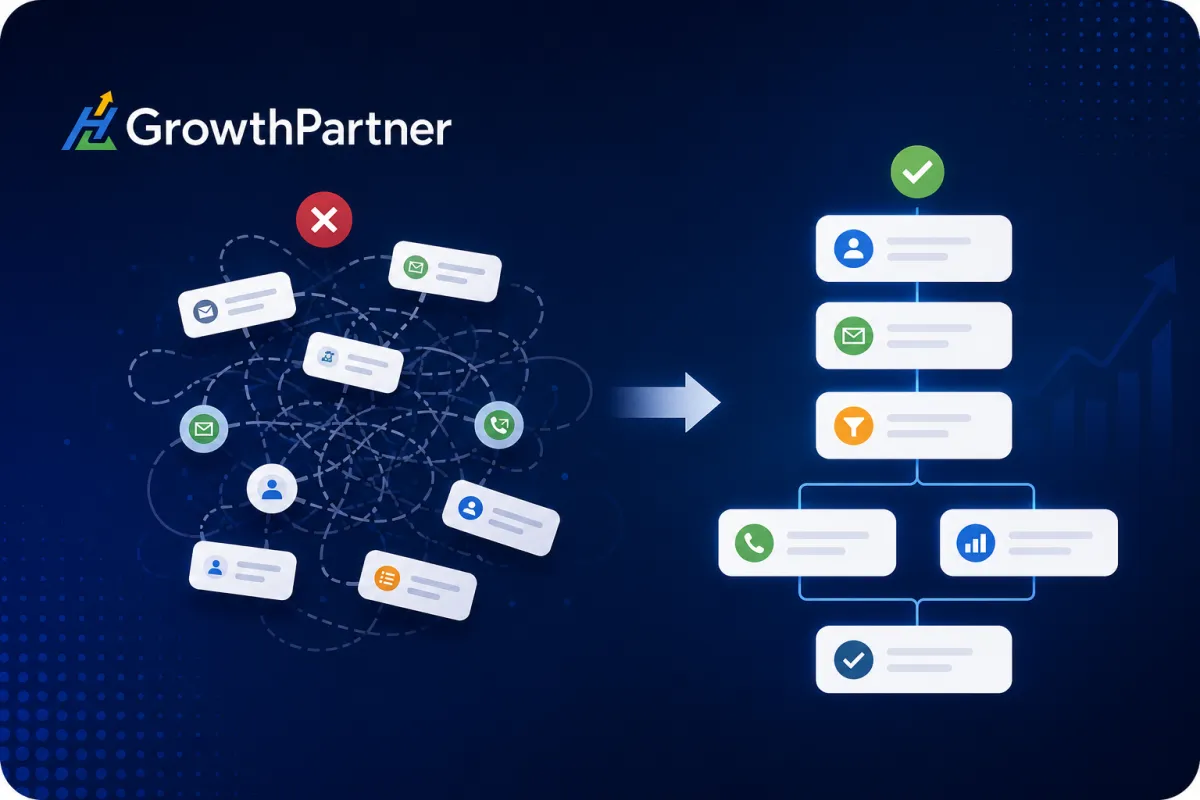
Why Most GoHighLevel Setups Become Messy After 90 Days (And How to Prevent CRM Chaos)
GoHighLevel, CRM Governance, Business Automation
Many teams launch GoHighLevel with clear goals, clean pipelines, and a handful of well‑planned workflows. By month three, the reality often looks very different: duplicated automations, confusing pipelines, unreliable reports, and a constant fear that switching anything off will break something critical. That creeping disorder is what we call CRM Chaos and it quietly erodes the very efficiency you invested in GoHighLevel to achieve. In this article, we’ll unpack why this usually happens around the 90‑day mark, how it impacts growth, and the GoHighLevel best practices you can use to keep your CRM organised, scalable, and audit‑ready for the long term.
The Hidden Cost of CRM Chaos
A messy GoHighLevel account is more than an aesthetic problem. It quietly drains revenue, time, and trust across your organisation. When GoHighLevel implementation is rushed or unmanaged, the issues compound as you add more leads, clients, and automations.
Lead Management and Sales Pipelines
When multiple workflows push contacts into different pipelines or the same pipeline with different rules your team loses confidence in what each stage actually means. Leads are:
added twice to different opportunities for the same deal
moved backwards by old automations that should have been retired
stuck in “limbo” stages with no clear owner or next action
The result: slower response times, weaker follow‑up, and fewer closed deals despite having more “automation” than ever.
Reporting and Decision‑Making
Leadership relies on accurate dashboards to forecast revenue, allocate budget, and assess marketing performance. CRM chaos corrupts that data. Duplicate pipelines, inconsistent opportunity stages, and overlapping tags mean:
conversion rates that look better or worse than reality
campaigns that appear unprofitable because revenue isn’t attributed correctly
sales forecasts that can’t be trusted by finance or investors
In 2026, when AI‑driven forecasting and advanced analytics are standard expectations, poor data quality undermines your competitive advantage and makes it difficult to act on CRM insights.
Customer Experience and Team Productivity
From the customer’s point of view, CRM chaos shows up as duplicated emails, irrelevant offers, and missed follow‑ups. Internally, your team spends more time troubleshooting than selling:
marketers are nervous to launch new GoHighLevel workflows because they’re unsure what else is connected
sales reps double‑check every record because they don’t trust automation history
operations staff get pulled into constant “quick fixes” that never address root causes
📌 Key Takeaway: CRM chaos is not just a technical issue. It’s an operational risk that impacts revenue, customer satisfaction, and your team’s ability to scale with confidence.
10 Signs Your GoHighLevel Account Is Becoming Messy
Most GoHighLevel optimisation projects we undertake start with the same pattern of symptoms. If you recognise several of these, your account is already drifting into CRM cleanup territory.
Duplicate workflows: Slightly different versions of the same automation (e.g., “Lead Nurture V2”, “Lead Nurture – New”) all running simultaneously. This leads to duplicated messages and unclear ownership of changes.
Inconsistent naming conventions: Pipelines, forms, and campaigns all named differently by different team members. Without a consistent pattern, nobody can quickly see what’s active, legacy, or client‑specific.
Unused custom fields: Dozens of fields created for “one campaign” that are never reused. They clutter contact records and make reporting more complex than necessary.
Overlapping automations: Multiple GoHighLevel workflows triggered by the same event (e.g., form submission) with slightly different logic. This is a common cause of automation conflicts and unpredictable behaviour.
Abandoned funnels: Old funnels that still receive traffic from SEO or ads, but point to outdated offers or broken forms. They quietly damage conversion rates and brand perception.
Broken integrations: Disconnected webhooks, expired API keys, or removed tools that were never cleaned up. Data stops syncing, but nobody notices until a campaign underperforms or a client complains.
Duplicate pipelines: Several pipelines that represent the same journey with slightly different stages. Sales teams are forced to guess which one is “current”.
Disconnected calendars: Old calendars still connected to booking links, or new calendars not wired into the right workflows. Missed appointments and double bookings follow quickly.
Outdated snapshots: Snapshots cloned months ago, now far removed from your current standards. New clients are onboarded into outdated structures that require heavy manual rework.
Conflicting opportunity stages: Stages that mean different things to different teams (“Qualified” for marketing vs. “Qualified” for sales), making it nearly impossible to run accurate reports or automate based on stage.
💡 Pro Tip: If you can’t explain in one sentence what each workflow, pipeline, and calendar is for and whether it’s current you’re overdue for a structured CRM health audit.
Why This Usually Happens After 90 Days
The first 30–60 days of a GoHighLevel implementation are typically focused on getting live: migrating data, launching essential business automation, and proving quick wins. The real complexity appears once the system meets real‑world growth.
Business growth: More leads, more offers, and more clients mean more funnels, tags, and GoHighLevel workflows. Without a scalable structure, each new asset adds friction rather than leverage.
Multiple team members: As more people gain access, each person creates assets in their own style. Without CRM governance, your account becomes a patchwork of personal preferences and partial solutions.
Quick fixes: Under pressure, it’s easier to “just clone that workflow” than to design a reusable, documented pattern. Those shortcuts accumulate technical debt that must eventually be paid down with a deep CRM cleanup.
Lack of documentation: When nobody documents decisions why a workflow exists, what triggers it, how success is measured future changes are guesswork. This is one of the fastest paths to automation conflicts.
Copying snapshots: Snapshots are powerful, but cloning them repeatedly without standardising and updating them leads to fragmentation. Every client or brand ends up with a slightly different version of “the same” system.
Constant experimentation: Testing new funnels, AI tools, and channels is healthy but only if there’s a process for archiving, consolidating, or rolling back experiments once you’ve learned from them.
No governance process: Without defined ownership, approval workflows, and access controls, anyone can change anything at any time. Over a 90‑day period, that freedom turns into fragility.
This is why structured GoHighLevel best practices and governance matter from day one especially for agencies and service businesses scaling quickly across multiple markets such as Auckland and beyond. A well‑planned rollout and governance model, often guided by an experienced GoHighLevel consultant in Auckland, can prevent problems that otherwise surface three months later.
Example Story: From Growing Pains to a Structured CRM
Consider a fictional but representative example: a digital marketing agency based in New Zealand. After several strong client wins, the founders implemented GoHighLevel to centralise funnels, pipelines, and reporting. For the first three months, everything felt smooth. They launched a standard snapshot, built a few lead nurture sequences, and connected calendars for strategy calls.
As they onboarded more clients, however, complexity grew. Each new client required variations on existing automations. Team members cloned workflows to move faster. A new account manager introduced her own naming style. Another team member experimented with AI‑driven follow‑ups without documenting the logic. Within 90 days, they noticed:
duplicate automations sending similar emails from different senders
contacts receiving the same campaign twice after filling in two different forms
inconsistent pipeline stages that meant different things across clients
reporting inaccuracies that made it hard to calculate ROI by channel
staff confusion about which workflows were safe to edit or turn off
Rather than abandoning the platform, the agency paused new build‑outs and invested in a structured CRM health audit. They documented every active workflow, pipeline, calendar, and integration. Duplicates were removed or merged, naming conventions were standardised, and each automation was assigned an owner. They also redesigned their snapshots so new clients started on the improved framework instead of legacy versions.

Scene of a GoHighLevel expert and agency owner in a meeting room colours, reviewing a printed...
A structured CRM health audit turns scattered assets into a coherent operating system.
Within weeks, onboarding new clients became faster, reporting stabilised, support tickets dropped, and the team felt confident building new GoHighLevel workflows on top of a clean foundation. This is the real value of disciplined CRM governance: you unlock the full potential of GoHighLevel optimisation without living in constant fear of “breaking something”.
The CRM Health Audit Framework
A CRM health audit is a structured review of your GoHighLevel account to identify risks, redundancies, and opportunities for optimisation. At HL Growth Partner, we treat it as the foundation for every serious GoHighLevel CRM cleanup or optimisation project, whether we’re working with a single brand or a multi‑client agency in markets such as Christchurch.
Core Audit Areas
Workflow audit: Catalogue all workflows, identify duplicates, map triggers and goals, and flag anything without a clear owner or purpose. Check for overlapping triggers and automation conflicts, especially around form submissions and pipeline changes.
Pipeline audit & opportunity management: Review each pipeline’s stages, definitions, and automation rules. Standardise naming and ensure every stage has a clear “entry” and “exit” condition that aligns with your sales process.
Calendars & scheduling: Confirm which calendars are live, who owns them, and which workflows they connect to. Check reminders, follow‑ups, and rescheduling logic for consistency and brand alignment.
Forms, surveys, and funnels: Identify active versus legacy assets, ensure forms map to the correct custom fields, and verify that thank‑you pages and follow‑up sequences still match current offers and messaging.
Automation review: Examine triggers, conditions, and actions across all GoHighLevel workflows. Look for unnecessary complexity, hard‑coded logic that should use custom values, and outdated branches that no longer reflect your funnel structure or services.
User permissions: Review who has admin access, who can edit workflows, and whether roles align with responsibilities. Recent GHL updates have expanded granular permissions use them to reduce risk and enforce governance.
Integrations: Audit all connected tools email providers, payment gateways, calendars, AI tools, and external CRMs. Confirm that keys are current, data is syncing correctly, and deprecated tools have been fully removed from automations.
Custom values & custom fields: Consolidate similar fields, remove unused ones, and standardise naming. Use custom values to centralise URLs, brand names, and key copy so changes can be made once instead of across dozens of workflows and funnels.
Folders & media: Organise funnels, emails, and media assets into clear folder structures by brand, funnel type, or lifecycle stage. Archive legacy assets rather than deleting them outright, so you maintain a history of what has been tested.
AI tools: Review AI prompts, chatbots, and automated content generation. Ensure prompts are documented, aligned with brand voice, and compliant with your data privacy obligations. AI should enhance, not obscure, your GoHighLevel best practices.
Reporting & lead sources: Validate that key dashboards reflect reality. Check that lead sources are applied consistently, revenue attribution is accurate, and core metrics (e.g., speed‑to‑lead, show‑up rate, close rate) can be trusted by leadership.
Conversation management: Evaluate inboxes, channels, and assignment rules. Ensure conversations are routed correctly, response SLAs are clear, and automation (e.g., missed‑call text back) supports rather than replaces human follow‑up.
Snapshots: Review which snapshots are actively used, how often they’re updated, and whether they reflect your current GoHighLevel optimisation standards. Align snapshots with your documented CRM governance model so every new client or location starts clean.
Best Practices That Keep GoHighLevel Organised
Structural and Naming Conventions
A disciplined naming convention is one of the simplest and most powerful GoHighLevel best practices you can implement. For example:
Workflows:[Brand] – [Lifecycle Stage] – [Channel] – [Purpose] (e.g., “Core – Lead Nurture – Email – 7‑Day Trial Follow‑up”)
Pipelines:[Brand] – [Offer] – Pipeline (e.g., “Agency – Retainer – Sales Pipeline”)
Calendars:[Team/Role] – [Meeting Type] (e.g., “Sales – Discovery Call 30m”)
Combine this with a clear folder structure for funnels, emails, and automations, and your team can navigate the account in seconds rather than minutes.
Documentation, Ownership, and Governance
Create a simple automation registry listing each workflow, its purpose, trigger, owner, and last review date.
Assign workflow ownership so every critical automation has a clearly responsible person who reviews performance and approves changes.
Implement permission management aligned with roles: builders, reviewers, and viewers. Limit admin access to those who understand the downstream impact of changes.
💡 Pro Tip: Treat GoHighLevel as an operational system, not a campaign tool. That mindset shift naturally leads to better governance, documentation, and long‑term stability.
Ongoing Audits, Testing, and SOPs
Run monthly mini‑audits (see checklist below) to catch issues early, rather than waiting for a crisis or a failed campaign launch.
Schedule quarterly optimisation sprints to revisit key funnels, workflows, and reports. Update copy, timing, and logic based on performance data and new features GoHighLevel releases throughout 2026 and beyond.
Standardise SOPs for building new automations: planning on a whiteboard, naming, testing with dummy contacts, and documenting the final logic before going live.
Poor CRM Management Healthy CRM Management Duplicate workflows created for quick fixes Structured workflows built from documented templates Broken automations nobody wants to touch Documented automation system with clear owners Confusing pipelines and inconsistent stages Standardised pipelines aligned with sales methodology Random naming and scattered folders Consistent naming conventions and organised structure Poor reporting and unreliable dashboards Accurate dashboards trusted by leadership
Monthly GoHighLevel Health Checklist
Use this practical CRM optimisation checklist once a month to keep your account healthy and prevent slow drift into chaos:
Review all new workflows created this month and align their naming with your standards.
Check workflow logs for unexpected triggers, duplicate messages, or automation conflicts.
Validate that key pipelines reflect reality: stage definitions, win rates, and deal values look sensible.
Confirm calendars are connected correctly and that booking links in emails and funnels are still valid.
Archive or clearly label any funnels, forms, or surveys that are no longer in use.
Test key integrations (email, payment, external tools) with a dummy record to confirm data flow.
Run deliverability and engagement checks on core email sequences; pause or refresh underperforming campaigns.
Clean up unused custom fields and standardise any new ones created during the month.
Update your automation registry with changes, new assets, and review dates for each workflow.
Capture any new learnings or patterns into SOPs so future builds follow improved GoHighLevel best practices.
When Should You Bring in a GoHighLevel Expert?
Not every business needs external support on day one. However, there are clear inflection points where a specialised GoHighLevel consultant delivers strong ROI:
You’re managing multiple brands or clients and snapshots are diverging, making support and reporting difficult.
Your team spends more time troubleshooting GoHighLevel workflows than deploying new campaigns or serving clients.
Leadership has lost confidence in CRM data, and you need reliable dashboards for forecasting and decision‑making.
You’re preparing for a growth phase new markets, new offers, or new sales teams and want a scalable CRM governance model in place first.
In these scenarios, working with an experienced GoHighLevel implementation partner helps you move from reactive fixes to proactive design. For organisations scaling nationally or internationally including those expanding from hubs like Wellington that shift in approach is often the difference between a CRM that constrains growth and one that enables it.
FAQs: GoHighLevel Best Practices and CRM Governance
How often should I audit my GoHighLevel account?
At minimum, run a light CRM health audit monthly using a simple checklist, and schedule a deeper, structural review every quarter. High‑growth agencies or SaaS businesses may benefit from a more formal audit every 60–90 days, especially when launching new offers or entering new markets.
What causes duplicate workflows in GoHighLevel?
Duplicates usually arise from quick fixes cloning existing automations to make a small change under time pressure. Without naming standards, documentation, or workflow ownership, those clones remain in place, and teams forget which version is “live”. Over time, multiple versions run in parallel, causing contacts to receive overlapping or conflicting messages.
Can a messy CRM affect lead conversions?
Yes. Poorly structured GoHighLevel workflows and pipelines directly impact speed‑to‑lead, follow‑up consistency, and personalisation. Leads may receive no follow‑up, too much follow‑up, or irrelevant messaging. All three scenarios reduce trust and lower your conversion rates, even if you’re generating high‑quality traffic and enquiries.
How do I organise multiple pipelines in GoHighLevel?
Start by defining a standard sales methodology and stage definitions, then apply that consistently across pipelines. Use clear naming conventions by brand and offer, avoid unnecessary duplication, and document which workflows are allowed to move opportunities between stages. For agencies, consider one master pipeline pattern reused via snapshots, with client‑specific tweaks documented explicitly.
When should I hire a GoHighLevel implementation expert?
Bring in a GoHighLevel expert when your internal team is spending more time troubleshooting than improving, when leadership no longer trusts CRM reports, or before a significant scale‑up (new locations, larger sales team, or additional product lines). An external specialist can design a robust architecture, implement CRM governance, and transfer best practices to your team efficiently.
How can I improve reporting accuracy in GoHighLevel?
Focus on clean data and consistent structure: standardise opportunity stages, define lead sources clearly, remove duplicate pipelines, and ensure revenue is attached to the correct deals. Then align your dashboards with a small set of core metrics such as lead volume, show‑up rate, close rate, and revenue by source so the numbers are easy to interpret and act on.
What is a CRM Health Audit in GoHighLevel?
A CRM health audit is a structured review of your entire GoHighLevel environment: workflows, funnels, pipelines, calendars, integrations, custom fields, AI tools, permissions, and reporting. The goal is to identify risks, redundancies, and optimisation opportunities so you can move from a fragile, ad‑hoc setup to a stable, scalable CRM architecture that supports long‑term growth.
How do I prevent automation conflicts in GoHighLevel?
Prevent conflicts by planning workflows before building, limiting the number of triggers that respond to the same event, and using conditions and goals to control when contacts should enter or exit automations. Maintain an automation registry, enforce naming conventions, and test new workflows thoroughly with sample contacts before deploying them to live traffic.
Conclusion: Treat GoHighLevel as an Ongoing Operating System
Most GoHighLevel setups don’t become messy overnight; they drift into CRM chaos through a series of small, understandable decisions quick fixes, untracked experiments, and growth without governance. The turning point usually arrives around the 90‑day mark, when initial success meets real‑world complexity. The solution is not less automation, but better‑designed automation, supported by clear structure, documentation, and regular CRM health audits.
At HL Growth Partner, we help agencies, consultants, SaaS founders, and service businesses transform GoHighLevel from a tangle of disconnected workflows into a reliable operating system for growth. If you’d like an expert, objective view of your current setup and a practical roadmap to clean up, optimise, and govern your CRM book a strategy call with our team. Together, we’ll identify hidden inefficiencies, design a scalable architecture, and implement GoHighLevel best practices that support your business for the next 90 days and the next 9 years.
Related Articles
Go High Level
- Why Your Go High Level CRM Isn’t Converting Leads
- Why Most Agencies Fail With Go High Level (And How to Avoid Costly Setup Errors)
- Go High Level CRM Audit: How to Identify What’s Broken Before You Scale
GHL Funnels & CRM
- GoHighLevel Pipelines & Opportunities: CRM Setup (2026)
- GoHighLevel Tags vs Custom Fields: When to Use Which to Keep Your CRM Clean (2026)
- GoHighLevel Proposals & Estimates: Setup (2026)
