GoHighLevel Tech Stack Audit: Which Tools Should You Keep, Replace or Integrate?
GoHighLevel, CRM technology stack, Business software audit, SaaS optimisation
If you feel like your business now runs on a never-ending list of logins, you are not alone. A GoHighLevel Tech Stack Audit helps New Zealand businesses step back from software chaos and design a lean, integrated CRM technology stack that actually supports growth.
The Hidden Cost of Software Sprawl
Most growing businesses in New Zealand start with one or two core tools, perhaps a simple CRM and an email platform. Over time, you add landing page builders, calendar apps, funnel software, survey tools, SMS providers, reporting dashboards and a growing collection of “must-have” add-ons for your marketing technology stack.
The result is familiar: duplicated work, disconnected data, rising subscription costs, staff confusion and inconsistent customer experiences. Teams waste time jumping between systems, manually copying information and trying to reconcile conflicting reports. Meanwhile, leadership has little confidence that the CRM technology stack reflects what is really happening in the business.
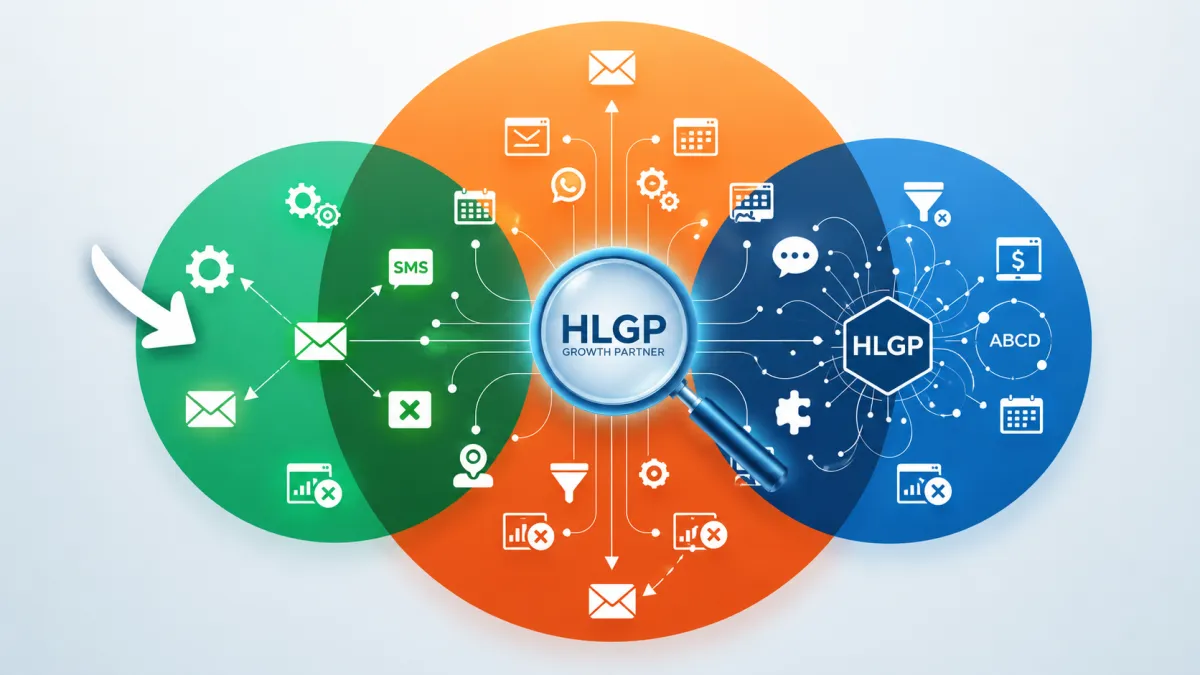
A GoHighLevel Tech Stack Audit is a structured business software audit that asks a simple but powerful question: for every tool you pay for, should you keep it, replace it with GoHighLevel, or integrate it into a more coherent ecosystem?
What Is a Tech Stack Audit?
A tech stack audit looks at your entire technology ecosystem not just individual apps. Rather than debating features in isolation, it evaluates how your tools work together to support marketing, sales, service and finance across the customer lifecycle.
Software inventory: capturing every tool in your CRM technology stack, from core platforms to “forgotten” subscriptions still billing your card each month.
Overlapping functionality: identifying where GoHighLevel can consolidate CRM, email, SMS, funnels, forms and automation to reduce duplication and simplify operations.
Integration mapping: understanding how data flows between systems today and where better GoHighLevel integrations could remove manual work and errors.
Operational efficiency: reviewing how staff actually use each tool, and whether it is helping or hindering productivity and business automation goals.
Long-term scalability: checking that your CRM implementation can support future growth, new services and additional locations without constant rework.
The outcome is a clear, non-technical roadmap that aligns your marketing technology stack with commercial priorities, not just software trends.
Signs Your Business Has Too Many Tools
You do not need to be a GoHighLevel consultant to recognise the warning signs of software bloat. Common indicators include:
Duplicate customer records: the same client appears in three or four systems, each with slightly different information or tags.
Multiple logins for the same task: staff open one app to send emails, another for SMS, another for appointment scheduling and another for reporting.
Inconsistent reporting: marketing and sales dashboards never quite match, so leaders spend meeting time debating numbers instead of decisions.
Manual data entry: team members copy and paste leads from forms into the CRM, or re-key invoices from one platform into another.
Disconnected automations: a lead may receive an email from one system, an SMS from another and a calendar reminder from a third none of which are aware of each other’s activity.
Rising monthly software costs: spend on SaaS creeps up each year, but operational efficiency and revenue do not follow the same curve.
Poor user adoption: licences sit unused because staff find the tools confusing, slow or irrelevant to how they actually work.
Fragmented customer journeys: no single system shows the full path from first click to repeat purchase and referral.
When several of these symptoms appear together, it is time to step back and reassess your CRM consolidation and SaaS optimisation strategy.
Which Tools GoHighLevel Can Commonly Replace
GoHighLevel is designed as an all-in-one platform for agencies and service-based businesses, bringing core marketing and sales functions into a single CRM implementation. In a typical GoHighLevel Tech Stack Audit, the following categories often emerge as candidates for consolidation:
CRM and pipeline management – replacing standalone CRMs and spreadsheet-based sales tracking with a central, shared database and visual pipelines.
Email and SMS marketing – consolidating separate email platforms and SMS tools into GoHighLevel’s built-in campaigns, broadcasts and automation workflows.
Landing pages, funnels and forms – replacing external page builders and form tools with native funnels, websites and survey features that feed directly into the CRM.
Calendars and appointment scheduling – centralising booking links and availability rules, then integrating with Google Calendar or Outlook for staff visibility.
Workflow automation – replacing multiple, overlapping automation tools with a single rules engine that can manage follow-up, task creation and pipeline updates.
Reputation management – consolidating review request tools into GoHighLevel’s built-in system for collecting and responding to Google and Facebook reviews.
However, replacement decisions should never be made on features alone. A considered GoHighLevel implementation looks at business requirements, team capability and existing processes. For some organisations, keeping a specialist email platform or analytics tool while still making GoHighLevel the central CRM delivers better long-term value than forcing everything into one system.
When Integration Is Better Than Replacement
Not every application should be replaced, even in a robust CRM consolidation project. Some tools are deeply embedded in finance, operations or industry-specific workflows and continue to deliver strong ROI. In these cases, GoHighLevel integrations allow you to keep what works while still simplifying your overall architecture.
Accounting platforms: systems like Xero or QuickBooks remain the source of truth for financial reporting, while GoHighLevel passes invoice and payment data across via native or middleware integrations.
Enterprise ERP systems: manufacturing, logistics or inventory platforms may sit behind the scenes, with GoHighLevel acting as the customer-facing CRM and marketing engine on top.
Industry-specific software: practice management systems, booking engines or member portals often remain in place while synchronising key contact and activity data to GoHighLevel.
Payment gateways: Stripe, PayPal and other gateways typically integrate with GoHighLevel to trigger automations and update contact records when payments succeed or fail.
Advanced analytics platforms: BI tools or data warehouses may continue to handle complex reporting, drawing from GoHighLevel as a key source of customer data.
In other words, GoHighLevel often works best as the central CRM and automation hub, surrounded by a carefully selected set of specialist systems. Experienced GoHighLevel experts in Auckland can help you design this architecture so that integrations support, rather than complicate, everyday operations.
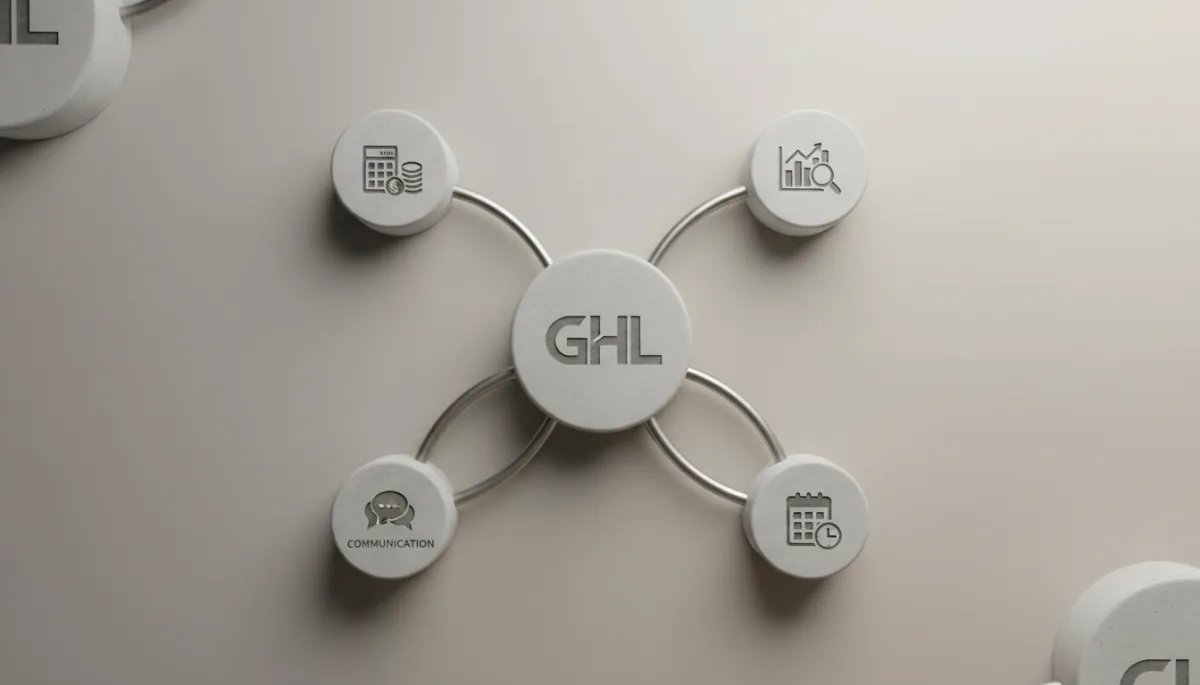
Well-planned integrations let GoHighLevel orchestrate workflows while specialist tools handle edge cases.
Example Story: From Twelve Subscriptions to a Coherent Stack
Consider a fictional but realistic example: a Wellington-based coaching and consulting firm that had grown steadily over four years. What started as a simple email tool and shared calendar had become more than twelve subscriptions, including separate platforms for CRM, email marketing, forms, appointment booking, SMS, funnels, course delivery and automation.
As the team expanded, staff were unsure where to look for the latest client notes. Duplicate customer records appeared across three systems. Reporting for campaigns took days to compile, and monthly software costs kept increasing without a clear link to improved outcomes. The founders suspected GoHighLevel could help, but they did not want to “rip and replace” everything overnight.
They engaged HL Growth Partner as a CRM implementation partner to run a structured GoHighLevel Tech Stack Audit. Together, they mapped every tool, its purpose, usage level and cost. The audit identified tools that could safely be retired such as a standalone funnel builder and duplicate SMS provider applications that should remain integrated, and workflows that could be consolidated into GoHighLevel’s CRM, pipelines and automation engine.
Rather than migrating everything at once, the implementation followed a phased ABCD-style roadmap: start with core CRM and contact data, then build key automations, connect essential integrations and, finally, decommission redundant tools. Over several months, the firm moved to simpler processes, fewer manual tasks, clearer reporting visibility and a far less complex marketing technology stack without disruptive “big bang” changes.
A Practical Framework for Deciding: Keep, Replace or Integrate
You can apply a simple checklist to each tool in your stack when planning GoHighLevel implementation or broader CRM consolidation:
Business value: Does this tool directly support revenue, customer experience or compliance?
Frequency of use: Is it used daily by multiple team members, or rarely touched?
Cost: Is the subscription cost justified by measurable benefits or savings?
Integration capability: Can it connect cleanly to GoHighLevel, or does it require fragile workarounds?
User adoption: Do staff actually like and use it, or avoid it where possible?
Automation potential: Could moving this function into GoHighLevel unlock better end-to-end business automation?
Reporting needs: Does the tool provide critical analytics, or can GoHighLevel and your BI tools cover the same ground?
Scalability: Will this solution still make sense when you double in size or add new services?
Vendor dependency and risk: How hard would it be to move away later, and what happens if the vendor changes pricing or direction?
Tools that score highly on value, adoption and integration but provide specialist capabilities are strong candidates to keep and integrate. Low-value, low-use tools that overlap with GoHighLevel features are likely candidates to replace or retire as part of a structured SaaS optimisation plan. For more complex migrations, some organisations also lean on GoHighLevel implementation support in Christchurch to manage risk and ensure data integrity.
Mistakes Businesses Make During Software Consolidation
Software consolidation can unlock significant operational efficiency, but only if approached carefully. Common pitfalls include:
Replacing everything at once: big-bang projects increase risk and overwhelm staff. Phased GoHighLevel implementation is usually safer and more sustainable.
Migrating without documenting workflows: moving data without understanding the underlying processes often recreates the same problems in a new system.
Ignoring staff training: people default back to old tools if they do not feel confident in the new CRM and automation workflows.
Failing to clean CRM data: duplicate, incomplete or outdated contacts reduce the value of any new platform and distort reporting.
Overlooking user permissions: poorly designed access controls can create security risks or make the system harder to use than necessary.
Breaking existing automations: turning off legacy tools without mapping which campaigns, forms or webhooks depend on them can disrupt customer journeys.
These risks can be mitigated by treating consolidation as a business change project, not just a technical one: documenting processes, involving end users early, testing thoroughly and rolling out in stages.
Why Working with an Implementation Partner Reduces Risk
A specialist GoHighLevel consultant does more than configure settings. As an experienced CRM implementation partner, HL Growth Partner helps you evaluate your technology stack, map existing workflows and design a scalable architecture that fits your business model and team structure.
Clarify which tools are genuinely critical versus nice-to-have.
Plan safe data migration and de-duplication into GoHighLevel as your central CRM.
Implement automations that reflect how your team actually works, not generic templates.
Train staff so they are confident using the new system from day one.
Over time, an ongoing optimisation partner can help you review new GoHighLevel features, refine automations and ensure your CRM technology stack continues to support growth. Many organisations find value in working with GoHighLevel experts in Wellington or elsewhere in New Zealand who understand both the platform and local business context.
Conclusion: Build a Tech Stack That Serves Your Strategy
The goal of a GoHighLevel Tech Stack Audit is not to use fewer tools at all costs. It is to design a technology ecosystem that is efficient, scalable and aligned with your business goals. For some organisations, that means replacing multiple systems with GoHighLevel. For others, it means integrating carefully chosen specialist applications into a GoHighLevel-centred CRM implementation.
The most important question is simple: is every tool you pay for genuinely adding value? If the answer is uncertain, it may be time to step back, audit your marketing technology stack and make deliberate decisions about what to keep, replace or integrate.
FAQs: GoHighLevel Tech Stack Audits and CRM Consolidation
What is a GoHighLevel Tech Stack Audit?
A GoHighLevel Tech Stack Audit is a structured review of all the software used across your business, with GoHighLevel considered as the central CRM and automation platform. It assesses each tool’s role, cost, usage and integration options, then recommends whether to keep it, replace it with GoHighLevel or integrate it into a streamlined ecosystem.
Can GoHighLevel replace all my business software?
GoHighLevel can consolidate many marketing, sales and communication tools—such as CRM, email, SMS, funnels, calendars and automation. However, it is not designed to replace accounting platforms, ERP systems or highly specialised industry software. A balanced approach combines GoHighLevel for customer-facing workflows with selected specialist tools where they add clear value.
Which tools usually integrate best with GoHighLevel?
Payment gateways like Stripe, calendar tools such as Google Calendar, ad platforms like Facebook and Google, and communication providers such as Twilio typically integrate well with GoHighLevel. Many businesses also connect accounting software and analytics tools using native integrations or middleware like Zapier and Make, depending on complexity.
How do I know if I have too many software subscriptions?
Signs include duplicate data across systems, staff confusion about where information lives, inconsistent reporting, manual data entry between tools and rising monthly SaaS costs without clear returns. If you struggle to list every subscription you pay for and why you use it, it is a strong indicator that a business software audit would be valuable.
Is software consolidation always the best option?
Not always. Consolidation can reduce costs and complexity, but replacing a well-established, high-value specialist system purely to save on subscriptions can introduce risk. The best approach is to consolidate where GoHighLevel can deliver equal or better outcomes, and integrate where specialist tools clearly outperform all-in-one alternatives.
How long does a Tech Stack Audit usually take?
Timelines vary with business size and complexity. For many SMEs, an initial GoHighLevel Tech Stack Audit can be completed within a few weeks, including discovery workshops, software inventory, integration mapping and recommendations. Implementation of the roadmap then follows in phased projects to minimise disruption.
What should I review before migrating software?
Before migrating, review your existing data quality, key workflows, user permissions and reporting requirements. Clarify which automations and integrations rely on current tools, and prioritise which processes must be live from day one in GoHighLevel. Cleaning and de-duplicating CRM data ahead of time significantly improves migration outcomes.
Can HL Growth Partner help assess my existing technology stack?
Yes. HL Growth Partner specialises in GoHighLevel implementation and fulfilment, including structured Tech Stack Audits for New Zealand businesses. The team works with you to understand your goals, map your current tools and design a practical roadmap for CRM consolidation, GoHighLevel integrations and long-term optimisation.
How often should a business review its software stack?
As a rule of thumb, an annual review is sensible for most SMEs, with a more detailed audit every two to three years or after major changes such as mergers, new service lines or rapid growth. Regular reviews help ensure your CRM technology stack and business automation remain aligned with your strategy and budget.
Is a Tech Stack Audit suitable for small businesses?
Absolutely. Smaller businesses often feel the impact of software sprawl most acutely because every subscription and manual process directly affects margins and capacity. A focused GoHighLevel Tech Stack Audit can help even a small team simplify tools, reduce unnecessary spend and put a scalable CRM foundation in place early.
Ready to Explore Your Own Tech Stack Audit?
If you suspect your current mix of CRM, marketing tools and automations is holding you back, a conversation can clarify your next step. HL Growth Partner works with agencies, service businesses and founders across New Zealand to design GoHighLevel-centred ecosystems that are practical, scalable and aligned with real-world operations.
Book a strategy call to explore a personalised Tech Stack Audit for your business. Together, we will identify which tools to keep, which to replace, where GoHighLevel fits best and how to simplify your technology stack so your team can focus on delivering great client outcomes not managing software.
Related Articles
Go High Level
- Go High Level CRM Audit: How to Identify What’s Broken Before You Scale
- Go High Level vs Multiple Tools: When It’s Time for Agencies to Consolidate
- GoHighLevel vs Keap (Infusionsoft): Which Wins for Agencies in 2026?
GHL Funnels & CRM
- GoHighLevel Tags vs Custom Fields: When to Use Which to Keep Your CRM Clean (2026)
- GoHighLevel Forms vs Surveys: Which to Use for Higher-Quality Lead Capture (2026)
- Connecting GoHighLevel to Calendly: When to Migrate vs Integrate (2026)
