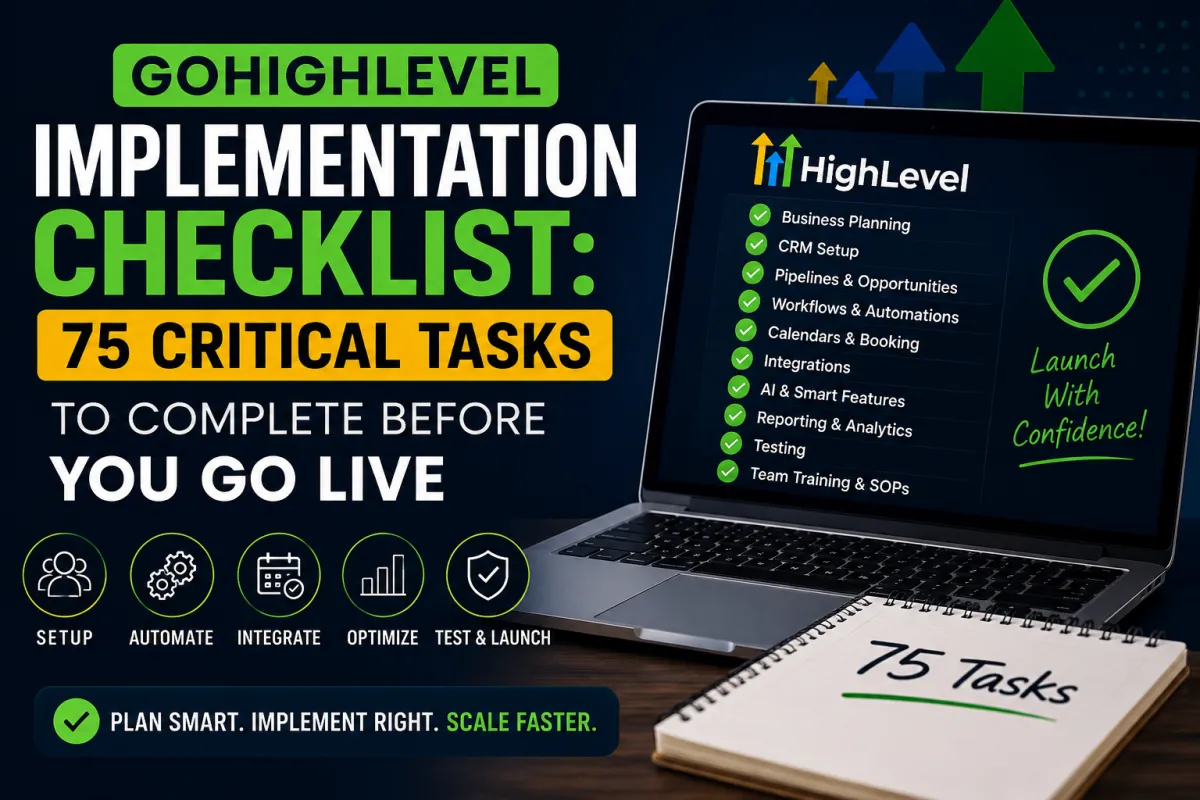
GoHighLevel Implementation Checklist: 75 Critical Tasks to Complete Before You Go Live
CRM, GoHighLevel Implementation Checklist, Automation, Scaling
A practical, battle-tested GoHighLevel implementation checklist so you can launch with confidence, protect your data, and unlock automation-driven growth from day one.
The Costly Lesson of a Rushed GoHighLevel Launch
When Olivia, who ran a fast-growing service business in Brisbane, moved from a patchwork of spreadsheets and email tools to GoHighLevel, she expected instant clarity: clean pipelines, automated follow-ups, and accurate reporting.
Instead, within two weeks of “going live”, leads were disappearing into the wrong pipelines, sales reps were double-calling the same prospects, calendars were overbooked, and a key email campaign landed in spam because the sending domain was never authenticated. Her team quietly reverted to their old tools while the “new CRM” gathered dust in the background.
Olivia didn’t fail because GoHighLevel was the wrong platform. She failed because there was no GoHighLevel implementation checklist, no testing plan, and no owner for the rollout. This guide exists so you don’t repeat that story - whether you’re a marketing agency in Sydney, a SaaS founder in Melbourne, or a service-based business anywhere else.
Why GoHighLevel Implementations Fail (Even with Great Software)
In 2026, GoHighLevel is more powerful than ever—AI workflows, advanced reporting, a revamped mobile app, and deep integrations. But the same old implementation traps still ruin rollouts:
Poor planning: No clear objectives, no mapped customer journey, and no defined success metrics. As CRM experts and analysts repeatedly note, unclear goals are one of the top reasons CRM projects underperform (Forbes Tech Council, 2023).
Bad data: Duplicates, inconsistent fields, and messy imports from tools like HubSpot, Salesforce, Zoho, Pipedrive, Keap, Kajabi or ClickFunnels. If the data is wrong, your automations and reporting will be wrong too.
Weak processes: Trying to “lift and shift” broken processes into a new platform instead of redesigning them around how GoHighLevel actually works—pipelines, Smart Lists, workflows, and AI.
Lack of testing: No sandbox, no pilot group, no scenario testing. Skipping a pilot phase is a classic CRM mistake highlighted by implementation research, and GoHighLevel is no exception.
No governance: Everyone can create pipelines, workflows, and fields. Within months, you’re drowning in clutter, conflicting automations, and “shadow CRMs” living in people’s heads.
The 75-Point GoHighLevel Implementation Checklist (By Phase)
Rather than listing 75 micro-tasks, this GoHighLevel Implementation Checklist groups them into 10 practical phases. Each phase represents 7–8 critical tasks you must complete before you go live.
1. Business Planning (7–8 tasks)
Define your primary goals: more booked calls, higher show rates, better client retention, or cleaner reporting.
Map your customer journey from first touch (ad, referral, organic) to closed-won and ongoing nurture.
Decide which legacy tools will be retired and when (email tools, booking apps, landing page builders).
Actionable tip: Choose one accountable implementation owner and set a realistic go-live date with room for testing.
2. CRM Setup (7–8 tasks)
Complete agency and account settings: logo, timezone, currency, and domains so they cascade correctly across locations.
Configure custom fields and tags that reflect your real-world segments and lifecycle stages.
Clean, deduplicate, and map contact data before importing to GoHighLevel.
3. Pipelines (7–8 tasks)
Start with one core sales pipeline (e.g. New Lead → Contacted → Qualified → Proposal → Won/Lost) before adding complexity.
Define entry and exit criteria for each stage so your team moves deals consistently.
Configure permissions so only authorised users can add or modify pipelines.
4. Workflows & Automation (7–8 tasks)
Build foundational workflows first: new lead nurture, missed-call text-back, appointment reminders, and review requests—these are consistently high-ROI flows in GoHighLevel implementations.
Use nested folders to organise workflows by purpose (Marketing, Sales, Onboarding, Internal).
Document triggers, conditions, and outcomes so automations are understandable and maintainable.
5. Calendars & Booking (7–8 tasks)
Connect user calendars with two-way sync and set clear availability windows and buffers to reduce no-shows.
Create calendars by service type or funnel step, not just by person, to keep things scalable.
Attach confirmation and reminder sequences (email + SMS) to each calendar.
6. Integrations (7–8 tasks)
Authenticate email (SPF, DKIM, DMARC) and SMS (A2P 10DLC where applicable) to avoid deliverability issues.
Connect Stripe, payment links, ad accounts, and any key apps like Shopify or HubSpot via GoHighLevel’s native integrations where possible.
7. AI Features (7–8 tasks)
Configure Conversation AI or Voice AI to handle simple lead qualification and appointment booking, then test it on a limited segment first.
Use Ask AI to draft nurture sequences, landing page copy, and FAQs, but always review and align with your brand voice.
8. Reporting & Dashboards (7–8 tasks)
Build simple dashboards first: leads in, opportunities created, appointments booked, and revenue won by source.
Agree on definitions: what counts as a lead, an opportunity, and a customer so reports are trusted.
9. Testing & QA (7–8 tasks)
Run through end-to-end test journeys: submit a form, receive emails/SMS, book a call, move through pipeline stages, and check reporting.
Test with a small pilot group before rolling out to the entire team or client base.
10. Team Training & Governance (7–8 tasks)
Run role-based training sessions: sales, marketing, operations, leadership. Show each group their views, tasks, and KPIs in GoHighLevel.
Create simple SOPs: how to log notes, move deals, create tasks, and avoid “rogue” workflows.

A simple scorecard keeps your GoHighLevel implementation accountable and on track.
Five Common Implementation Mistakes and How to Avoid Them
Launching without clear objectives
Impact: Confusing dashboards, misaligned expectations, and “Is this even working?” conversations.
Avoid it: Define 3–5 measurable goals (e.g. increase show rate, shorten sales cycle) before configuring GoHighLevel.Dumping dirty data into a clean system
Impact: Duplicates, wrong fields, and broken segments that undermine trust in the CRM.
Avoid it: Clean and map data in a spreadsheet first, then import. Run a small test import from your old CRM before doing the full migration.Overbuilding automations on day one
Impact: Complex workflows that are hard to debug and easy to break, especially as your team grows in Adelaide, Perth, or across multiple locations.
Avoid it: Start with a handful of simple, high-impact workflows and add sophistication only once they’re stable.Skipping testing and a pilot phase
Impact: Customers receive broken links, duplicate messages, or no follow-up at all.
Avoid it: Always test journeys using internal email addresses and phone numbers, and run a pilot with a small team for 1–2 weeks.Ignoring training and governance
Impact: Low adoption, inconsistent data entry, and a system that slowly drifts out of control.
Avoid it: Schedule recurring training, appoint a GoHighLevel “admin”, and set simple rules for creating fields, pipelines, and workflows.
A Realistic Scenario: When GoHighLevel Is Implemented Properly
Imagine a multi-location home services company migrating from Keap and ClickFunnels into GoHighLevel. Before migration, leads came in from ads, phone calls, and web forms, but no one could see the full picture. Sales reps manually followed up, and managers spent hours each week piecing together reports.
After following a disciplined GoHighLevel implementation checklist:
All leads flow into a single, clearly defined pipeline with automatic tagging by source and campaign.
Missed calls trigger instant SMS follow-ups, so fewer opportunities slip away when the phones are busy.
Booking links and reminders reduce back-and-forth and keep calendars full without overbooking.
Managers open a single dashboard to review leads, conversion rates, and revenue by location, without exporting a single CSV.
No wild claims or made-up percentages - just realistic outcomes from a system that’s been thoughtfully implemented, tested, and adopted by the team, whether they’re in Canberra, Darwin, or Hobart.
Meet HL Growth Partner: Your GoHighLevel Implementation & Fulfilment Team
If you’d rather not become a full-time CRM architect, HL Growth Partner acts as your specialist GoHighLevel implementation and fulfilment partner. Instead of just “setting up an account”, we help you design and execute the entire rollout:
CRM implementation & migration from tools like HubSpot, Salesforce, Zoho, Pipedrive, Keap, Kajabi or ClickFunnels.
Automation & AI workflows designed around your real-world processes and capacity.
Optimisation, training, and ongoing support so your GoHighLevel account keeps improving as you scale.
Whether you’re an agency, SaaS founder, or service-based business, we help you turn GoHighLevel into a growth engine—not another underused tool.
GoHighLevel Implementation FAQ
How long does implementation take?
For most small to mid-sized businesses, a focused GoHighLevel implementation takes 3–6 weeks from planning to go-live. Complex migrations with multiple tools, locations, and automations can extend beyond that, especially if you’re redesigning processes at the same time. The key is to launch a solid “phase one” quickly, then iterate.
What should be completed before launch?
At minimum, complete: core pipelines, key workflows (new lead, appointments, reminders), calendar setup, email/SMS authentication, clean data import, and a round of end-to-end testing. Your GoHighLevel Implementation Checklist is your best defence against rushing this stage.
Can I migrate safely from another CRM?
Yes—if you plan it carefully. Export data, clean and map fields, run a test import, and only then move the full dataset. For more complex platforms like Salesforce or HubSpot, it’s worth working with an implementation partner who understands both systems and GoHighLevel’s data model.
Should I hire an implementation partner?
If your revenue depends on reliable pipelines and automations, a partner often pays for itself by avoiding costly mistakes. HL Growth Partner, for example, brings playbooks, templates, and hands-on support so you launch faster with fewer surprises and a clear roadmap for optimisation.
How often should my CRM be audited?
At least quarterly. Review pipelines for stuck deals, audit workflows for relevance and performance, tidy up unused fields and tags, and confirm that reports still match how you make decisions. Many businesses schedule a lighter monthly review and a deeper quarterly audit.
What are the biggest implementation mistakes?
The biggest mistakes are rushing planning, importing messy data, overbuilding automations, skipping testing, and neglecting training. These are consistent with broader CRM research and are exactly what this GoHighLevel Implementation Checklist is designed to prevent.
Can GoHighLevel automate my customer journey?
Yes. With workflows, Conversation AI, Voice AI, Smart Lists, and integrated calendars, you can automate large parts of your marketing, sales, and onboarding journeys. The key is to design automations that support your team—not replace human judgment where it’s still essential.
Does HL Growth Partner support businesses across Australia?
Yes. HL Growth Partner works with businesses and agencies across Australia, including Brisbane, Sydney, Melbourne, Adelaide, Perth, Canberra, Darwin, and Hobart, as well as remote-first teams.
Ready to Implement GoHighLevel Properly? Take the Next Step.
A powerful platform without a structured rollout is just another subscription. With a clear GoHighLevel Implementation Checklist, an honest readiness score, and a simple scorecard to track progress, you can launch with confidence, protect your customer relationships, and build a CRM that actually scales with your business.
If you’d like expert guidance on planning, migration, automation, AI workflows, optimisation, training, and ongoing support, book a strategy call with HL Growth Partner. Together, we’ll design and deliver a GoHighLevel implementation that supports your growth today—and doesn’t need to be rebuilt in six months.
Related Articles
Go High Level
- Go High Level CRM Audit: How to Identify What’s Broken Before You Scale
- Go High Level Setup Checklist for Consistent Booked Calls
- Why Certified Expertise is Crucial for GoHighLevel Implementation | HL Growth Partner
GHL Funnels & CRM
- GoHighLevel Chat Widget: Setup, SMS Chat & Live Chat (2026)
- GoHighLevel Proposals & Estimates: Setup (2026)
- GoHighLevel for Med Spas: Booking & Rebooking Snapshot (2026)
