GoHighLevel for Pet Groomers: Setup Guide (2026)
By Dr Priya Jaganathan, GoHighLevel Certified Admin · HL Growth Partner, Australia · Updated 4 October 2026 · 9 min read
Some links below are affiliate links — if you sign up through them, HL Growth Partner may earn a commission at no extra cost to you. It never changes what we recommend.
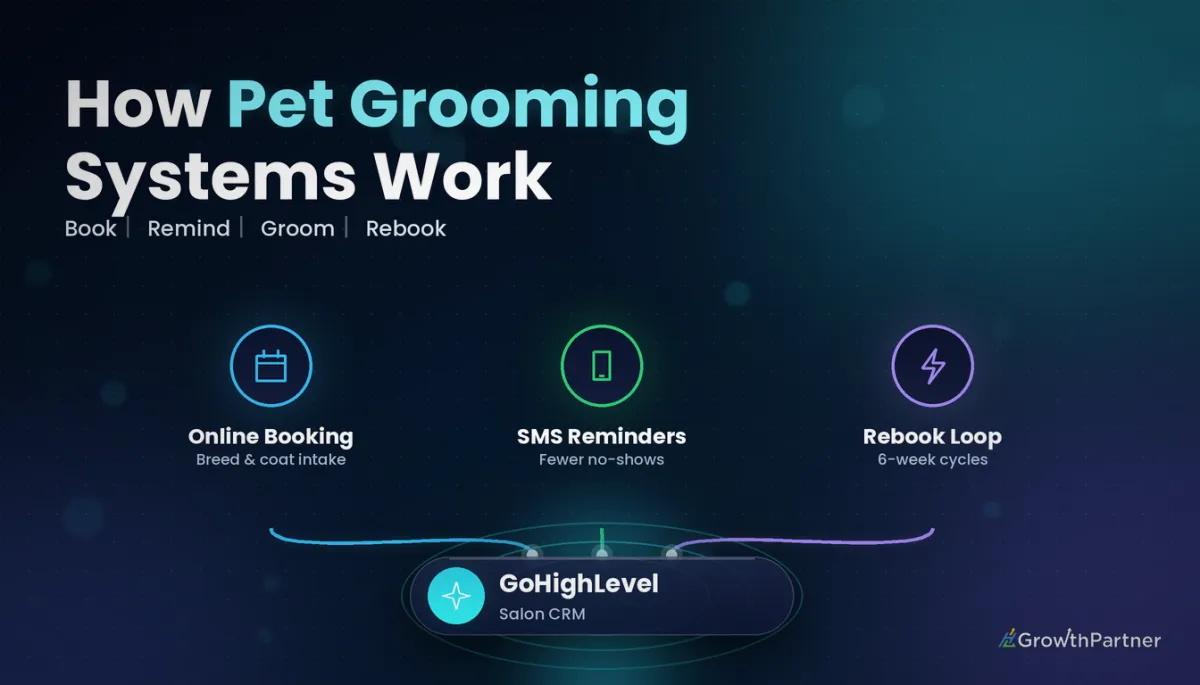
Setting up GoHighLevel for pet groomers is less about fancy funnels and more about getting four things right: who the dog is, when it is booked, whether the owner turns up, and when they come back. Get those right and the rest of the account almost runs itself.
This guide walks through the exact build we use for Australian dog grooming salons and mobile groomers, from pet-profile custom fields to the rebook cycle that brings a groodle back every six weeks. If you have been searching for a HighLevel CRM for dog grooming salons, this is the blueprint.
Quick Facts
| Households with a pet | 73% of Australian households (Animal Medicines Australia, Pets in Australia, 2025) |
| Households with a dog | 49%, an estimated 7.4 million dogs (Animal Medicines Australia, 2025) |
| Deposits at booking | HighLevel calendars can take a fixed amount or a percentage upfront |
| Core GHL tools used | Custom fields, Calendars, Workflows, Pipelines, Reputation, Conversations |
| SMS compliance | Australian sender rules plus the Spam Act; include opt-out wording in marketing texts |
Why GoHighLevel for pet groomers beats a diary and a group chat
Most grooming businesses we audit run on a paper diary, a booking app that does not talk to anything, and the owner's personal mobile. It works until it doesn't.
The market is not short of customers. Animal Medicines Australia's Pets in Australia report (2025) found half of Australian households have at least one dog. The bottleneck is capacity and follow-up, not demand.
HighLevel puts the contact record, the calendar, SMS, reviews and the rebook reminder in one sub-account. The win is that every message and appointment is tied to the dog, not just the owner's phone number.
Build the pet profile: custom fields that matter in a HighLevel CRM for dog grooming
Start with data. If the groomer cannot see the breed, coat and temperament before the dog walks in, the booking duration will be wrong and the day runs late.
Create a custom field folder called "Pet Profile" and add these fields. Our guide to setting up GoHighLevel custom fields covers field types and folder structure in detail.
- Pet name (single line text) so every SMS can say "Bella" rather than "your pet".
- Breed (dropdown with an "Other" option plus a text field for cross-breeds).
- Size band (small, medium, large, giant) which drives calendar choice and pricing.
- Coat type (short, double, curly/non-shedding, wire, long silky).
- Temperament notes (multi-line text: anxious, muzzle required, nips at feet, senior).
- Vaccination status (dropdown: current, overdue, unknown) plus a date field for expiry.
- Last groom date and rebook interval (weeks) for the rebook workflow.
Handling multi-pet households
Custom fields sit on the contact, so a household with two dogs needs a decision. For one or two pets, a "Pet 2" set of fields is the simplest approach.
For households with three or more animals, use a multi-line "Household pets" field and record each dog's details in appointment notes.
Booking calendars per groomer and per dog size
A nail trim and a full groom on a Samoyed are not the same appointment. Your calendars need to reflect real time on the table, or your staff will be running an hour behind by lunchtime.
We usually build one calendar per service-and-size combination, each with its own duration and buffer. Assign groomers as team members so the booking widget only offers slots someone can actually take. The full calendars and booking setup walkthrough explains calendar types, availability and buffers.
| Service | Typical duration | Buffer after | Deposit? |
|---|---|---|---|
| Nail trim / tidy-up | 15–20 min | 5 min | No |
| Bath and brush (small dog) | 45–60 min | 10 min | Optional |
| Full groom (small/medium) | 1.5–2 hrs | 15 min | Yes |
| Full groom (large/double coat) | 2.5–3.5 hrs | 15 min | Yes |
| First-visit puppy groom | 45 min | 15 min | Yes |
Durations above are starting points from salons we have worked with, not industry benchmarks. Adjust them after two weeks of real data.
Deposits for no-shows: protect the big-dog slots
A three-hour large-breed groom that no-shows is the most expensive empty chair in the salon. Deposits change behaviour faster than any reminder text.
HighLevel calendars let you switch on payments and take either a fixed amount or a percentage at booking, with the balance collected later. The official Payments tab in Calendars documentation shows how balances and transactions appear on each appointment.
Apply deposits to long and first-visit appointments only. Regulars with a solid history can book without one, which keeps loyal clients happy.
SMS reminders and missed call text-back for busy groomers
Groomers have wet hands and a dryer running. They cannot answer the phone mid-groom, and every missed call is a potential booking going to the salon down the road.
Appointment reminders
Build an appointment reminder workflow triggered by the appointment status. A sensible sequence for grooming looks like this:
- Confirmation SMS immediately with date, time, address and drop-off instructions.
- Reminder 48 hours before, asking the owner to reply C to confirm.
- Reminder on the morning of the appointment, including a note if vaccinations are overdue.
- Pick-up text when the groom is finished (triggered manually or by a status change).
Missed call text-back
Switch on missed call text-back so anyone who rings during a groom gets an instant SMS with your booking link. Our missed call text-back setup guide walks through the configuration and message wording.
Not on HighLevel yet? Start with a free 30-day trial here — long enough to build everything in this guide before you pay a cent.
The rebook-cycle workflow: the heart of GoHighLevel for pet groomers
Grooming is a repeat business. A curly-coated dog might need a groom every four to six weeks, while a short-coated breed might come in every eight to twelve. The money is in the rebook.
The rebook workflow uses the "last groom date" and "rebook interval" fields to time the reminder for each individual dog. When an appointment is marked as showed, the workflow updates the last groom date, waits the right number of weeks, then sends a friendly nudge.
- Trigger: appointment status changes to showed.
- Action: update the "last groom date" custom field to today.
- Wait: based on the rebook interval (for example, five weeks for a five-week interval, leaving a week to book).
- SMS: "Bella's due for her next groom. Here's the link to grab a spot with Jess."
- If no booking within five days, send one follow-up, then tag as "rebook overdue" for a staff call.
The service reminder workflow setup guide covers date-based waits and how to stop the sequence once a new booking lands. Best practice is to also ask owners to rebook at pick-up; the workflow is the safety net.
Review requests and Google Business Profile for grooming salons
When someone searches "dog groomer near me", the map pack decides who gets the call. Reviews and an active Google Business Profile drive that ranking.
Connect your Google Business Profile inside the sub-account so reviews flow into Reputation and you can reply from one place. Then send an automated review request a couple of hours after pick-up, while the owner is still sharing photos of their freshly groomed dog.
Our article on automating review requests with HighLevel Reputation Management explains timing, AI-assisted replies and how to avoid over-asking regulars.
A simple pipeline for new grooming clients
Regulars don't need a pipeline, but new enquiries do. A short pipeline stops first-time owners slipping through the cracks.
- New enquiry: form, Facebook message, missed call or website chat.
- Details collected: pet profile fields completed, vaccination status checked.
- First groom booked: deposit paid.
- First groom done: review request and rebook workflow start.
- Regular client: second groom booked; opportunity marked won.
Use a Smart List filtered by "vaccination status is overdue" so the front desk can follow up before the next appointment rather than at the door.
Mobile groomer routing and service areas
Mobile groomers have a different constraint: driving time. A booking in one suburb at 9am and another 40 minutes away at 10am wrecks the day.
HighLevel does not do route optimisation natively, so the practical approach is zoning. Add a "service zone" custom field (populated from postcode on the booking form) and build one calendar per zone, each open only on its set days.
- Monday and Thursday: northern suburbs calendar.
- Tuesday and Friday: eastern suburbs calendar.
- Wednesday: overflow and out-of-area bookings with a travel fee.
Postcodes outside your service area can be routed by a workflow to a polite "we don't currently cover your area" message and tagged for a waitlist, which is useful data when deciding whether to add a second van.
Sample GoHighLevel build for a dog grooming salon
Here is the full component list we install for a typical one-to-three groomer salon.
| Component | What it does | GHL feature |
|---|---|---|
| Pet profile | Stores name, breed, size, coat, temperament, vaccinations | Custom fields (contact) |
| Service calendars | Right duration per service and dog size, per groomer | Calendars with team members |
| Deposits | Reduces no-shows on long and first-visit grooms | Calendar payments |
| Reminders | Confirmation, 48-hour and same-day SMS | Workflows (appointment trigger) |
| Missed call text-back | Instant SMS with booking link when the phone isn't answered | Phone system and Workflows |
| Rebook cycle | Nudges each dog back on its own interval | Workflows with date-based waits |
| Review requests | Asks happy owners for a Google review after pick-up | Reputation Management |
| New client pipeline | Tracks enquiries to regular clients | Pipelines and opportunities |
| Service zones | Groups mobile bookings by area and day | Custom fields and zone calendars |
Common mistakes to avoid
- Using one calendar for every service, so a nail trim and a full large-breed groom get the same slot length.
- Sending marketing SMS without consent or opt-out wording, which breaches Australian Spam Act requirements.
- Building a fixed six-week rebook reminder for every dog instead of using a per-dog interval field.
- Asking regulars for a review after every single groom until they tune out or unsubscribe.
- Skipping vaccination status fields, then discovering an overdue dog on the morning of the appointment.
- Letting the rebook workflow keep running after the owner has already booked their next groom.
If you want a done-for-you GoHighLevel build for your grooming salon or mobile van, book a strategy call with the HL Growth Partner team.
Or if you just need the software first: grab the 30-day HighLevel trial and book us when you're ready to scale it.
Frequently asked questions
Is GoHighLevel suitable for a small one-person grooming business?
Yes. A solo groomer benefits most from missed call text-back, automated reminders and the rebook workflow, because there is no receptionist to do that work. Start with those three and add the pipeline and reviews later.
Can HighLevel take deposits for grooming appointments?
Yes. HighLevel calendars can collect a fixed amount or a percentage upfront when a client books, with the balance paid later. Many salons apply deposits only to long grooms and first visits.
How do I store details for more than one dog per owner?
Custom fields live on the contact record, so for two dogs you can create a second set of pet fields. For larger households, use a multi-line household pets field and add details to each appointment's notes.
How does the rebook reminder know when to message each client?
The workflow records the last groom date when an appointment is marked as showed, then waits based on a rebook interval field set for each dog. A curly-coated breed might get a five-week nudge while a short-coated dog waits longer.
Does GoHighLevel do route planning for mobile groomers?
Not natively. The practical workaround is zoning: capture a service zone from the client's postcode and run separate calendars that open in each area on set days. This keeps driving time between appointments manageable.
Do I need consent to send grooming reminders by SMS?
Appointment reminders for a booking the client made are generally treated as service messages, but promotional texts need consent and an opt-out under the Spam Act. Check your wording and keep marketing and reminder messages separate.
How long does it take to set up GoHighLevel for a grooming salon?
A typical one-to-three groomer salon can have custom fields, calendars, reminders, missed call text-back and the rebook workflow live within about two weeks. Importing existing clients and pet data is usually the slowest step.
Related Articles on HL Growth Partner
Industry snapshots
Bookings and no-shows
- Appointment Reminder Workflows in GoHighLevel
- No-Show and Reschedule Automation
- Waitlist Workflow Setup Guide
