7 CRM Automation Mistakes New Zealand Businesses Make When Setting Up GoHighLevel
CRM, GoHighLevel New Zealand, Marketing Automation
Most New Zealand businesses do not fail with GoHighLevel because the platform is wrong. They fail because the setup is wrong. The result is painful but familiar: leads going cold in the inbox, double-texting clients, staff confused, and no clear view of which marketing channel is actually working. Owners in Auckland, Wellington and Christchurch end up thinking GoHighLevel is “too hard” or “not right for NZ”, when the real issue is how it has been configured. In this guide, we will walk through seven common GoHighLevel setup mistakes Kiwi businesses make, and the simple fixes that turn the system into a reliable growth engine. Each mistake is practical, based on real accounts we have audited, and includes a clear next step you can apply to your own GoHighLevel New Zealand account today.
The Mistake What It Costs You The Fix Automating before mapping the customer journey Disjointed messages, leaks, low conversion Map every step first, then build workflows No speed-to-lead automation Lost enquiries to faster competitors Instant reply plus missed-call-text-back Skipping NZ localisation and compliance Wrong timing, billing issues, legal risk Configure timezone, GST, SMS and consent for NZ No lead-source tracking or attribution Ad spend scales blindly, wasted budget Use source tags, UTMs and a simple dashboard Over-automation with no human in the loop Cold, robotic experience, fewer replies Automate admin, keep humans on key touchpoints Pipeline stages that do not match real sales Confusing data, poor forecasting, missed deals Build stages around actual selling steps No testing or QA before go-live Double-sends, broken triggers, lost trust Run full staging test with safeguards
1. Automating Before Mapping the Customer Journey
Many GoHighLevel New Zealand accounts start with a blank screen and a big temptation: jump straight into building workflows. It feels productive. You drag in triggers, add emails, plug in SMS, and assume the tech will sort the rest. But without a clear customer journey on paper, you are automating guesswork. Messages overlap. Leads get the wrong offer at the wrong time. People book calls before they are ready or never see the follow-up that would have converted them. You end up with a noisy system and no simple way to improve it.
The fix is simple, but most teams skip it: map the journey first, automate second. Start outside GoHighLevel. On a whiteboard or shared doc, write down every step from first click to paid customer and beyond. Include what the customer is thinking and what you want them to do next. Only then log in and build one workflow per stage. This keeps your automations clean, easier to test, and much easier to scale when you add new campaigns or channels later on.
2. No Speed-to-Lead Automation (The 5-Minute Window)
In most industries, the first business to respond to a new enquiry wins. Yet many HighLevel NZ setups rely on someone checking email “when they get a chance”. By then, the lead has moved on. Every hour that passes after a web form, Facebook lead or Google Ad enquiry drops your chance of contact and conversion. You have paid for the click, but not protected the opportunity. Staff blame the leads. In reality, the system was never built to respond fast enough.
We see this constantly with Auckland trades and services businesses: a quote request lands at 9am, someone replies at 2pm, and the customer has already booked the competitor who texted back in 90 seconds. A well-built Auckland GoHighLevel setup solves this with two simple automations. First, an instant email and SMS that confirm the enquiry and set expectations: when you will call, what happens next. Second, a missed-call-text-back flow that sends a quick message whenever a call is not answered. These two steps alone can lift contact rates, protect ad spend, and give your team more quality conversations without working longer hours.
3. Skipping New Zealand Localisation and Compliance
GoHighLevel is built in the US. Out of the box, it does not know you are in New Zealand or that your customers expect messages and invoices to match local rules. Many accounts we audit are still on US timezones, send SMS from unregistered numbers, and issue invoices that ignore GST. The risk is not only annoyed customers; it can also create real compliance problems under the Privacy Act 2020 and the Unsolicited Electronic Messages Act 2007 if you are not careful with consent and contact details.
Start with timezone. Set your account and all sub-accounts to NZST/NZDT so that emails, SMS and workflow delays line up with local hours. Nothing kills trust faster than a 3am text. Next, configure GST correctly on invoices and order forms so your quotes, deposits and receipts match what your accountant and the IRD expect. For SMS and calling, use New Zealand numbers, register your sender where required, and follow carrier rules so your deliverability stays high. Finally, build clear opt-in and opt-out flows, and log consent in your CRM fields. GoHighLevel provides the tools; it is your job as the data controller to configure them in line with New Zealand law and your own privacy policy. Do this before go-live, not after a complaint lands in your inbox.
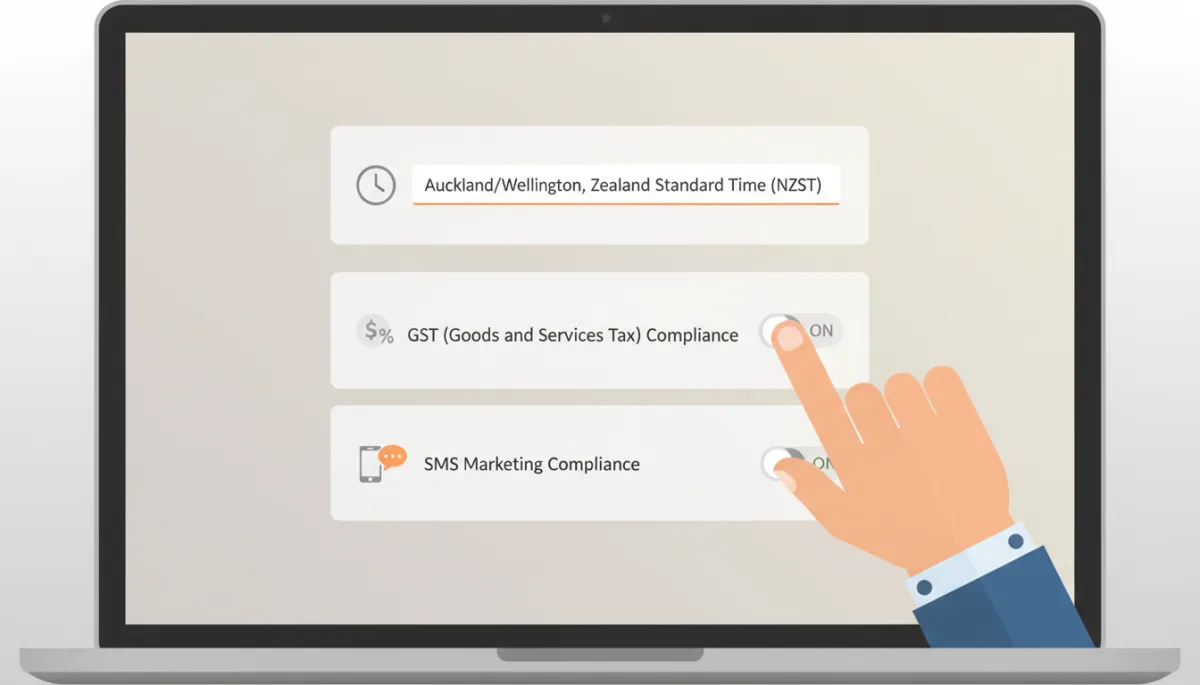
Localising timezone, tax and SMS settings prevents quiet errors from day one.
4. No Lead-Source Tracking or Attribution
Many New Zealand businesses ramp up ads and content once GoHighLevel is in place. The CRM fills with contacts, but nobody can answer a basic question: which channel is actually working? Without source tracking, you are flying blind. You might be pouring more budget into Facebook while most of your profitable leads come from Google Search or a single referral partner. When revenue is up, you cannot prove why. When revenue drops, you do not know where to look first. Decisions become guesses, not data-backed choices.
Fix this by setting up simple attribution from day one. Use UTM parameters on every ad and campaign link. In GoHighLevel, capture those UTMs into custom fields and apply clear source tags like “Google Ads”, “Meta Retargeting”, or “Referral – Partner X”. Then, build a basic reporting dashboard that shows new leads, opportunities and closed revenue by source. It does not need to be fancy. Even a weekly snapshot is enough to see patterns and adjust spend. Over a few months, this clarity alone can save thousands in wasted ad budget and help you double down on what is already working in your market.
5. Over-Automation With No Human in the Loop
GoHighLevel can automate almost anything: emails, SMS, voice drops, even AI chat and call handling. The danger is thinking “if we can automate it, we should”. When every touchpoint is a template, customers feel like a number. Subtle buying signals get missed. Staff assume “the system is doing it” and stop picking up the phone. Over time, response rates fall and referral volume drops, even if your metrics inside the system look busy and impressive. Activity is not the same as connection.
A Wellington consultancy we audited had automated every single touchpoint — clients were getting six robotic emails before a human ever said hello, and reply rates had collapsed. In that case, the fix was to strip the system back. We kept automation for admin: confirmations, reminders, rescheduling, simple follow-ups. Then we inserted clear points where a real person had to act, and used a Wellington GoHighLevel workflow to prompt them with tasks and scripts. The rule is simple: automate the repetitive work, not the relationship. Use GoHighLevel to make it easier for your team to show up as humans at the right moment, with the right context on screen.
6. Pipeline Stages That Do Not Match How You Actually Sell
The default pipelines in many CRMs look neat but do not reflect how your team really sells. If your GoHighLevel pipeline has vague stages like “New”, “Contacted”, “Follow-up” and “Closed”, it is almost useless. Staff drag cards around based on mood. Reports show a blur of deals with no clear next action. Automation that depends on stage changes either never fires or fires at the wrong time. In the end, people stop trusting the data and go back to spreadsheets or memory, which defeats the purpose of a CRM in the first place.
A better approach is to design stages around your real sales motion. Sit down with the people who talk to customers every day. Ask them, step by step, what actually happens from first contact to money in the bank. For a Christchurch builder, that might be “New Enquiry”, “Site Visit Booked”, “Quote Sent”, “Quote Follow-Up”, “Accepted – Pending Contract”, “Job Scheduled”, and “Completed”. Build those exact stages in GoHighLevel, then tie specific automation to each one: reminders when a quote is sitting too long, tasks when a job is marked complete, review requests after the final invoice. When pipeline stages match reality, your data becomes useful, and your automation becomes far more reliable.
7. No Testing or QA Before Go-Live
Under pressure to “get something live”, many businesses switch on GoHighLevel workflows after only a quick internal click-through. They do not test with real data, edge cases, or different entry points. The first true test is when paying customers start moving through the system. That is when problems show up: double-sends, missing messages, people stuck in loops, or deals being marked lost by mistake. You only get one chance to make a first impression with a new automation. If it fails, trust is hard to win back, both internally and with your customers.
A Christchurch business went live without testing and double-texted their entire database on day one — 400 contacts, two identical messages, before anyone noticed the trigger was firing twice. A careful Christchurch GoHighLevel implementation would have caught this in staging. Before launch, clone your key workflows into a test pipeline. Run through them as if you were a lead from each channel. Check every email, SMS, delay and condition. Use a small internal list as a live pilot for a week. Only then roll out to your full database. Build in fallback steps too, such as manual review for high-value segments, so that if something does misfire, the damage is limited and easy to correct.
Get It Set Up Right the First Time
Most owners and operations leads do not have the time to untangle a messy GoHighLevel build. You are already running the business, managing staff, dealing with customers, and trying to keep marketing moving. Learning every corner of a complex CRM and automation platform on top of that is a big ask. Yes, you can keep patching things yourself, but every week with a broken setup costs you leads, time and headspace. A clean, well-planned implementation pays for itself in fewer mistakes and more consistent revenue.
If you are in Auckland and want a GoHighLevel expert in Auckland to review or rebuild your account, we can help. In the capital, you can work with a Wellington GoHighLevel specialist who understands local service businesses and government suppliers. And if you are based further south, our team handles GoHighLevel setup in Christchurch for trades, professional services and e-commerce. Wherever you are in New Zealand, the goal is the same: a simple, robust GoHighLevel build that supports your growth instead of getting in the way.
GoHighLevel New Zealand — Frequently Asked Questions
Is GoHighLevel good for New Zealand businesses?
Yes, GoHighLevel is a strong fit for many New Zealand businesses, especially service-based companies, agencies and consultancies. It combines CRM, pipelines, email, SMS, funnels, booking, payments and automation in one place, which means fewer tools to manage and better visibility of your leads. The key is in the setup. If you configure it with New Zealand timezones, GST, consent and local workflows in mind, it becomes a powerful operating system for your sales and marketing. If you treat it as a quick DIY email tool, it will probably feel clunky and underwhelming. The platform is capable; the question is whether it has been implemented with your specific NZ business model and customer journey in mind.
Does GoHighLevel work with NZ phone numbers and SMS sending?
GoHighLevel supports New Zealand phone numbers and SMS, but there are a few steps to get it right. You will need to set up local numbers through the underlying telephony provider, register your sender where required, and follow carrier rules so messages are delivered reliably. It is also important to align your SMS practices with the Unsolicited Electronic Messages Act 2007 and the Privacy Act 2020: get clear consent, honour opt-outs, and avoid sending at unreasonable hours by using NZST/NZDT in your account. Done properly, you can run two-way SMS, missed-call-text-back and automated reminders that feel personal and compliant for your New Zealand audience.
How much does GoHighLevel setup cost in New Zealand?
Pricing has two parts: the GoHighLevel subscription itself, and the cost of getting it set up properly. As of 2026, core GoHighLevel plans start around US$97 per month and go up to US$497 per month for advanced agency and SaaS features, with extra usage charges for SMS, calls and email volume. For professional setup in New Zealand, most businesses can expect to invest somewhere between a few thousand dollars for a focused build, up to higher five figures for complex, multi-brand or multi-location projects. That may sound high compared to a DIY weekend, but it is usually far cheaper than running a broken system for a year — paying for ads, staff time and software while leads slip through the cracks or compliance risks build up. A solid one-off implementation can keep paying you back for years.
Can I set up GoHighLevel myself, or do I need an expert?
You can absolutely handle the basics yourself. Many owners successfully set up simple pipelines, calendars and a few email or SMS sequences. The problems tend to appear at the next layer: automation logic, New Zealand compliance, attribution, and multi-channel campaigns. That is where small mistakes can lead to double-sends, poor deliverability, or unreliable reporting. If your needs are light and you enjoy tech, start small and keep it simple. If you are investing serious money into ads or running a team that depends on the CRM, it is worth bringing in someone who has built dozens of accounts before. You can work with local specialists via our Auckland, Wellington or Christchurch GoHighLevel services to get a robust foundation, then manage day-to-day tweaks yourself.
How long does a proper GoHighLevel setup take?
For a typical New Zealand service business, a focused GoHighLevel implementation takes anywhere from two to six weeks. The exact timeline depends on how clear your offers and processes are, how many channels you want to connect, and how quickly you can review and approve copy and workflows. A simple build — one main funnel, one pipeline, basic automations and booking — can often be live in a fortnight. More advanced setups with multiple brands, complex attribution, memberships or AI features can take longer. What matters most is not speed for its own sake, but leaving enough time for journey mapping, localisation, testing and staff training. A rushed three-day build usually leads to months of patching. A structured few weeks with the right partner gives you a GoHighLevel account you can trust and grow with.
Related Articles
Go High Level
- GoHighLevel for New Zealand Businesses: How to Build a CRM That Handles Privacy, SMS Compliance, and Local Timezones
- Best CRM for New Zealand Businesses 2026 | GoHighLevel
- Common Go High Level Automation Mistakes Costing Agencies Clients
GHL Funnels & CRM
- GoHighLevel Tags vs Custom Fields: When to Use Which to Keep Your CRM Clean (2026)
- GoHighLevel Pipelines & Opportunities: CRM Setup (2026)
- Connecting GoHighLevel to Calendly: When to Migrate vs Integrate (2026)
